ATS Friendly Resume Meaning: What It Really Means
Most career advice treats an applicant tracking system like a hostile gatekeeper that assigns your resume a secret number out of 100 and deletes anyone below 80. Job seekers spend hours tweaking fonts, stuffing buzzwords into margins, and paying for online "score" checkers that promise to beat the bot. That framing gets the entire process backward.
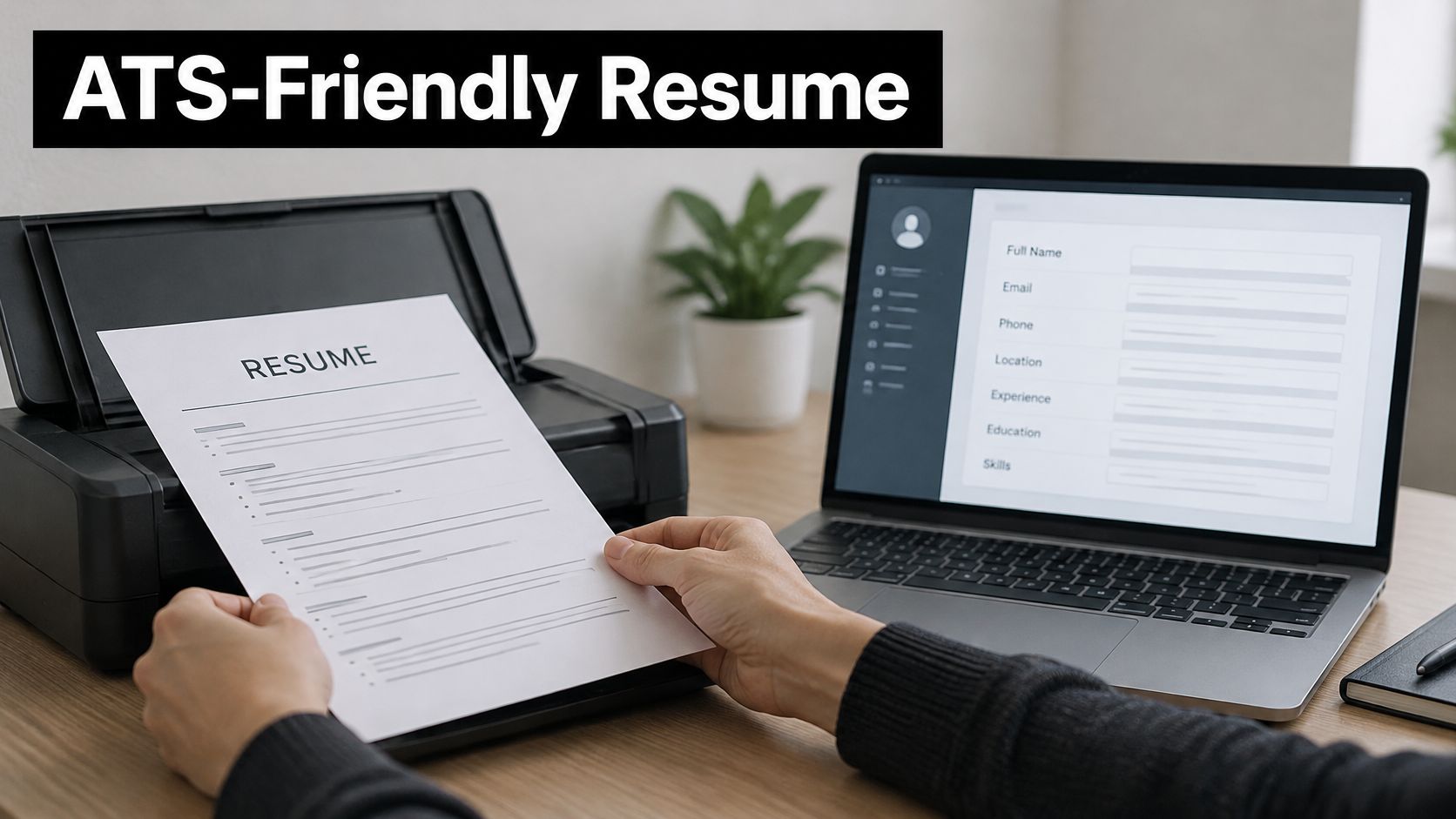
Understanding ATS-friendly resume meaning starts with dropping the robot myth and looking at hiring as an information-retrieval problem. Your resume has two separate audiences. First, a parser extracts your facts into a company database. Second, a human recruiter searches and filters those database fields to find candidates who fit an open role.
When you treat both audiences as one mythical algorithm, you fix the wrong problem. You might rewrite strong accomplishments into awkward keyword soup when your file failed to extract your job titles. Or you might strip out a clean layout when your experience didn't mirror what the recruiter typed into the search bar.
What an ATS-Friendly Resume Really Means
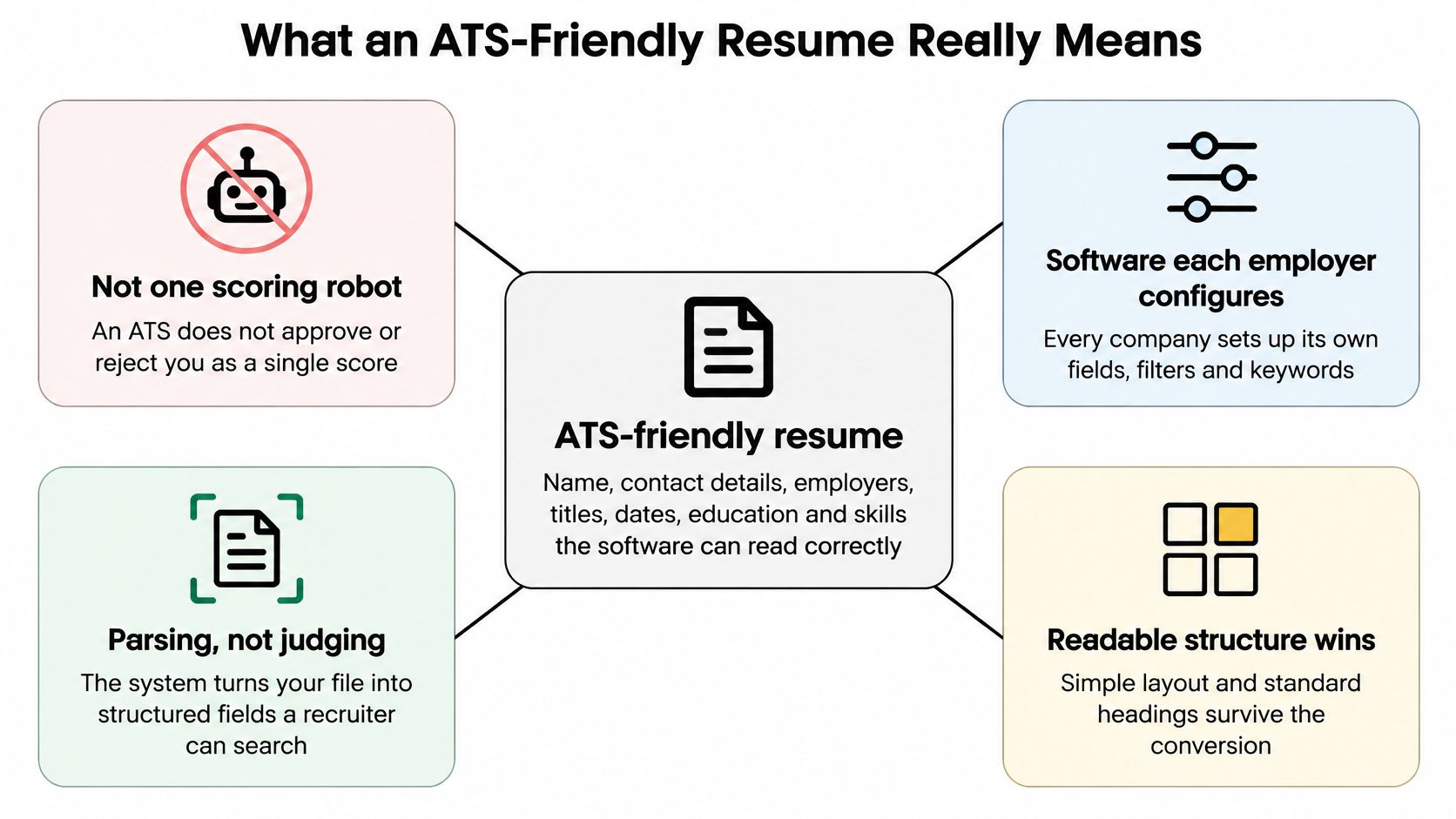
An applicant tracking system isn't one universal scoring robot that stamps "approved" or "rejected" on your career. It's a recruiting database and workflow tool that each employer configures for its own hiring process. An ATS-friendly resume is a document whose name, contact details, employers, job titles, employment dates, education, and skills survive extraction into that database intact and in the right fields, so software searches and human recruiters can both find them.
Think of the software as a fast, literal-minded filing clerk. You hand over your document, and the clerk retypes every detail into a digital form with separate boxes for company name, role title, dates, and skills. If your layout tricks the clerk into typing your job title into the education box, a recruiter who later filters the database for "marketing manager" won't see your profile at all.
Parsing Failures Versus Ranking Misses
Most frustration comes from lumping two completely different outcomes together. As TinyCV's ATS resume guide points out, a resume can parse cleanly, with every date, employer, and skill landing in its proper database field, and still rank low for a specific vacancy.
- Parsing failure: The software misreads your file structure, drops lines, or maps facts into the wrong boxes. Your qualifications never reach the searchable profile accurately.
- Ranking miss: The software reads your resume accurately, but your background or wording doesn't match the titles, skills, or experience filters the recruiter applies for that opening.
Separating those two failures changes how you troubleshoot a silent job search. A clean file that doesn't match the vacancy still won't win an interview, and obsessing over a made-up "ATS score" won't fix missing qualifications. ATS compatibility isn't a guarantee of a callback, a universal grade, or an excuse to write robotic sentences that turn off human readers.
An ATS-friendly document preserves your real qualifications in structured data. It doesn't replace relevant experience or trick an employer into hiring you.
Why Digital Screening Is Now Standard Practice
Applicant tracking software didn't appear as a passing formatting fad. According to Resumity's ATS statistics, these platforms evolved from early digital candidate-record systems in the 1970s and became central in the mid-to-late 1990s as internet job boards flooded employers with online applications. Today, digital intake sits at the front of nearly every major hiring funnel.
- Enterprise adoption: In 2024, 98.4% of Fortune 500 companies reportedly used an applicant tracking system, according to industry analysis summarized by TalentTuner, while an industry audit cited by Resumity found 487 of the Fortune 500 companies (97.4%) had a detectable ATS connected to their career pages in 2026.
- Recruiter filtering: In 2025, 99.7% of 384 surveyed recruiters reported using filters in an ATS or similar system to find candidates, according to Jobscan's recruiter survey.
- Employer concern over formatting: In 2025, 88% of employers reportedly believed ATS screening could exclude highly qualified candidates when applicants didn't submit ATS-friendly resumes, according to research summarized by SelectSoftwareReviews.
Those numbers describe the size of the intake funnel, not a mechanical verdict on your worth as a candidate. Applicants moving from nontraditional or structured institutional backgrounds often feel that gap most acutely, which is why specialized guides like HiredBySkill's resume help for transitioning veterans focus heavily on translating real experience into recognizable civilian fields before upload. Still, no template replaces relevant work or a prepared interview performance.
How the Software Reads Your Resume
The moment you click submit on a job portal, a parser strips away your visual design and reads the underlying text stream. It searches for predictable patterns so it can identify your name, contact details, employers, job titles, employment dates, education, skills, and certifications. Technically, as Research Square's resume-parsing study explains, the parser converts unstructured document text into structured data formats such as JSON, CSV, or XML inside the employer's database.
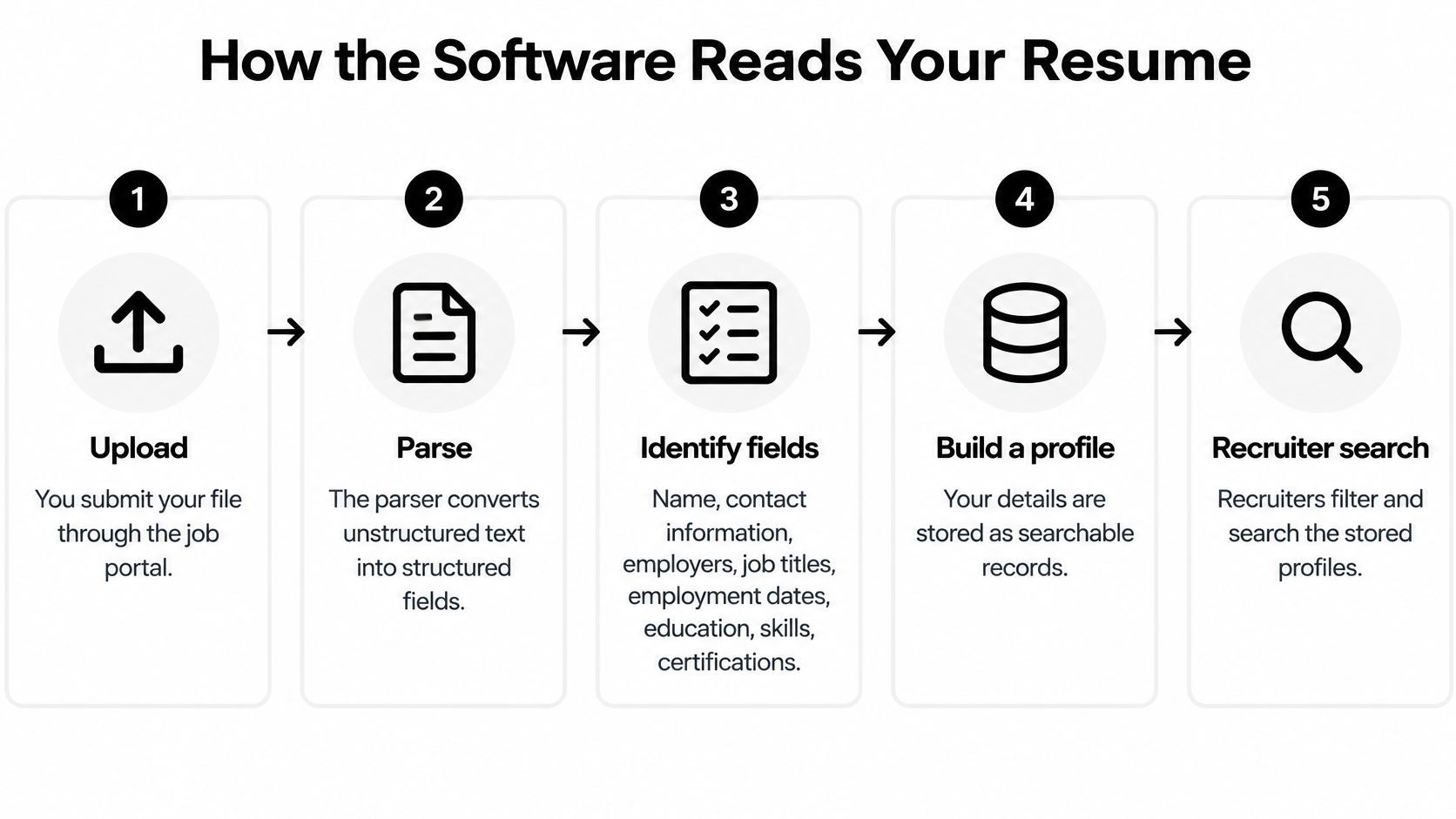
Once your document becomes structured fields, every downstream search depends on that mapping. If a visual design choice confuses the reading order or blurs where one section ends and another begins, fields get misassigned. From that point forward, every recruiter search, automated filter, and candidate profile view runs on broken or incomplete records, meaning a qualified applicant can disappear without anyone ever opening the original file.
When a Two-Column Layout Breaks Field Mapping
Consider a straightforward scenario. Say an operations lead builds a sleek two-column resume with a narrow left sidebar listing core skills and a wider right column detailing work history. When an older or strict left-to-right parser scans across the page line by line, it reads the sidebar text right into the middle of the experience block.
Suddenly, the job title "Project Manager" lands inside the skills array rather than the job title field, and the employment dates detach from the company name. When a recruiter filters the candidate pool by current title or years of project management experience, that profile comes back empty. This breakdown hits software, engineering, and regulated roles especially hard, because the system has to separate specific technologies, credentials, dates, and role progression accurately rather than admire your typography.
What Parsing Comparisons Show and What They Don't
Comparative testing illustrates why layout and file structure carry real weight. One analysis reported in OneHour Digital's ATS adoption statistics cited a 4% parsing failure rate for plain DOCX resumes versus 18% for PDF files, while single-column layouts reached 93% parsing accuracy compared with 86% for two-column layouts.
Treat those figures as source-specific indicators rather than universal guarantees. Every company uses a different combination of ATS vendor, parser version, database schema, knockout questions, and ranking logic, and test samples vary widely across file-conversion settings. Even so, the underlying mechanism stays the same across platforms.
Practical rule: Keep every piece of career data in a linear, predictable reading order so the parser maps your facts into the exact fields recruiters search.
When the software doesn't have to guess where a column ends or what an icon means, your real work history stays intact from upload to recruiter review.
The Compatibility Rules That Decide Whether You Are Read
You don't need to memorize a hundred formatting myths to protect your file. A short set of structural habits covers almost every extraction problem, because each rule protects either text visibility or reading order. Hold your current resume against the standards below before you upload it anywhere.
The Core Structural Checklist
- Use a single-column layout: Set 1-inch margins with consistent vertical spacing, and avoid multi-column grids, layout tables, or floating text boxes. According to CareerOneStop's resume formatting guide, many systems scan strictly from left to right and scramble text placed inside columns, tables, images, or graphics.
- Keep essential facts in the main body: Place your name, phone number, email, employers, and dates directly on the page rather than inside a document header or footer, because CareerOneStop warns that some ATS platforms can't read header and footer regions reliably.
- Stick to selectable text and standard bullets: Write in live, highlightable text using common fonts like Calibri, Arial, or Georgia and ordinary round bullets, never scanned pages, decorative icons, or graphical skill bars.
- Choose recognizable section headings: Label your blocks "Work Experience," "Education," "Skills," and "Certifications," and keep the word "experience" in related headings like "Volunteer Experience" rather than creative substitutes like "What I've Done."
- Repeat the same element order for every job: Put employer name, job title, consistent dates (such as "Jan 2023 to Mar 2025"), and achievement bullets in the exact same sequence across all roles so left-to-right, top-to-bottom parsing groups each role cleanly.
- Follow the employer's file format instructions: As the University of Virginia's ATS guide notes, most portals accept PDF, .doc, or .docx, so check the application's permitted formats first. When no format is specified and PDF is allowed, export a text-based PDF rather than a scanned or image-only file.
ATS-Friendly Versus Risky Resume Choices
| Element | ATS-friendly choice | Risky alternative | Why it matters |
|---|---|---|---|
| Layout | Single column, 1-inch margins, consistent spacing | Two columns, sidebars, tables, text boxes | Parsers can scramble column and table reading order |
| Essential details | Employer, title, dates and bullets in the body | Contact or dates only in header or footer | Some systems cannot read header and footer regions reliably |
| Section labels | Work Experience, Education, Skills, Certifications | What I've Done, My Journey, Core Competencies | Standard labels match pre-programmed field keywords |
| Text | Selectable text with ordinary bullet characters | Text inside images, scanned pages, decorative graphics, unusual symbols | Images and symbols may extract as nothing or as garbage |
| Dates | Consistent Month Year format (e.g., Jan 2023 to Mar 2025) | Mixed formats, month-only for some roles, year-only for others | Inconsistent dates break chronology mapping |
| File format | The format the posting asks for; text-based PDF when PDF is accepted and unspecified | Scanned PDF, image-only PDF, unsupported format | Image PDFs give the parser no text to extract |
Every single rule in that table exists for one reason: preserving a clean, linear text stream with clear boundaries between roles and sections. Once you know that principle, you can judge any unusual layout choice on your own without guessing.
How to Run a Two-Minute Parse Test
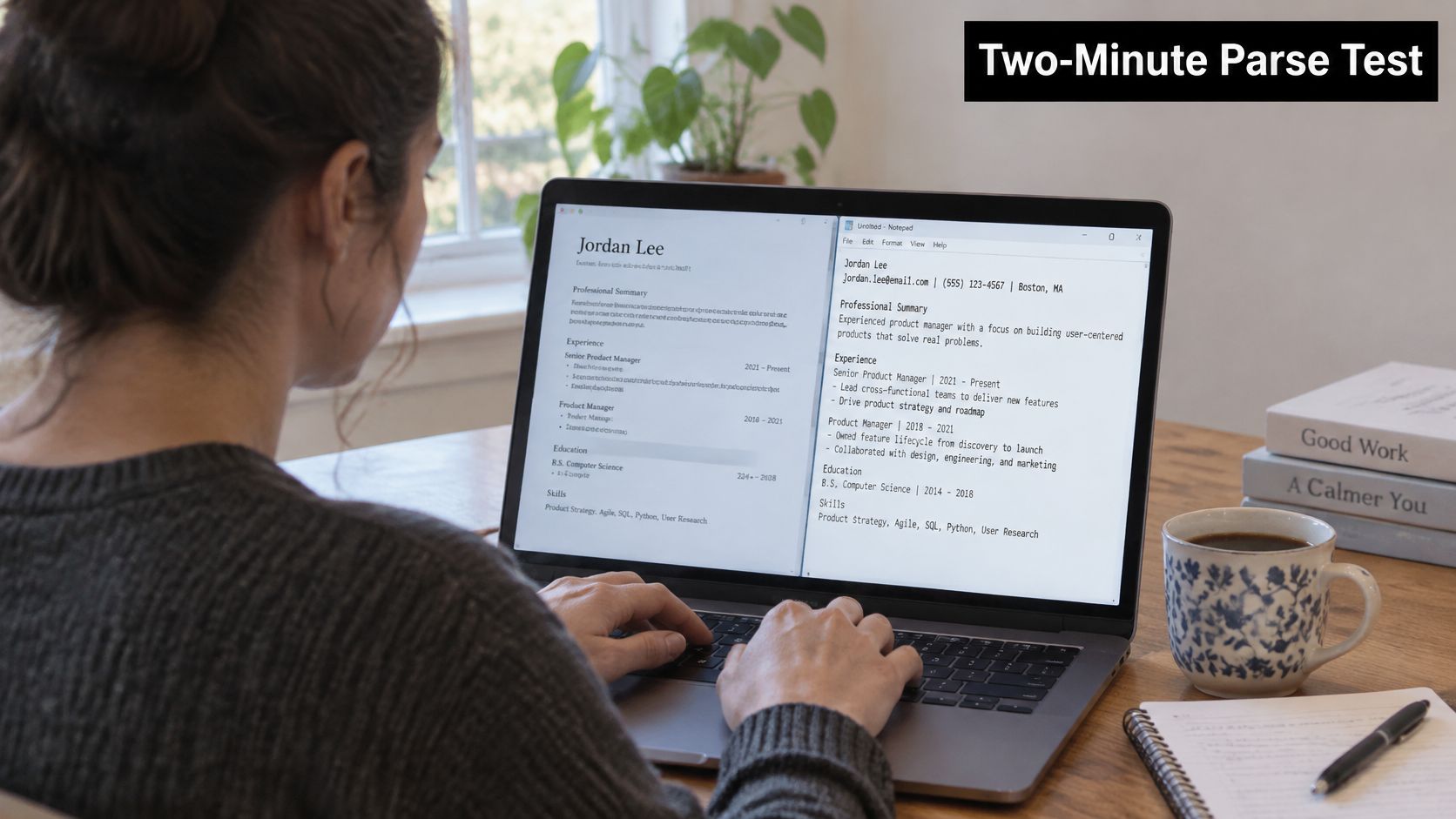
You don't need paid software to check whether your file survives text extraction. A quick copy-and-paste audit on your own computer reveals the exact raw text stream a parser receives, and it takes less than two minutes to complete.
Before you touch your wording, open the file you plan to upload and test how it behaves outside its visual wrapper.
Seven Steps to Audit Your File
- Open your final submitted file, not your working draft. Test the exact PDF or DOCX sitting in your uploads folder, because export settings in tools like Canva, Pages, or Figma often introduce errors that don't show up while editing.
- Select all text and copy it. Press Ctrl+A then Ctrl+C on Windows (or Command+A then Command+C on macOS). Watch closely to see whether every line highlights.
- Paste into a plain-text editor. Open Notepad on Windows or TextEdit switched to plain-text mode on macOS, then paste the clipboard contents.
- Read the plain output from top to bottom. Check every role to confirm that the employer name, job title, and employment dates stayed together in one logical block rather than splitting apart or drifting into another job's bullets.
- Verify that section headings survived intact. Confirm headings like "Work Experience," "Education," and "Skills" still sit directly above their matching entries with no stray symbols or mangled characters.
- Hunt for completely missing lines. Compare the plain text against your visual file line by line, paying special attention to your phone number, email address, location, and skill entries.
- Run a quick term search on the plain text. Press Ctrl+F (or Command+F) and search for three or four exact required skills or tools from the job posting to confirm they appear in clean, searchable text.
If your PDF fails any of those checks, export a fresh text-based PDF directly from Microsoft Word or Google Docs and repeat the test, or submit a clean DOCX file when the portal allows it.
Reading What Each Failure Pattern Tells You
The plain-text output does more than hand you a pass or fail; it tells you which design element broke. If job titles, dates, and bullets appear out of sequence or interleave with skills, you have a layout problem caused by columns, tables, or text boxes. If your email, phone number, or skill ratings vanish completely, that text is trapped in a header, footer, or embedded graphic. Strange boxes or random symbols in place of bullets point to nonstandard icon fonts that should be replaced with ordinary text bullets.
For a quick visual walkthrough of how formatting choices show up during resume screening, watch the short breakdown below.
Writing Keywords Recruiters Will Actually Search
Once your plain-text test comes back clean, formatting stops being the bottleneck. The second half of ATS compatibility is controlled information retrieval, not cramming buzzwords into tiny white font. Recruiters search their candidate database using specific job titles, tools, certifications, and methods pulled directly from the job description.
Exact phrasing matters because hiring databases don't always normalize synonyms. As GetTheCall's ATS keyword guide explains, terms like "continuous integration," "CI," and a specific tool like "Jenkins" can be indexed as separate searchable tokens depending on how an employer configured its system. If the recruiter searches for "continuous integration" and your resume only says "automated build scripts," your profile may never surface.
That mismatch carries a steep cost. The Hidden Workers research cited in the same GetTheCall guide reported that 88% of surveyed employers said qualified high-skilled candidates had been screened out for failing to match exact job-description criteria, while 94% reported the same issue for middle-skilled candidates.
Building a Term-to-Evidence Map
Instead of dumping isolated buzzwords into a giant skills wall, map the posting's requirements to real proof. Start by pulling the core technologies, certifications, methodologies, responsibilities, and role titles from the job ad. Keep only the terms that truthfully reflect work you've done, then tie every key term to a concrete outcome, scale, or scope.
Look at the difference between a naked keyword and evidence-backed phrasing:
- Before (isolated skill): Listed "Python" in a generic skills block at the bottom of the page.
- After (term tied to evidence): "Built Python data pipelines processing 2 million records monthly to automate weekly revenue reporting."
The same shift strengthens technical workflow terms and non-technical responsibilities alike:
- Before (vague synonym): "Maintained automated testing and deployment workflows for backend services."
- After (exact searchable tokens with scope): "Configured continuous integration (CI) pipelines in Jenkins, cutting release verification time across four microservices."
- Before (generic duty): "Handled customer retention and onboarding for enterprise accounts."
- After (matched terminology with result): "Led enterprise SaaS onboarding and quarterly business reviews in Salesforce, maintaining strong annual renewal rates across a 35-account book."
Where to Place High-Priority Terms
Pick the two or three most critical terms from the target posting and weave them naturally across three places: your professional summary, your dedicated skills list, and the accomplishment bullets of your most relevant role. Maintain a specific version of your resume for each target role rather than sending one broad master file to every opening.
Hard boundary: Never put a programming language, certification, or software platform on your resume unless you can explain how you used it in a live interview.
Keywords are signals that get your file pulled into the shortlist, not proof of competence. A recruiter who opens your resume after a keyword search looks immediately for context, and an interviewer will probe the exact tool you claimed.
Edge Cases That Break the Standard Advice
Standard resume templates assume one country, one language, linear full-time employment, and textbook job titles. Plenty of strong candidates don't fit that mold. While University of Connecticut's ATS guide highlights that conventional headings like "Experience," "Education," and "Skills" work as pre-programmed field triggers read left to right and top to bottom, forcing an unconventional career into a rigid mold can accidentally hide your best work.
The core challenge is balancing machine readability with honest career representation. As HRLens's ATS resume guide notes, standardization improves field extraction, yet over-standardizing can erase legitimate differences across markets and work styles. Four common situations need targeted adjustments.
International and Translated Resumes
If your official title is in another language or uses regional corporate grading that local recruiters don't search, never fabricate a fake title. Preserve your official job title and add a truthful market-equivalent descriptor in parentheses right beside it. For example, write "Responsable marketing (Marketing Manager)" so both a human verifier checking references and a recruiter searching English titles find an exact match.
Spell out unfamiliar regional acronyms on first mention, such as "PMP (Project Management Professional)", and place licenses or credentials under a dedicated "Certifications" heading rather than burying them inside a paragraph.
Career Changers
Switching industries creates a vocabulary gap because your past titles belong to your old field. Lead your resume with a concise three-line summary that uses the exact transferable terms from the target posting, then immediately anchor each term to a concrete result from your previous setting. For instance, a former high school department chair applying for corporate enablement roles might open with "Curriculum Design, Stakeholder Training, and LMS Administration" before showing how they trained 40 staff members on a new learning platform.
Freelancers and Contractors
Parking your best work behind a portfolio link leaves the ATS database empty, because parsers don't click external URLs to scrape case studies. List major client engagements or defined freelance periods as structured roles inside your "Work Experience" section, complete with an accurate engagement title (such as "Contract Front-End Developer, Client Name" or "Independent Brand Strategist"), start and end dates, and measurable project bullets.
Skills-Based and Functional Resumes
Purely functional resumes that group abilities at the top and omit dates or employers often parse into blank employment histories. If you want your capabilities front and center, place a targeted "Skills" block right beneath your summary, then follow it with a conventional chronological "Work Experience" section that still attaches every employer name and date range cleanly.
Standardization gets your data into the right database boxes, while transparent original terminology keeps your story credible when a human reads it.
Fix the File Before You Apply
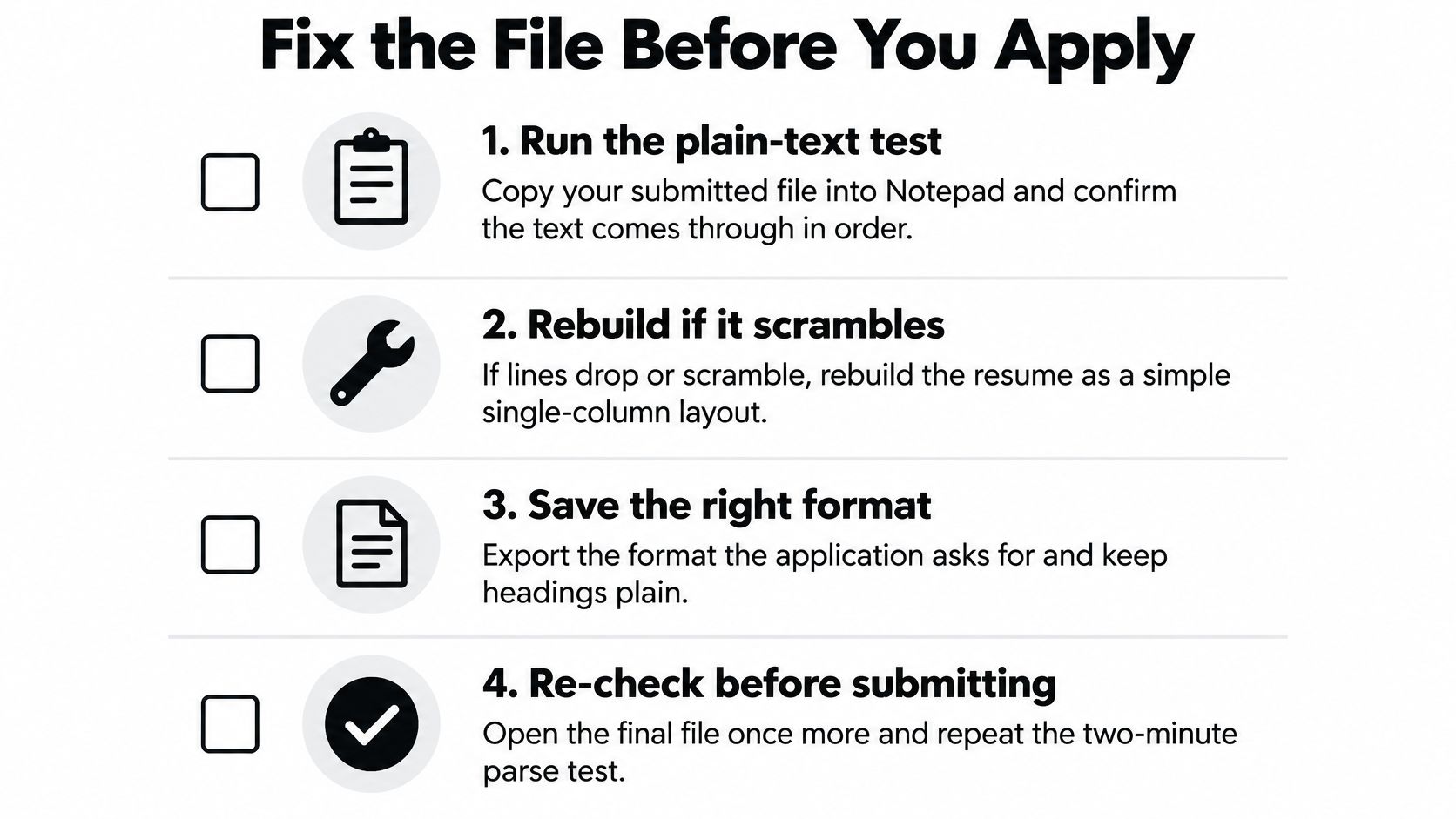
Knowing how parsers and recruiter searches work only helps if it changes what you do before clicking submit. Instead of endlessly tweaking margins or chasing third-party percentage scores, follow a clear order of operations that tells you exactly where to spend your time.
Your Five-Step Submission Sequence
- Run the two-minute plain-text test on your current file. Copy everything from your final PDF or DOCX into a plain-text editor before changing a single sentence.
- Rebuild the layout first if the text scrambles or disappears. If roles split apart, columns interleave, or contact details vanish, you have a formatting failure rather than a qualifications problem. Strip the resume down to a single column with standard headings and export a fresh text-based PDF.
- Audit relevance if the plain text comes through clean. Pull the job description beside your resume, build a quick term-to-evidence map, and confirm that the posting's two or three highest-priority requirements appear inside concrete accomplishments rather than sitting alone in a skills list.
- Save a customized version for each target role. Small shifts in wording, title alignment, and featured bullets per opening outperform blasting one unchanged file across dozens of portals.
- Match the employer's requested file format and re-test. Confirm whether the portal asks for DOCX or PDF, export the matching file, and run one final copy-paste check before submitting.
If your current layout needs a full rebuild from scratch, our ParakeetAI Resume Maker builds a resume suited to the role you're applying for, as part of ParakeetAI's four Prepare tools alongside Mock Interviews, Question Bank, and Headshots. You can check current credit and subscription options on the ParakeetAI pricing page.
Know What Comes Right After the Resume
Fixing extraction and relevance solves the first stage of the funnel, getting your profile surfaced and opened by a recruiter. Once callbacks start landing in your inbox, interview performance immediately becomes the main bottleneck, and every tool, project, and metric you placed on that customized resume will turn into a live conversation.
Before your next application, make one clean judgment call based on your plain-text test: either rebuild the file for readable layout, or rewrite the bullets for clearer relevance.
Getting your resume parsed cleanly and matched to the right keywords is step one, and turning those callbacks into offers takes focused preparation. ParakeetAI gives you real-time interview guidance during live calls alongside four Prepare tools, including Resume Maker for role-specific resumes, Mock Interviews, Question Bank, and Headshots. Visit ParakeetAI to get both your resume and your interview answers ready for your next target role.