How to Tailor Resume to Job Description in 2026
Resumes adjusted to fit the job description reached an interview or offer at 5.75%, against 2.68% for generic ones, in a 2025 analysis Forbes reported on more than 59,000 resumes submitted between April and June 2025. That gap is a reported 115% relative improvement. Adjusting a resume to fit the job more than doubled the chance of reaching that stage. Larger datasets show the same pattern: customized resumes earn noticeably more interview invitations than generic ones.
Keyword stuffing does not create that gap. Proof does. When you tailor a resume to a job description, line each stated requirement up with a result you can defend in an interview, then stop editing. A new summary that repeats the posting, extra adjectives, and a third pass over bullets that already show the work do not raise your odds. They make the file look assembled for a scanner.
Change only the lines that prove a requirement this employer named. Leave the rest of the resume alone.
Why Tailoring Beats One Universal Resume
Don't credit every extra interview to wording. People who tailor may also be more selective, more experienced, or more motivated. Even with that caveat, the samples are large enough to drop the one-resume habit. What changes is how closely your application maps to the employer's stated requirements, not the font.
Keep one master resume with your full history and original metrics. For each role you want, build a short role-specific version. Start with the posting you plan to send this week. You aren't rewriting your career. You're moving the evidence that matches this job into the first screen.
Say you're a marketing analyst and two postings share a title. Posting A repeats paid acquisition, ROAS, and weekly budget pacing. Posting B repeats lifecycle email, retention, and cohort reporting. A universal file that leads with "data-driven campaigns" serves neither. Version A should open with a paid-media result and the platforms you used. Version B should open with a retention result and the segments you built. Same jobs, different first bullets.
Specialized hiring works the same way. A firm that brings in paralegals still screens for the duties in that posting, such as discovery support or client intake, not for a generic "detail-oriented" line. If the proof isn't near the top, a strong background reads as a weak match.
Practical rule: One master file. One version per posting you care about. Stop once every mandatory requirement has a true bullet.
Decode the Job Description Before You Edit
Don't open your resume yet. Read the posting until you know which lines are the job and which lines are filler.
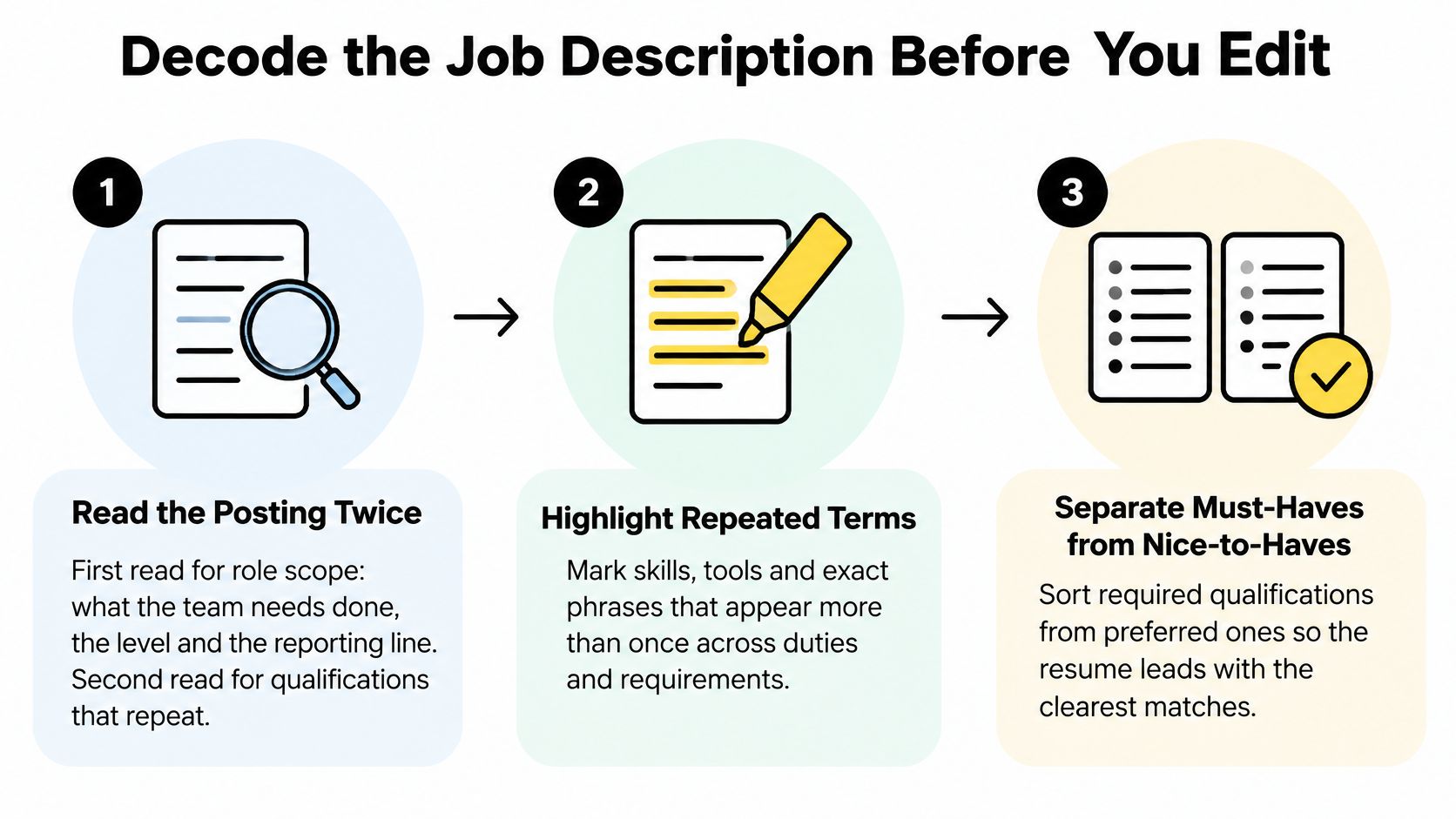
- Read the posting twice. The first pass is role scope: what the team needs done, the level, and the reporting line. The second pass is for qualifications that repeat. Skipping the second read is how a single "nice to have" steals the summary.
- Extract the terms. Copy hard skills, software, certifications, job titles, domain words, and action verbs into a working list. You're building a checklist, not a paragraph to paste back.
- Rank by weight. Mandatory requirements first, then phrases that repeat, then preferred items, then culture boilerplate. Treating every bullet as equal is the slip that bloats the file.
University of Virginia career guidance notes that applicant tracking systems compare a resume with the position description and may rank candidates, and that keywords land harder inside bullets than in a dumped list. Use a chronological layout with standard headings so parsing doesn't fail before anyone scores the match. Don't insert a term you can't defend in an interview. Stuffing creates a semantic mismatch and burns trust.
| Tier | Signal in the posting | Weight in the resume |
|---|---|---|
| Mandatory | "Required", "must have", or listed under qualifications | Highest |
| Repeated | Appears three or more times, even without a label | High |
| Preferred | "Nice to have", "bonus", or "plus" | Medium, only if true |
| Boilerplate | Company mission, perks, or culture lines | None |
A data analyst posting that says SQL three times and parks Tableau under preferred should put SQL in the summary and in two bullets. Tableau belongs in skills only if you used it. Run one test on the working list before you edit a word: can each mandatory term be matched to something you did?
Map Each Requirement to Proof in Your Bullets
Print the posting. Hold it next to the master file and refuse to type a bullet until the evidence is already written down.
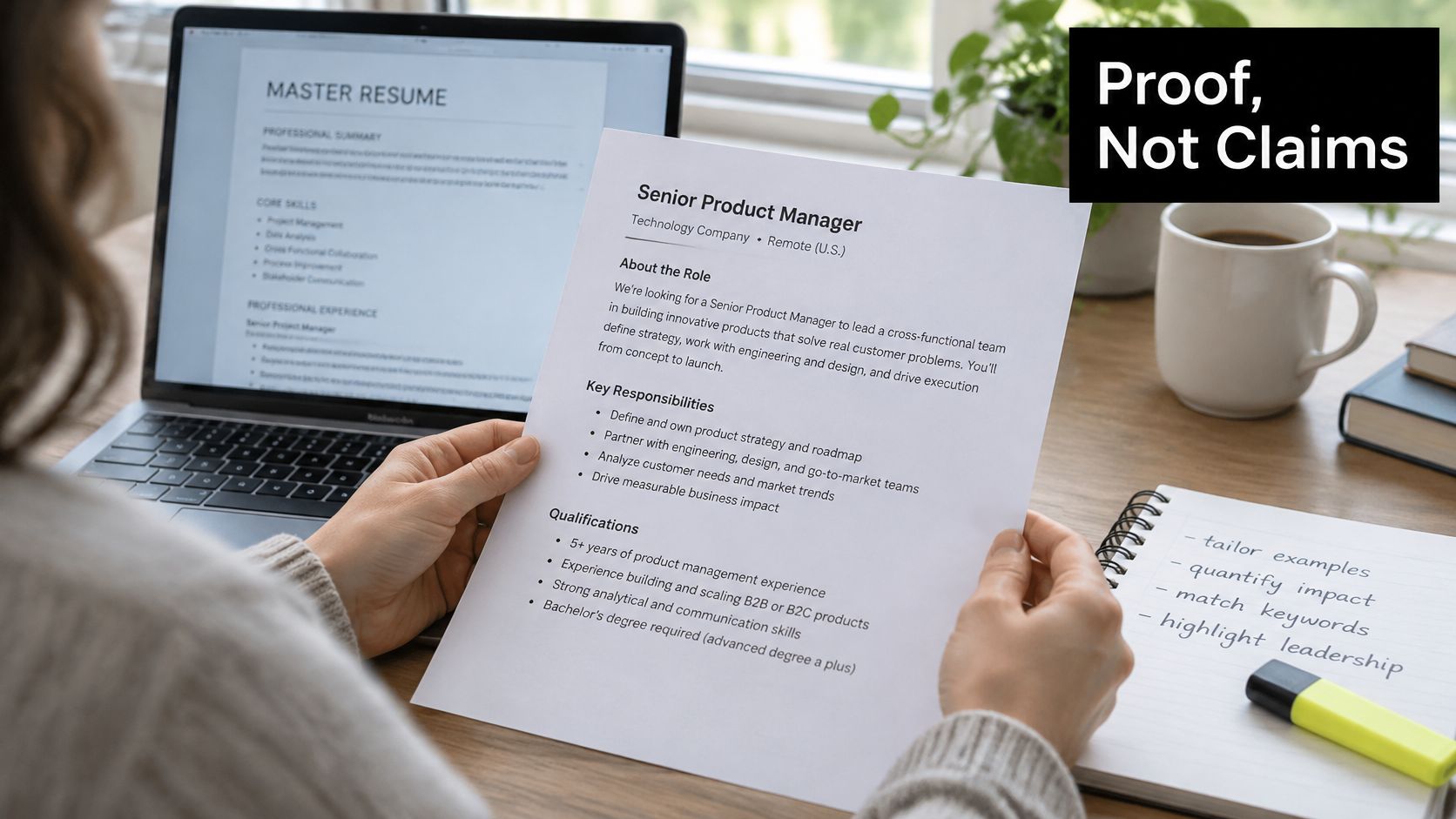
- Map each priority term to truthful evidence. For every high-weight line, note a project, a method, a tool, and a result from the master resume. If the result isn't real, it doesn't go on the map.
- Rewrite only the parts a scanner hits. Change the summary, two or three experience bullets, and the skills list into the posting's words. If your history says "customer relationship management" and the employer writes CRM, use CRM. The underlying work stays the same.
- Put each keyword inside an achievement sentence. An isolated keyword block is a red flag. The sentence should name the method, the tool, and a result you can explain.
| Requirement from posting | Evidence to cite | Where it goes |
|---|---|---|
| SQL, mandatory | Weekly reporting queries that replaced manual exports | Summary and first experience bullet |
| Stakeholder reporting, repeated | Monthly dashboard review with finance and operations | Second experience bullet |
| Tableau, preferred | Dashboard built for a regional sales team, if you used it | Skills section only if true |
| Certification, mandatory | Named certificate with issue year | Certifications section |
| Supply chain, repeated | Inventory forecasting project with a measured outcome | Projects or experience bullet |
After identity, employment, and education, recruiters largely scan the rest of the page for keywords that match the open role, according to Cornell's account of recruiter eye-tracking. That pass is cursory pattern matching. A qualification buried in a dense paragraph gets skipped. Put matched tools in the summary and the first bullets, not on page two.
Before: Managed reporting.
After: Built a SQL-based reporting pipeline that replaced weekly manual exports.
Add a figure only if you can defend it. "Cut export time from a full morning to 20 minutes" is fair when you timed it. A borrowed percentage is not.
The same mapping applies outside corporate analyst jobs. Someone targeting law firm receptionists should tie "client intake" to a real scheduling or call-handling result, not to a soft-skill adjective.
If a mandatory requirement has no evidence, say so in the cover letter or skip the application. Don't invent a bullet.
Mistakes That Make Tailoring Backfire
More edits aren't a better match. These four habits make a customized file worse than the generic one.
- Copying the description verbatim. It reads as generic and can misstate your work. Fix it by keeping your result and swapping only the employer's term for a tool or duty you performed.
- Listing skills with no context. A keyword without a bullet is a claim you can't walk through. Fix it by attaching a method and an outcome, or deleting the skill.
- Tailoring only the skills section. The summary and the first bullets stay generic, which is where a fast scan happens. Fix those lines first. Skills are the inventory, not the argument.
- Unexplained acronyms. Spell the term once as the posting writes it, then use the short form. A parser and a recruiter both need the words they searched.
Pasting the posting into an AI tool is the shortcut that backfires. In a survey of 2,000 U.S. job seekers, TopResume found that 38.2% used AI for all or most applications, yet 82% of AI-assisted resume users reported suspected ATS rejection or being overlooked. Aggressive keyword insertion creates unsupported claims, odd phrasing, and a story that collapses in the interview.
The proof audit
After the draft, point every prominent keyword at an accomplishment, project, credential, or interview example. No proof, remove it or reword it. Label a transferable skill as transferable. Keep your original metrics. Don't let a model inflate them.
Stopping rule: cover every mandatory requirement with evidence, plus the recurring terms you can truthfully support. Further swaps add risk and almost no screening gain.
Could you explain this bullet in two minutes, with a number and a decision you made? If not, it doesn't ship.
When the employer uses a skills test, a work sample, a structured interview, or a portfolio, tailoring means choosing which proven evidence to show. A claim that dies in those formats costs more than it gains. List only what you can demonstrate in the format they use.
Format the Tailored Resume So It Parses and Scans
Recruiters don't start with your keywords. In the original TheLadders eye-tracking study, they focused first on name, current company and title, current dates, previous company and title, previous dates, and education. Keep those in conventional, clearly labeled sections. Job-specific wording comes after that skeleton, inside the relevant entries.
A 2012 write-up of that study followed 30 professional recruiters for 10 weeks and found they spent about six seconds on an initial fit-or-no-fit judgment. A later look at the research reported a 2018 follow-up of about 7.4 seconds, without a clear account of roles, resume length, sample size, or method. Treat both as a scan-speed warning, not a law. Make the page fast to scan and substantive when someone reads it in full.
Use standard headings, a chronological layout, and simple text. Don't put text inside graphics, layout tables, or unusual columns. Those break parsing before a person sees the content. If you want a clean first draft to edit by hand, the Resume Maker builds a resume aligned with the role you're applying for. You still own every claim.
| Element | Placement | Why it matters |
|---|---|---|
| Name and contact details | Top of page, plain text | Identity must be found first |
| Current title and employer with dates | Top of the experience section | Recruiters check these in the first scan |
| Previous title and employer with dates | Second role in experience | Confirms career progression |
| Education | Labelled section after experience | Standard heading parses reliably |
| Skills | Short list of verified terms | Supports keyword matching without stuffing |
Keep job titles accurate to your real history. Let the posting's terminology show up in the bullets, not in a rewritten title you never held.
Confirm the Tailored Version Before You Apply
Run this before you hit submit. It takes less time than rewriting a file you can't defend.
- Save the master and a dated copy. The master holds the full history and the original metrics. The dated copy is the version for this posting only.
- Run the proof audit. Every prominent keyword points to a real accomplishment, project, credential, or interview example. Delete the rest.
- Read the draft aloud. The summary should open on the employer's business problem, in the posting's terms, and the sentences should sound like you.
- Check the scan order. Name, current role, previous role, dates, and education sit in plain, labeled sections. Matched proof sits in the first bullets.
- Match the file instructions. Use the name and format the posting asks for. If it doesn't, a clear PDF named with the role and your name is the safe default.
If they test skills with a work sample or a portfolio, keep the same evidence ready in that format. The resume and the test should tell one story. A number on the page that you can't reproduce in the sample is a liability.
This week, pick one posting. Finish the decode, fill the matrix, and submit only after the audit passes. One strong version beats five generic sends.
ParakeetAI builds a resume suited to the role you're applying for, then leaves the proof check with you. Pair that draft with the posting's own requirements so every line you keep is one you can explain. Visit ParakeetAI when you're ready to start from the job, not from a universal file.