CICD Interview Questions: 8 Model Answers for 2026
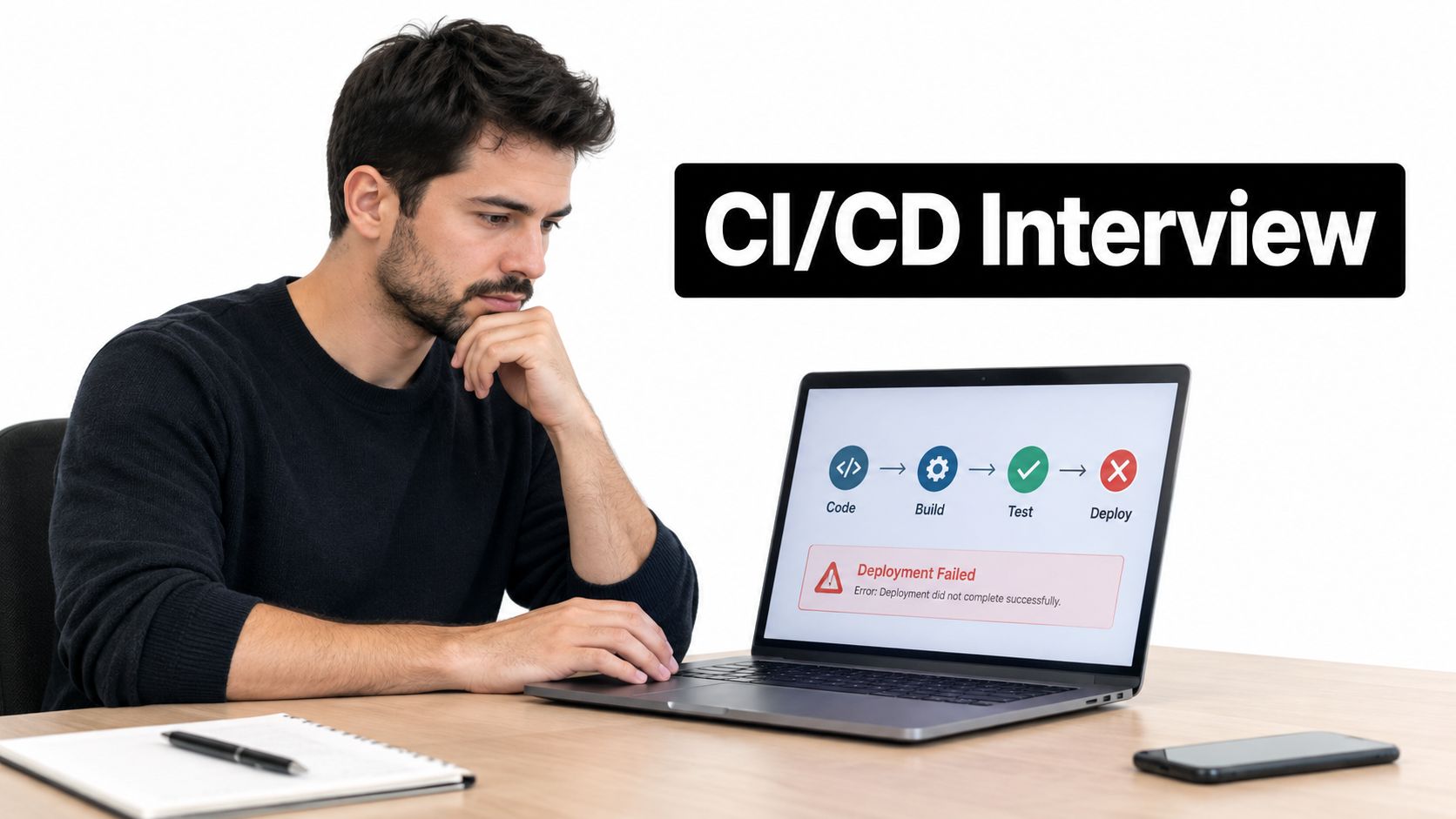
You've explained the pipeline clearly. A developer pushes code, the build runs, tests pass, and the application deploys. Then the interviewer asks what happens when that deployment fails at 2 a.m., after a database migration has already changed production.
That's where a correct definition stops being enough. You need to explain who gets paged, which signals confirm customer impact, and whether the previous application version can still read the database. Naming Jenkins or Kubernetes won't answer those questions.
CI/CD interview questions test whether you can connect automation to operational judgment. Interviewers listen for clear boundaries, realistic failure modes, and deliberate trade-offs. They want to know why you'd add an approval gate, quarantine a test, or choose a roll-forward fix instead of a rollback.
The subject matters beyond specialist DevOps roles. The Cloud Native Computing Foundation's annual survey reported that 60% of organizations used continuous integration and continuous delivery or deployment for most or all production applications in 2024.
Use the same reasoning you'd bring to common software engineer interview questions: explain the decision, support it with an example, and acknowledge what could go wrong.
A strong answer doesn't end at “the pipeline passed.” It explains what passing proves, what it doesn't prove, and how you protect users afterward.
The questions below connect definitions, pipeline design, testing, deployment strategies, security, debugging, automation, and incident recovery. Practice the follow-up behind each question, not just its opening definition.
1. What is the difference between Continuous Integration, Continuous Delivery, and Continuous Deployment?
The follow-up to prepare for: Where exactly would you put the approval gate, and why?
Continuous Integration means developers merge changes into a shared branch frequently, with automated builds and tests checking those changes. Pull-request checks support that practice by catching problems before merge. They don't replace integrating regularly.
Continuous Delivery extends CI by keeping validated changes ready for production release. A person can authorize the deployment without asking engineers to assemble or repair the release first. Continuous Deployment removes that human release gate, so validated changes proceed automatically.
A model answer that goes beyond definitions
Structure your response around integration, release readiness, and release authorization. The key distinction between delivery and deployment is the manual production approval, not whether the team uses automated deployment scripts.
For a SaaS backend, recommend automatic deployment when the team has reliable tests, progressive rollout, production monitoring, and a safe recovery path. For a regulated system, retain an approval gate where the organization needs documented release authorization. Neither approach excuses manual, unreproducible deployment steps.
- Name the gate: Approval happens after the artifact has passed required checks, immediately before production deployment.
- Explain the trade-off: Human approval adds accountability but also queue time. Automatic deployment shortens feedback loops but demands stronger automated safeguards.
- Separate deployment from release: Feature flags can keep functionality disabled even after its code reaches production.
A strong response also challenges empty approvals. If the approver sees only a green button, the team hasn't gained much protection. Show the artifact identity, test evidence, migration implications, and rollback readiness.
Use the Question Bank to choose a related preparation prompt, then practice explaining where authorization belongs in your own example. Don't memorize definitions without drawing that boundary.
2. How do you design a CI/CD pipeline, and what stages should it include?
The follow-up to prepare for: Which checks run immediately, which can run in parallel, and what prevents an untested artifact from reaching production?
Start with a source event and finish with production verification. Between those boundaries, describe build validation, static analysis, unit tests, artifact packaging, integration testing, staging validation, approval where needed, and deployment.
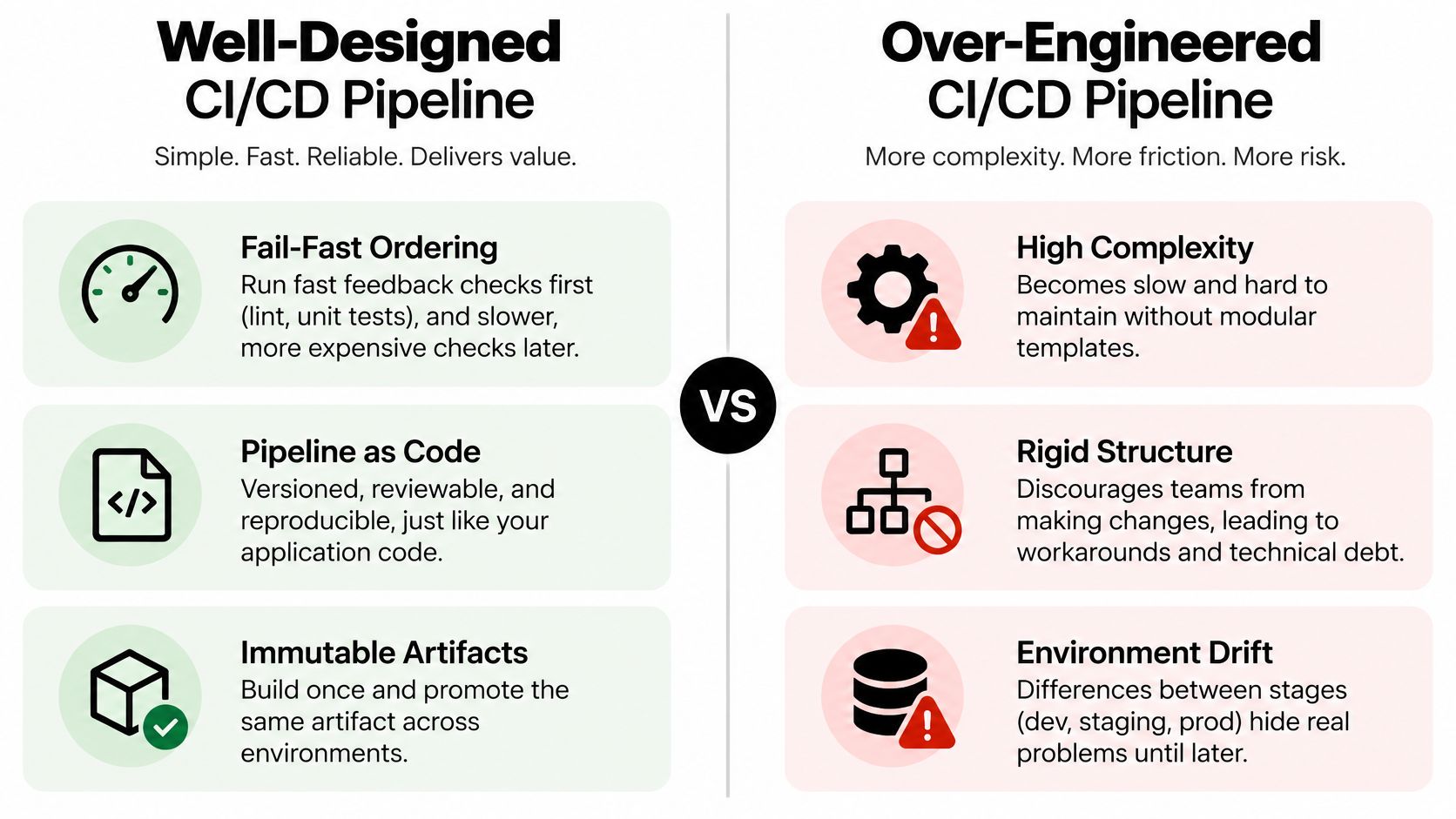
The comparison below highlights the difference between useful controls and unnecessary orchestration.
Design around dependencies, not decorative stages
A model answer starts with fast feedback. Run linting and unit tests early, execute independent checks concurrently, then use the packaged artifact for environment-level testing. Store that artifact in a registry and promote its immutable identity rather than rebuilding it.
For example, a GitHub Actions workflow can validate pull requests while a protected main-branch workflow handles production deployment. According to GitHub Actions workflow syntax, jobs run in parallel by default; use needs to express dependencies and runs-on to select the runner.
That detail matters. A deployment job without the right dependency can start before required checks finish, even if the YAML looks neatly ordered.
Explain that pipeline definitions belong in version control, whether you use a Jenkinsfile, .gitlab-ci.yml, or workflow YAML. Reusable GitLab templates and Jenkins shared libraries help standardize behavior, but excessive abstraction makes failures harder to trace.
The trade-off to name: Parallelism reduces elapsed time but increases runner demand and can expose shared-state problems. Cache dependencies using lockfile-aware keys, retain useful failure logs, and identify who owns a failed deployment.
Finish by describing production verification. A successful deployment command proves that the command completed, not that customers can use the application.
3. How do automated tests fit into a CI/CD pipeline?
The follow-up to prepare for: A flaky browser test blocks an urgent fix. Do you bypass it?
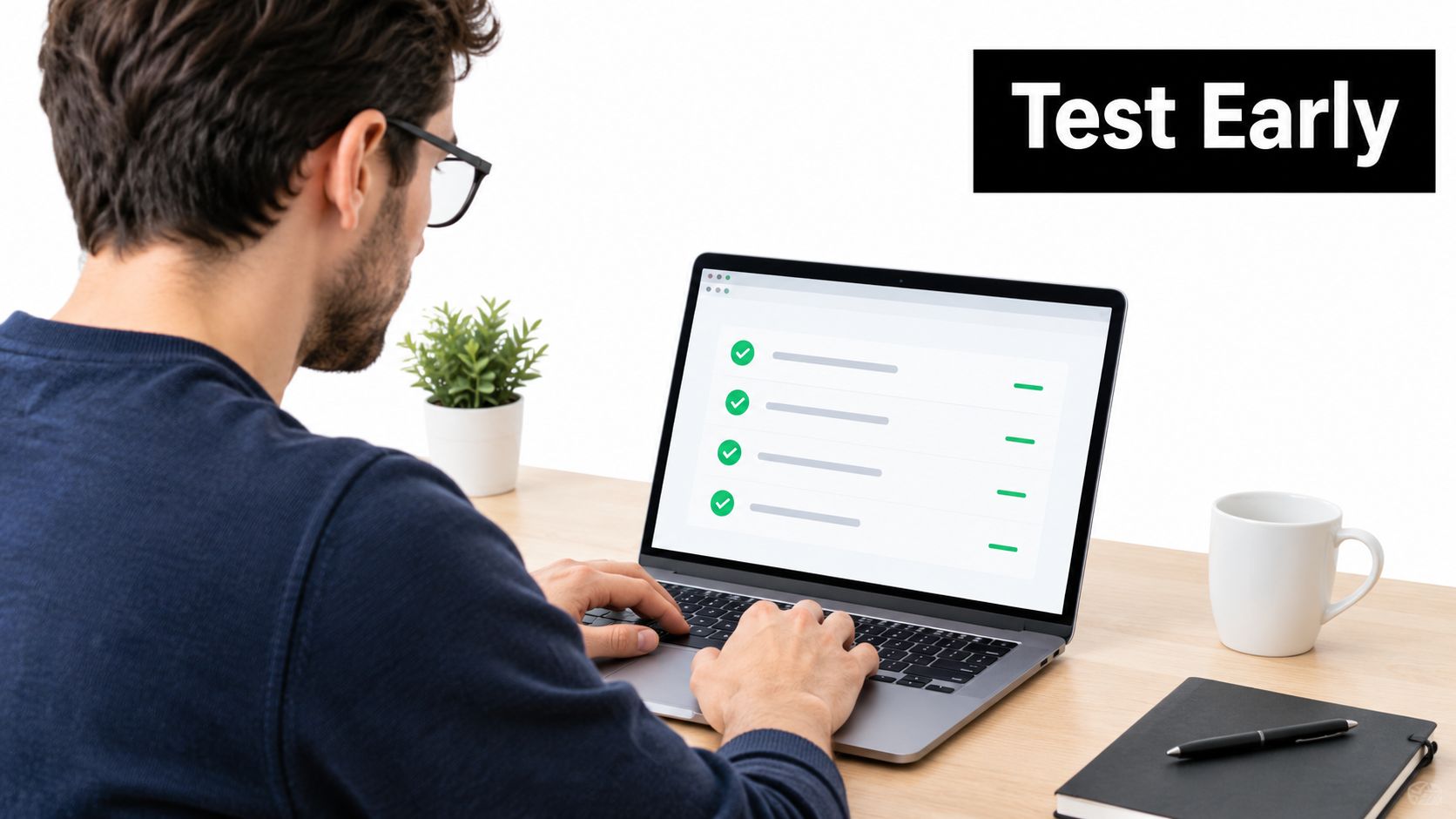
Don't answer yes or no before assessing what the test protects. A flaky checkout test and a flaky decorative UI assertion carry different release risks. Establish whether the failure reflects a product defect, an unstable environment, or an unreliable test.
Use a testing strategy with broad unit coverage, focused integration tests, and selective end-to-end coverage. Unit tests give fast feedback on isolated logic. Integration tests exercise boundaries such as databases and message queues, while end-to-end tests validate critical user journeys.
Explain the gate and the exception
A model response names what runs on each push and what runs before release. For example, run unit tests on every push, database integration tests in isolated containers, and browser tests for authentication and checkout against the release candidate.
- Control test data: Give each run isolated records or its own database. Don't let concurrent jobs overwrite shared fixtures.
- Parallelize safely: Shard independent tests across runners, but account for database capacity and uneven test duration.
- Quarantine deliberately: Keep flaky tests running in a visible non-blocking lane, assign an owner, and track the repair.
- Preserve critical protection: If quarantine removes coverage for a high-risk path, add an alternative check or require explicit release review.
The trade-off to name: More end-to-end tests increase realism but also execution cost, debugging difficulty, and exposure to environment failures. They shouldn't replace precise lower-level tests.
Practical rule: A retry can gather evidence about intermittency. It shouldn't erase the original failure or become the permanent fix.
For the urgent patch, explain the remaining evidence, who can authorize an exception, and how you'll monitor the affected behavior after release.
4. What deployment strategies do you know, and when would you use each?
The follow-up to prepare for: Which strategy would you choose for a customer-facing API with a database change?
Start with compatibility and recovery, not your favorite deployment tool. If old and new application versions can't coexist safely, a gradual rollout may fail regardless of how carefully you divide traffic.
- Rolling deployment: Replace instances gradually. This limits extra capacity needs, but old and new versions must work together during the rollout.
- Blue-green deployment: Prepare a separate environment and switch traffic after validation. Traffic reversal can be fast, but duplicate capacity costs more and shared database changes remain a risk.
- Canary deployment: Route a limited audience to the candidate version, compare behavior with the baseline, and expand only when the evidence supports it.
- Feature flags: Deploy code independently of enabling behavior. Flags reduce release exposure but add configuration and cleanup work.
Make the promotion decision explicit
For the API, recommend a backward-compatible schema expansion followed by a canary rollout. Compare error rates, latency distributions, saturation, and business outcomes such as successful transactions. Separate results by application version so a healthy fleet average doesn't hide candidate failures.
The trade-off to name: Smaller exposure limits customer impact but can delay useful evidence, especially for low-traffic endpoints. Blue-green switching is quick, but moving traffic back doesn't undo writes or external side effects.
Kubernetes Deployments support rolling updates. Spinnaker supports automated canary analysis, but naming either tool isn't enough: explain the signals that stop promotion and who handles ambiguous results.
This video provides another way to review deployment approaches.
A strong answer closes with a database constraint: keep the previous application compatible until the rollback window closes. Don't drop a column just because the new deployment finished.
5. How do you manage secrets and security in a CI/CD pipeline?
The follow-up to prepare for: Can an external pull request steal your production credentials?
Treat repository code, pipeline definitions, dependencies, and third-party automation as separate trust boundaries. An untrusted pull request must not inherit privileged credentials merely because it triggers a familiar workflow.
A model answer starts with a vault or the CI platform's secret store, then limits access to the jobs that need it. Prefer short-lived cloud credentials through OIDC federation over stored access keys. In GitHub Actions, that can mean assuming an AWS role whose trust policy restricts the repository and approved execution context.

Protect the producer, not just the package
Explain runner isolation, least-privilege job tokens, protected production environments, and review requirements for workflow changes. Pin third-party actions to reviewed commit identities and container images to digests where reproducibility matters. Version tags alone may move.
Use dependency and image scanning, such as Trivy, alongside artifact signing, provenance verification, and a software bill of materials. A signature helps only when deployment verifies both the signature and the trusted producer identity.
The trade-off to name: Strict gates can block urgent remediation if findings are noisy or lack owners. Define risk-based policies and auditable exceptions rather than making every scanner result an unquestionable release veto.
For a committed secret, revoke or rotate it first. Then investigate use, remove exposed copies where possible, clean repository history, and prevent recurrence. Deleting the file doesn't invalidate credentials already copied elsewhere.
For AI-generated code, apply the same review, testing, and dependency controls as any other contribution. Its origin doesn't prove safety, and generated workflow changes can alter the pipeline's privileges.
6. How do you troubleshoot a failing or flaky CI pipeline?
The follow-up to prepare for: It passes locally and fails intermittently in CI. What do you inspect first?
Preserve the failing run before rerunning anything. Capture the commit, runner image, dependency lockfile, artifact identity, logs, and test reports. Then find the first meaningful error rather than the final cascade of failed steps.
A rerun helps distinguish deterministic failure from intermittency, but a green retry doesn't identify the cause. Compare failed and passing runs before changing several variables at once.
Walk through a controlled investigation
- Classify the failure: Separate compilation errors, assertion failures, infrastructure outages, permission problems, and resource exhaustion.
- Compare environments: Inspect runtime versions, base image digests, locale, time zone, environment variables, filesystem assumptions, and resource limits.
- Reproduce closely: Use the same container image, commands, and dependency inputs locally or in a disposable runner.
- Test a hypothesis: Disable a suspect cache, randomize test order, or isolate a dependency. Change a specific condition and inspect the result.
Say a date-sensitive test passes on a laptop but fails on a runner. Check whether the fixture assumes local time while the runner uses UTC. Make the time zone explicit or inject a clock, then test the boundary deliberately.
Another concrete example is a GitHub Actions variable that disappears between steps. The GitHub Actions workflow documentation explains that steps run in separate processes, so ordinary process-level environment changes don't automatically persist. Use supported environment files or outputs instead.
The trade-off to name: Clearing every cache may restore a run but destroys useful evidence and slows future builds. Fix the cache key or invalidation rule once you confirm the cause.
Reproduce the failure, explain the mechanism, and add a regression check. “Rerun until green” is an operational workaround, not a diagnosis.
7. What does automation mean in CI/CD, and how do infrastructure as code and immutable artifacts support it?
The follow-up to prepare for: If staging passed, why shouldn't production rebuild the image with production settings?
Because a rebuild creates a different release candidate. Dependencies, build tooling, or external downloads may have changed. You can no longer say that production received the artifact staging validated.
A model answer defines automation as repeatable execution of builds, tests, provisioning, and deployment. Human authorization can remain where policy requires it; automation doesn't mean removing every decision from people.
Build once and promote the same identity
Use Terraform or Pulumi to describe infrastructure, and Ansible where configuration management fits. Version those definitions, validate changes, review execution plans, and control production application. Protect infrastructure state and prevent competing changes from corrupting or bypassing the intended workflow.
For a containerized service, build an image associated with the Git commit SHA, record its digest, and promote that digest through staging and production. Inject environment-specific configuration at runtime. Keep secrets out of image layers.
The trade-off to name: Shared modules reduce duplication but can spread a bad change widely. Pin module versions and roll out updates deliberately rather than changing every service.
Idempotency matters when jobs retry. A rerun should converge on the desired state, not create another database user, duplicate a notification, or append configuration repeatedly. External side effects may need explicit deduplication rather than a blanket claim that the script is idempotent.
For example, reuse a Terraform module for staging and production while keeping capacity, access, and data controls environment-specific. Consistency doesn't require identical scale.
Avoid clever automation that discovers and changes production resources through undocumented naming assumptions. A narrow, explicit deployment interface is easier to review and recover than a large script that infers intent from mutable infrastructure.
8. How do you handle a bad release, and how do rollbacks and database migrations fit in?
The follow-up to prepare for: The new application has written data using a changed schema. Is rollback still safe?
Stop expansion, establish customer impact, and choose the safest mitigation. That might mean reverting the application, disabling a feature flag, shifting traffic, or rolling forward with a targeted fix. Don't assume the previous binary can understand the current data.
A model answer separates detection, mitigation, communication, and recovery validation. Use health checks alongside customer-facing signals, error-budget consumption, dashboards, and release annotations. Name the incident owner and communicate impact, current action, and the next update.
Design migrations for coexistence
Use expand and contract. Add the new schema without removing the old structure, deploy compatible application code, migrate or backfill data, verify correctness, and remove obsolete structures only after older versions no longer depend on them.
For a column rename, avoid an immediate destructive rename. Add the replacement, implement compatible reads and writes, backfill existing records, and retire the old column later. Dual-writing requires consistency checks and an explicit source of truth.
The trade-off to name: Rollback is attractive when the old artifact remains compatible. Roll-forward is safer when new writes or irreversible side effects make reversal dangerous.
Kubernetes readiness failures can prevent unhealthy instances from receiving traffic, but they don't restore the previous Deployment revision on their own. Explicit deployment automation or a progressive-delivery controller must implement automatic rollback.
Measure the outcome as well as the response. DORA's metrics history describes the framework's expansion to five metrics in 2024: change lead time, deployment frequency, failed-deployment recovery time, change failure rate, and deployment rework rate.
Those measures help you discuss delivery speed, instability, recovery, and corrective work together. Define deployment and failure boundaries consistently instead of optimizing a dashboard while customers still experience broken releases.
How the 8 CI/CD interview topics compare at a glance
| Item | Core Focus | Main Trade-off or Risk | Typical Example |
|---|---|---|---|
| Continuous Integration, Continuous Delivery, and Continuous Deployment | Merge often, automate checks, and progressively automate releases | Continuous Deployment needs strong tests and monitoring; terminology can be confused | Run CI on every pull request; deploy automatically after checks or require manual approval |
| CI/CD Pipeline Design | Build, test, package, deploy, and verify through pipeline as code | Complex pipelines become slow and hard to maintain | GitHub Actions runs tests on pull requests and deploys from the main branch |
| Automated Tests in CI/CD | Run unit, integration, and end-to-end tests at appropriate stages | Flaky tests reduce trust; end-to-end suites can slow delivery | Run unit tests on every push and end-to-end tests before release |
| Deployment Strategies | Manage release risk with rolling, blue-green, canary, or feature-flag approaches | Strategies trade infrastructure cost against rollback speed and exposure | Use a canary rollout and monitor error rates and latency |
| Secrets and Security in CI/CD | Protect credentials and scan dependencies and artifacts | Secret sprawl, restrictive policies, or exposed logs can undermine security | Authenticate to AWS with GitHub Actions OIDC instead of stored access keys |
| Troubleshooting Failing or Flaky Pipelines | Find root causes through logs, environment comparison, and reproduction | Intermittent failures are hard to reproduce; blind retries can hide defects | Pin a changing base image version to restore reliable builds |
| Automation, IaC, and Immutable Artifacts | Automate delivery and provision reproducible environments; build once and promote | Upfront maintenance is needed, and automating broken processes spreads problems | Promote the same commit-tagged container image from staging to production |
| Bad Releases, Rollbacks, and Database Migrations | Detect release failures, restore service, and use backward-compatible migrations | Irreversible data changes can make rollback impossible | Add a new column, dual-write, then remove the old column across releases |
Turn These Answers Into Your Own Stories
Choose two or three questions that match work you can explain truthfully. A personal project, student project, or internal tool can provide useful material if you clearly describe its scope. Don't turn a practice exercise into a production incident you never handled.
Write a short answer around a decision rather than a tool inventory. Explain the system, the constraint, the evidence you inspected, and the trade-off you accepted. Finish with what changed and what you'd improve next.
Make your reasoning easy to follow
For a flaky pipeline example, naming Jenkins isn't the interesting part. Explain that concurrent tests shared records, how you confirmed the collision, and why isolated fixtures were preferable to serializing the entire suite. If you didn't measure the improvement, describe the observed behavior without inventing a performance figure.
For a deployment example, identify what could fail and how you'd recover. A useful answer might explain why you kept a database column during a compatibility window, even though removing it immediately would have simplified the schema. That demonstrates judgment more clearly than listing deployment patterns.
Use a compact preparation structure:
- Context: Describe the application and your actual responsibility.
- Constraint: Name the risk, dependency, policy, or operational limit.
- Decision: Explain what you chose and the alternative you rejected.
- Evidence: Describe logs, tests, metrics, or controlled experiments.
- Reflection: State what remained imperfect and what you'd change.
Rehearse the interruption
Practice out loud until your opening answer sounds conversational. Then interrupt yourself with a realistic follow-up: what happens if the runner dies, the cache is stale, the approver is unavailable, or the previous application can't read the database?
You don't need to anticipate every failure. You do need a repeatable method for establishing facts, narrowing uncertainty, and protecting users. State assumptions clearly and explain what information would change your recommendation.
Interview habit: Give the direct answer first. Add the trade-off next. Use the debugging detail to prove that you understand the mechanism.
Keep tool syntax in perspective. Knowing needs, runner permissions, artifact digests, and migration commands helps because those details explain behavior. Reciting configuration without explaining its consequences won't carry the same weight.
Before the interview, revisit the role description and emphasize the decisions relevant to that environment. A platform role may demand deeper runner isolation and shared-template design, while an application role may focus on testing and release safety. Clear reasoning transfers across both.
Our Question Bank groups real interview questions by company, and our Mock Interviews let you practice out loud with an AI interviewer and review the transcript. Use them to rehearse CI/CD definitions, trade-offs, and follow-up explanations, then visit ParakeetAI to explore the preparation tools.