
Best Fathom.video Alternatives for Live Interview Help

TL;DR:A real-time AI interview copilot with privacy controls is the strongest option for U.S. candidates seeking live answer suggestions. Parakeet-ai offers tailored, fast responses built for interview contexts and helps candidates incorporate STAR framing while maintaining data privacy. Using the tool alongside mock practice and fallback plans maximizes success and reduces detection risk.
For U.S. job seekers who need live answer suggestions during interviews, the strongest approach is a real-time AI interview copilot with privacy controls and low-detection overlays. Parakeet-ai is the recommended pick for most candidates: it listens to your interview as it happens and surfaces tailored answers in real time, with a design built specifically for the interview context rather than general meeting notes.
Other viable approaches worth knowing:
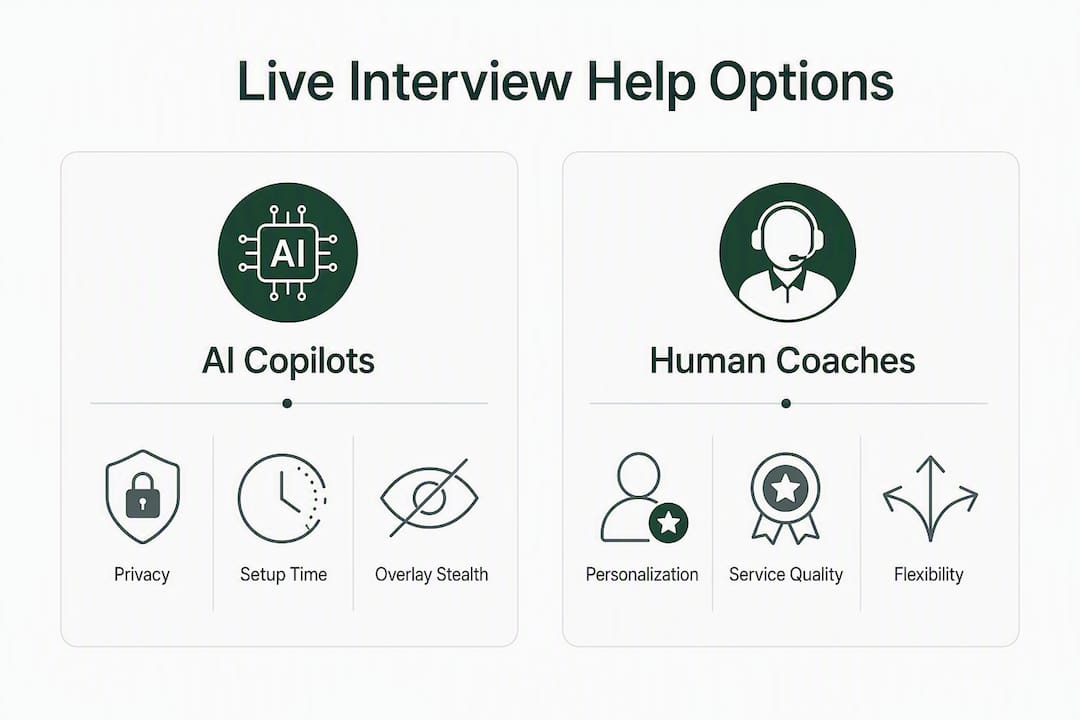
- Real-time copilot (like Parakeet-ai): live audio listening, instant answer suggestions, STAR framing support
- Practice-only AI: no live help, but structured mock sessions to build fluency before the interview
- Human coach with AI prep: highest personalization, highest cost, zero live-session risk
- DIY LLM overlay: free or near-free, but requires manual setup and carries the highest detection risk
Parakeet-ai stands out because it combines sub-second response timing, interview-specific personalization, and a privacy-first architecture that keeps your data from being shared with employers or third parties.
Table of Contents
- What are the best fathom.video alternatives for live interview support?
- How do you pick the right alternative for your interview?
- What U.S. legal and ethical risks should you know before using a live assistant?
- How do you use an AI interview assistant safely and effectively?
- How do support quality and service differ across alternatives?
- Key takeaways
- The case for blending AI with human judgment
- Parakeet-ai: real-time interview support built for candidates
- Useful sources and further reading
What are the best fathom.video alternatives for live interview support?
| Type / Approach | Real-time live answers | Latency & timing | STAR / personalization | Privacy & detection risk | Platform support | Price model | Total cost of ownership |
|---|---|---|---|---|---|---|---|
| Real-time copilot (e.g., Parakeet-ai) | Yes | Sub-second overlay | Yes, resume + JD tailoring | Low to moderate; stealth overlay, privacy policy required | Zoom, Meet, Teams, browser | Day pass or monthly sub | Low to moderate |
| Practice-only AI | No | N/A (async) | Partial; scripted feedback | Low; no live session exposure | Web, mobile | Free tier or monthly | Low |
| Human coach with AI prep | No (live) | Scheduled sessions | High; fully personalized | Very low | Video call or in-person | Per-session or retainer | High |
| DIY LLM overlay | Manual | Slow; manual copy-paste | Low; generic outputs | High; browser share can expose window | Any | Free or API cost | Low upfront, high effort |
Candidate profile fit:
- New grads and high-volume screeners: practice-only AI builds fluency fast and costs little; add a real-time copilot for final rounds
- Executives and senior candidates: human coach for strategic narrative, AI for STAR structure rehearsal
- Remote engineers in technical loops: real-time copilot with a mock session on the same platform first; interview prep tools for IT job seekers explain how these tools fit technical screening workflows
Pro Tip: Before any live interview, run a full stealth test with a trusted contact on the exact video platform you will use. Browser-based screen share can capture overlays if permissions are misconfigured, so confirm the desktop app is running and the overlay is invisible on their end.
How do you pick the right alternative for your interview?
Start with your interview type. High-volume phone and video screeners benefit most from a practice-only AI: the repetition builds speed and confidence without any live-session risk. For final-round behavioral loops or technical interviews where a wrong answer ends your candidacy, a real-time copilot paired with at least two mock sessions is the more defensible choice. Human coaching makes sense when the role is senior, the stakes are unusually high, or your storytelling needs work that AI cannot fix.
Evaluation checklist before you commit:
- Detection risk: does the tool use a desktop overlay or a browser extension? Desktop apps are harder for screen-share capture to expose.
- Privacy policy: does it state clearly what audio or transcript data is retained, for how long, and whether it is shared?
- Data deletion: can you request deletion of your session data? If the policy is vague, that is a red flag.
- Platform compatibility: does it work on the specific video tool your interviewer uses (Zoom, Google Meet, Microsoft Teams, phone)?
- Latency: is the answer suggestion visible before the interviewer finishes asking, or does it lag by several seconds?
- STAR support: does it frame answers in Situation, Task, Action, Result format, or does it return generic bullet points?
- Pricing transparency: are there hidden upgrade costs, auto-renewal traps, or feature locks behind a higher tier?
- Customer support: is there a real support channel (chat, email) or only a FAQ page?
Questions to ask any vendor before purchasing:
- Does your overlay remain invisible when the interviewer initiates screen share on Zoom or Google Meet?
- How long do you retain audio recordings or transcripts from my session?
- Can I request full deletion of my data, and how quickly is that processed?
- What happens if the assistant loses connection mid-interview?
- Do you offer a free trial or a day pass so I can test before committing to a monthly plan?
Red flags: a privacy policy that does not mention audio retention, no data deletion option, a browser extension that requires full screen-share permissions, and no refund or cancellation policy.
Onboarding timeline: most real-time copilots take 30–60 minutes to set up from download to first mock session. Budget three days: one for setup and compatibility testing, one for a mock interview with a friend, and one for a final rehearsal at interview pace.

What U.S. legal and ethical risks should you know before using a live assistant?
Using a third-party live-answer assistant during a job interview carries real legal, compliance, and reputational risk. The risks are not hypothetical.
Disclosure gap: A survey of 2,950 job seekers found that 63% had experienced AI-led interviews, yet 70% said AI use was not clearly disclosed to them beforehand. That asymmetry cuts both ways: employers are not always transparent with candidates, and candidates using undisclosed assistants face the same scrutiny.
Illinois’s Artificial Intelligence Video Interview Act (AIVIA) requires employers to disclose AI use before interviews, explain how the AI evaluates candidates, obtain consent, and limit sharing of applicant videos. Other states and jurisdictions are developing similar rules. Candidates should assume that employer audit practices are tightening, not loosening.
Practical ethical and legal risks:
- Disqualification: employers who detect undisclosed AI use during interviews may immediately disqualify the candidate, and some include AI-use prohibitions in their application terms
- Compliance conflicts: organizations increasingly audit AI hiring tools for bias and policy compliance; a candidate’s undisclosed assistant can conflict with those internal audits
- Bias amplification: academic reviews flag that AI-enabled recruiting tools can amplify existing bias if not audited; an assistant trained on non-representative data may steer you toward answers that do not fit the role or the employer’s actual evaluation criteria
- Dehumanization: scripted AI answers delivered verbatim flatten your personality and can make you sound rehearsed in a way that experienced interviewers notice immediately
- Over-reliance: candidates who depend entirely on live suggestions often freeze when the assistant lags or disconnects
Pro Tip: Before using any live assistant in a real interview, run an internal mock with a trusted contact on the same platform. Document your setup steps and prepare a fallback plan: a set of practiced STAR answers you can deliver without any tool if the assistant is blocked or detected.
How do you use an AI interview assistant safely and effectively?
The single most effective practice is to use the assistant as a structure guide, not a script. AI helps frame STAR answers, but your tone, specific anecdotes, and delivery determine whether the interviewer believes you. Reading an AI answer verbatim is the fastest way to get flagged.
Pre-interview setup checklist:
- Confirm platform compatibility (Zoom, Meet, Teams) and run the desktop app, not the browser extension
- Test overlay invisibility with a friend on the same video platform
- Review the tool’s privacy settings and confirm audio is not stored beyond your session
- Run one full mock interview, paraphrasing every suggestion rather than reading it
- Set up a fallback: three to five practiced STAR answers you can deliver cold
Delivery techniques that reduce detection risk:
- Paraphrase the AI output in your own words before speaking; never read word for word
- Maintain natural eye contact patterns with the camera, not the overlay window
- Match your speaking pace to the suggestion timing; do not rush to fill silence
- Adapt every answer with a personal anecdote the AI cannot supply
- Keep answers to 90–120 seconds; AI suggestions tend to run long if read directly
72-hour action plan before a live interview:
- Day 1 (trial day): install the tool, run a compatibility test, confirm stealth mode works on your specific platform
- Day 2 (mock day): conduct a full 30-minute mock interview with a friend; practice paraphrasing under time pressure
- Day 3 (rehearsal day): do a solo run-through at interview pace; review your fallback answers and confirm your backup plan
Pro Tip: Practice rapid paraphrase under a 10-second timer. Interviewers are trained to spot “reading” behavior: unnatural eye movement and delayed cadence are the two most common tells. Timed paraphrase drills break both habits before they cost you an offer.
How do support quality and service differ across alternatives?
Support quality varies sharply by category. Real-time copilot products typically offer live chat or email support with response times ranging from a few hours to one business day; the better ones include onboarding documentation and setup guides specific to each video platform. Practice-only AI tools often rely on self-serve FAQ pages and community forums, which is fine when the tool is simple but frustrating when a setup issue blocks your mock session the night before an interview.
Human coaches offer the highest service quality by definition: direct communication, session flexibility, and personalized feedback after every round. The tradeoff is cost and scheduling friction.
DIY LLM setups have no support at all. If something breaks, you troubleshoot it yourself. For candidates who are not technically comfortable, that is a real liability on interview day.
When evaluating any tool, check whether customer support is reachable before you pay. Send a test message. A vendor that takes three days to respond to a pre-sale question will not be faster when your overlay stops working 20 minutes before a final-round interview.
Key takeaways
Real-time AI interview copilots with privacy controls and low-detection overlays are the strongest live-help option for U.S. candidates, provided you supplement them with mock practice and a fallback plan.
| Point | Details |
|---|---|
| Best approach for most candidates | A real-time copilot with stealth overlay and privacy controls, backed by at least two mock sessions |
| Legal risk is real | Illinois AIVIA and tightening employer audit practices mean undisclosed AI use can disqualify you |
| Paraphrase, never read | Interviewers detect verbatim reading; paraphrase every AI suggestion and add a personal anecdote |
| Test before the real thing | Run a stealth and latency test with a friend on the exact platform your interviewer uses |
| Parakeet-ai for live support | Parakeet-ai listens in real time and surfaces tailored answers, built specifically for interview contexts |
The case for blending AI with human judgment
The candidates who get the most out of live AI assistants are not the ones who rely on them most. They are the ones who use them least during the actual interview because they practiced enough beforehand that the suggestions confirm what they already planned to say.
When I steer someone toward a real-time copilot, it is usually because they are strong on substance but weak on structure. The tool gives them a STAR scaffold in the moment; they fill it with real experience. When I steer someone away from a live assistant, it is because they are already prone to over-scripting. Adding a live feed of suggested text makes that worse, not better.
The detection risk is also underestimated. A candidate once described pausing mid-answer to read a suggestion, then resuming at a slightly different pace. The interviewer asked, “Are you using any assistance today?” That question alone changed the dynamic of the rest of the conversation. The candidate was not disqualified, but the trust was gone.
For coaches: design role-play prompts that force candidates to paraphrase AI output under a 10-second clock. That single drill, done consistently, is what separates candidates who use these tools well from those who get caught.
Parakeet-ai: real-time interview support built for candidates
Candidates who want live answer suggestions without the setup complexity of a DIY workflow have a direct option. Parakeet-ai listens to your interview in real time and surfaces tailored answers as each question is asked, structured for behavioral and technical loops alike. It supports STAR framing, adapts to your resume and the job description, and works across Zoom, Google Meet, and Microsoft Teams.
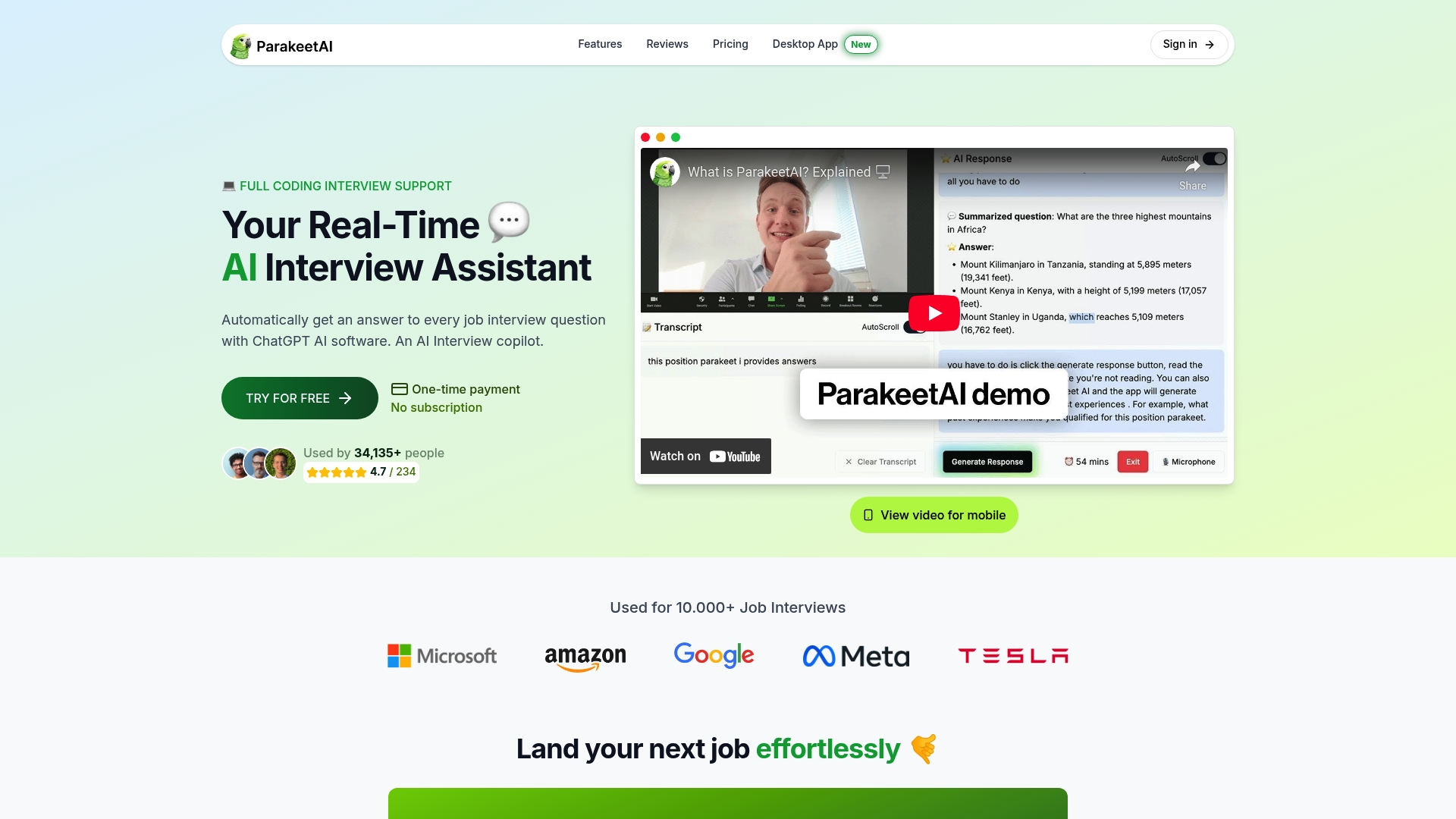
For career coaches, Parakeet-ai works as a mock-practice layer: run a live session with your client and let the tool surface suggestions they then paraphrase aloud. That workflow builds the paraphrase habit before the real interview. Privacy controls include session data handling designed to keep your audio off employer networks, and the platform is transparent about what is retained and for how long.
The AI interview technology trends shaping hiring in 2026 make real-time support more relevant, not less. Try Parakeet-ai with a guided demo at parakeet-ai.com and run your first mock session before your next live interview.
Useful sources and further reading
- Hired by a Robot: The Legal Implications of AI Video Interviews (Iowa Law Review) — primary legal analysis of Illinois AIVIA, disclosure requirements, and candidate protections
- Job Interview Bots: The Hidden Legal Risks of AI Job Interviews (Canadian HR Reporter) — survey data on AI disclosure gaps and employer audit conflicts
- Ethics of AI-Enabled Recruiting and Selection (Journal of Business Ethics) — systematic review of bias, auditability, and ethical design in AI hiring tools
- Voice AI Interviewer for Live Screening (Intrvio) — technical overview of voice AI architectures and practitioner guidance on AI as a supplement to preparation
- AI in recruitment: efficiency gains and compliance impacts (GENTY Recruitment) — analysis of how AI affects hiring workflows and compliance in startup environments
- How to leverage AI for interviews to boost job success (Parakeet-ai Blog) — strategies for combining AI with mock practice
- Final interview prep: AI strategies that get you hired (Parakeet-ai Blog) — concrete rehearsal plans and timelines for last-mile preparation