
Best Sembly.ai Alternatives for Real-Time Interview Coaching

For most candidates who want live AI help during an interview, Parakeet-ai is the clearest choice among the real-time AI interview assistants available today. It listens to the conversation as it happens and generates answers automatically, which is exactly what the phrase “real-time interview assistant” means in practice. If your primary need is delivery coaching, body language feedback, or peer pressure simulation, a human coach or a practice-only platform like Pramp or AlgoExpert will serve you better. If you want to sharpen spoken confidence before the call, Orai fits that gap.
Table of Contents
- What are the best Sembly.ai alternatives for live interview help?
- How to read this comparison and match it to your situation
- How do you decide which alternative actually fits your needs?
- How to use a real-time AI assistant across your three-phase prep plan
- What AI assistants miss and when you still need a human
- Privacy checklist: what to verify before letting any tool listen to your interview
- What does a real-time AI interview assistant actually do?
- How do customization options differ across interview types?
- Which video conferencing tools are compatible?
- What does success with these tools look like in practice?
- Key Takeaways
- The gap between what AI promises and what actually moves the needle
- Parakeet-ai fits the real-time interview assistant search
- Useful sources and further reading
What are the best Sembly.ai alternatives for live interview help?
The tools worth comparing fall into four categories. Each solves a different problem.
| Category | Best for | Real-time vs. practice-only | Human feedback | Platform & integrations | Privacy & data handling | Pricing / free tier | Ease of setup |
|---|---|---|---|---|---|---|---|
| Real-time AI assistant (e.g., Parakeet-ai) | Live answer generation during calls | Real-time | Automated only | Browser overlay; works with Zoom, Google Meet, Teams | Varies by vendor; verify retention and deletion controls | Freemium to subscription | Low; browser extension or app |
| Practice-only AI (e.g., AlgoExpert) | Technical and coding interview drill | Practice-only | Automated scoring | Standalone web app | No live recording of real interviews | Subscription | Low |
| Peer practice platform (e.g., Pramp) | Behavioral and coding mock interviews | Practice-only | Human peer feedback | Web-based; no video-tool integration | Session recordings stay on platform | Free with limits | Low |
| Speech coaching app (e.g., Orai) | Delivery, pacing, filler-word reduction | Practice-only | Automated + optional human | Mobile and web | Audio analyzed locally or on-server; check policy | Freemium | Very low |
| Human coaching / hybrid | Senior-level, culture-fit, negotiation | Practice-only | Human coach | Video call of your choice | Depends on coach’s tools | Per-session or retainer | Medium |
Recommended badge summary:
- Best for live interview help: Real-time AI assistant (Parakeet-ai)
- Best for coding prep: Practice-only AI (AlgoExpert)
- Best for peer pressure simulation: Peer practice (Pramp)
- Best for spoken delivery: Speech coaching (Orai)
- Best for high-stakes final rounds: Human coaching or hybrid
How to read this comparison and match it to your situation
Prioritize the columns in this order: realism (real-time vs. practice-only) first, then privacy, then human feedback availability, then cost. That sequence reflects what actually determines whether a tool helps or hurts you on the day.
Common candidate scenarios mapped to the right category:
- Phone or video screening call (30 minutes, first round): Real-time AI assistant. You need fast answers with low latency. Plan at least 3–4 hours of prep for first-round interviews before relying on any live tool.
Pro Tip: Test your chosen tool inside the exact video platform you will use for the real interview. A tool that works in Chrome on Zoom may not behave the same way in the desktop app or on Google Meet.
How do you decide which alternative actually fits your needs?
Start with five decision axes: realism (does it work live?), feedback type (automated vs. human), privacy and recording policy, platform compatibility, and pricing model. Run these diagnostic questions during any free trial:
- Does the tool work inside your specific interview platform without a separate window?
- How long does the tool take to generate an answer after a question is asked?
- Are your audio and transcript recordings stored, and for how long?
- Can you delete recordings manually, and does deletion propagate to backups?
- Does the vendor share data with third parties, including potential employers?
- Does the free tier include real-time features, or only practice mode?
- Can you customize the tool for your specific role, industry, or interview format?
- Is there a human support channel if the tool fails mid-interview?
Quick decision flow:
- “I need live answers during the call” → Real-time AI assistant (Parakeet-ai)
- “I need feedback on how I sound and move” → Human coach or speech app first
- “I need to drill technical problems at scale” → Practice-only AI
The U.S. Department of Labor frames interviews as a two-way discussion. That framing matters: a tool that only generates answers without helping you ask good questions covers only half the conversation.
How to use a real-time AI assistant across your three-phase prep plan
Effective interview preparation divides naturally into three phases: deep work one week out, targeted practice the day before, and light logistics the morning of the interview.
- One week out — research and story building. Use AI to draft a bank of 3–6 adaptable STAR examples rather than memorizing one script per question. Feed the job description into your real-time assistant and generate likely questions. Review and edit the answers so they sound like you. Around 42% of candidates now use AI at this stage, but the ones who improve fastest also record themselves answering out loud.
- Day before — mock session with the assistant running. Run a 20–30 minute mock interview with your real-time assistant active inside the video platform you will use tomorrow. Record the session. Watch it back and fix one specific issue per pass: answer length, filler words, or vagueness. Repeat twice.
- Morning of — checklist, not cramming. Confirm your audio and camera work. Open the assistant and verify it connects to your interview platform. Close unnecessary browser tabs. Do not run a full mock session; a 5-minute warm-up is enough.
Pro Tip: Record your day-before mock and watch it at 1.25x speed. Problems with pacing and filler words become obvious at that speed in a way they never are in real time.
What AI assistants miss and when you still need a human
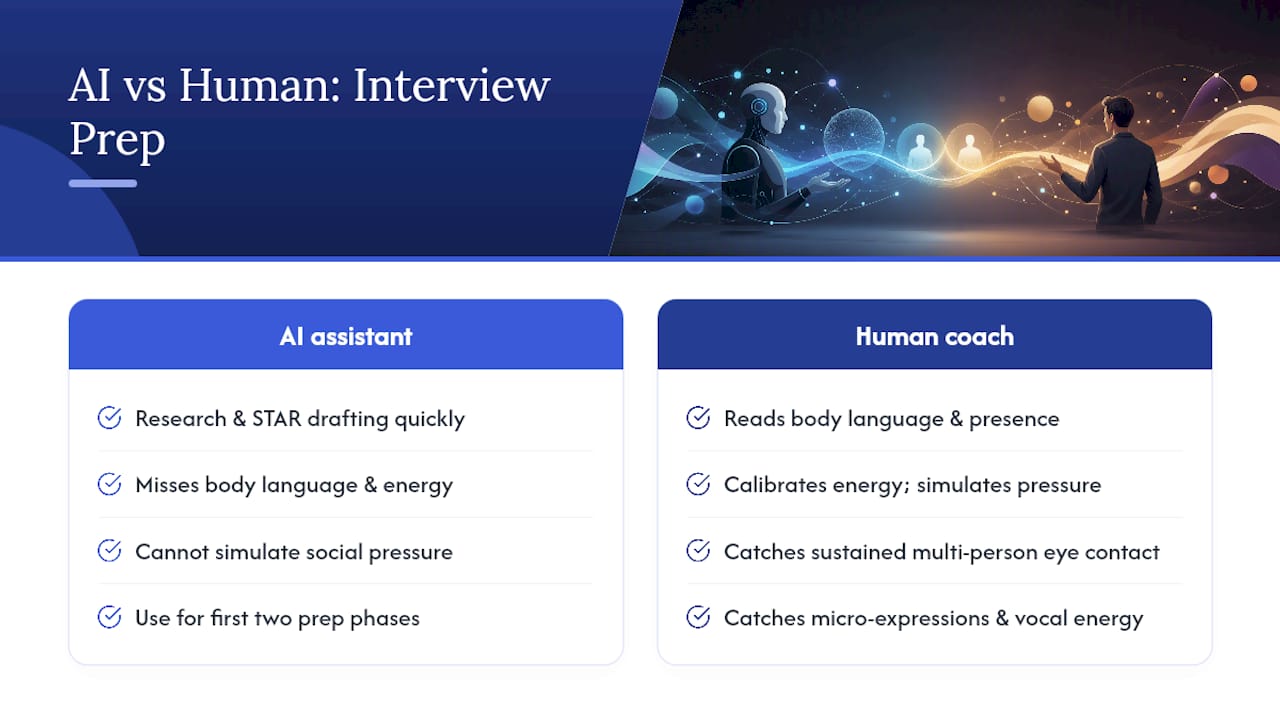
AI is strong at research and drafting STAR-style answers quickly, but it cannot read your body language, calibrate your energy, or simulate the social pressure of a real panel. Those gaps matter most at the senior level, where interviewers are evaluating presence and judgment as much as content.
Specific delivery gaps AI cannot close: sustained eye contact with multiple people, micro-expressions that signal confidence or anxiety, vocal energy that rises and falls naturally, and the ability to pause without looking lost. A human coach catches all of these in a single session.
Pro Tip: Use AI for the first two phases of prep and book one 45-minute human coaching session the day before a final-round interview. That combination costs less than a full coaching package and covers both content and delivery.
Scenarios where a human coach is worth the cost: senior-level negotiations, on-site presentations with a physical whiteboard, culture-fit panels at mission-driven organizations, and any interview where you have failed the same stage twice before.
Privacy checklist: what to verify before letting any tool listen to your interview
The three primary exposures are recording (audio and transcript), retention (how long data is stored), and sharing (whether your data reaches employers or third parties). Verify each before your first real interview.
- Confirm audio and transcripts are encrypted in transit and at rest.
- Read the retention policy: does the vendor delete data after 30 days, 90 days, or never?
- Check whether you can manually delete recordings and whether deletion is permanent.
- Verify the vendor has no employer-sharing feature that could expose your use of the tool.
- Confirm the tool does not require microphone access beyond the active session.
- Check the consent flow: does the tool notify other participants that it is listening?
Experienced interviewers can detect live AI assistance through tells like tracking eyes and unnatural pacing. If privacy terms are unacceptable after your trial, the fallback is simple: use the tool for prep-only mock sessions and turn it off before the real call.
Candidates should test privacy settings and deletion controls during a free trial before using any live-listening tool on an actual interview.
What does a real-time AI interview assistant actually do?
A real-time AI interview assistant listens to the audio of your interview as it happens, transcribes the interviewer’s question, and generates a suggested answer on your screen within seconds. You read, adapt, and deliver the answer. The tool stays invisible to the interviewer. This is different from a practice platform, which runs mock sessions outside of real interviews, and from a speech coach, which analyzes delivery after the fact.
The core workflow: audio capture → speech-to-text → answer generation → on-screen display → candidate delivery. Latency (the gap between question and suggested answer) is the single most important technical variable. A tool that takes eight seconds to generate an answer is not useful in a fast-paced screening call. Learn more about how AI assistants support interview workflows and the features that separate useful tools from slow ones.
How do customization options differ across interview types?
The three interview formats that benefit most from customization are technical, behavioral, and case interviews, and each needs a different configuration.
Technical interviews require a tool trained on coding languages, system design vocabulary, and domain-specific terminology. The best setups let you specify the role (backend engineer, data scientist) and the stack (Python, SQL, AWS) so generated answers use the right vocabulary.
Behavioral interviews benefit from STAR-method framing built into the answer templates. A well-configured assistant structures every suggested answer as Situation, Task, Action, Result automatically, which keeps responses concise and evidence-based.
Case interviews are the hardest to automate. The interviewer is watching your reasoning process in real time, not just your conclusion. A real-time assistant can surface relevant frameworks (MECE, profitability trees) but cannot replace the structured thinking you need to show out loud.
Which video conferencing tools are compatible?
Most browser-based real-time assistants work as a Chrome extension or overlay and are compatible with Zoom, Google Meet, and Microsoft Teams when those platforms run in a browser tab. Desktop app versions of the same platforms sometimes block audio capture from third-party extensions, so always test in the exact environment you will use.
AI tools for remote interviews vary significantly in how they handle audio routing on different operating systems. On macOS, virtual audio drivers (like BlackHole) are sometimes required. On Windows, most tools work without additional configuration. Mobile interviews on iOS or Android are generally not supported by browser-based assistants; check whether the vendor offers a native mobile app if your interview is on a phone.
What does success with these tools look like in practice?
The candidates who get the most out of real-time AI assistants share one habit: they use the tool heavily during prep and treat the live interview as a low-stakes test of what they already know. They run five or six mock sessions with the assistant active, refine the answers it generates until the language sounds natural, and then use it during the real interview as a safety net rather than a script.
Practice-only platforms like Pramp show a different success pattern. Candidates who schedule two or three peer sessions in the week before a behavioral interview consistently report feeling more comfortable with silence and interruption, because a real human partner creates pressure that a solo AI session does not.
The common failure mode across all categories is using any tool as a substitute for out-loud practice. Recorded out-loud practice beats AI scripts for spoken delivery, and no amount of reading generated answers on a screen replaces the muscle memory of saying them.
Key Takeaways
Parakeet-ai is the strongest real-time AI interview assistant for candidates who need live answer generation, but it works best when paired with out-loud practice and at least one human coaching session before a final round.
| Point | Details |
|---|---|
| Recommended real-time pick | Parakeet-ai generates live answers during video and phone interviews with low latency. |
| Privacy before you go live | Verify encryption, retention period, and manual deletion before using any tool on a real interview. |
| Three-phase placement | Use AI for story-building one week out, mock sessions the day before, and a 5-minute warm-up the morning of. |
| When humans are required | Senior-level panels, on-site presentations, and culture-fit interviews need human coaching for delivery and presence. |
| Parakeet-ai trial step | Run the eight diagnostic questions during a free Parakeet-ai trial and test real-time features inside your actual interview platform. |
The gap between what AI promises and what actually moves the needle
Most of the conversation about AI interview tools focuses on answer quality. That is the wrong place to look first. The real variable is latency and naturalness: a tool that generates a technically correct answer in eight seconds, in language that sounds nothing like you, will hurt more than it helps. Interviewers are not grading a written test. They are reading whether you are present, whether you listen, and whether your answers feel earned.
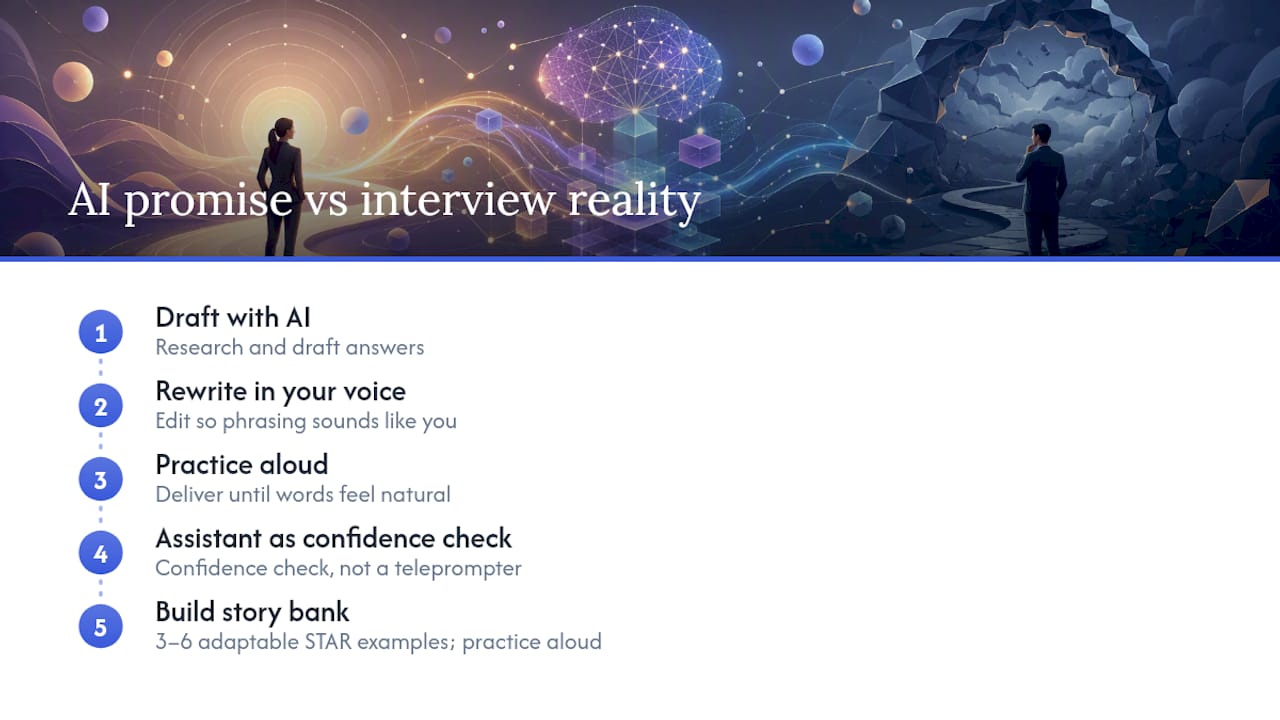
The candidates I see get the most out of tools like Parakeet-ai are the ones who use the generated answers as a first draft during prep, rewrite them in their own voice, and then practice delivering those rewritten versions out loud until the words feel natural. By the time the real interview happens, the assistant is a confidence check, not a teleprompter.
The other thing most guides miss: AI is excellent for research and drafting answers but cannot coach you on the moment when the interviewer goes off-script and asks something you did not prepare for. That is where story banks built from 3–6 adaptable STAR examples matter more than any tool. A good story bank, practiced out loud, is still the highest-leverage prep investment for most candidates.
Parakeet-ai fits the real-time interview assistant search
Candidates searching for tools similar to Sembly.ai for live interview coaching need one thing the meeting-transcription category does not offer: an assistant built for the candidate’s side of the conversation, not the employer’s. Parakeet-ai does exactly that. It listens to your interview, generates answers in real time, and keeps your data under your control with clear deletion options.
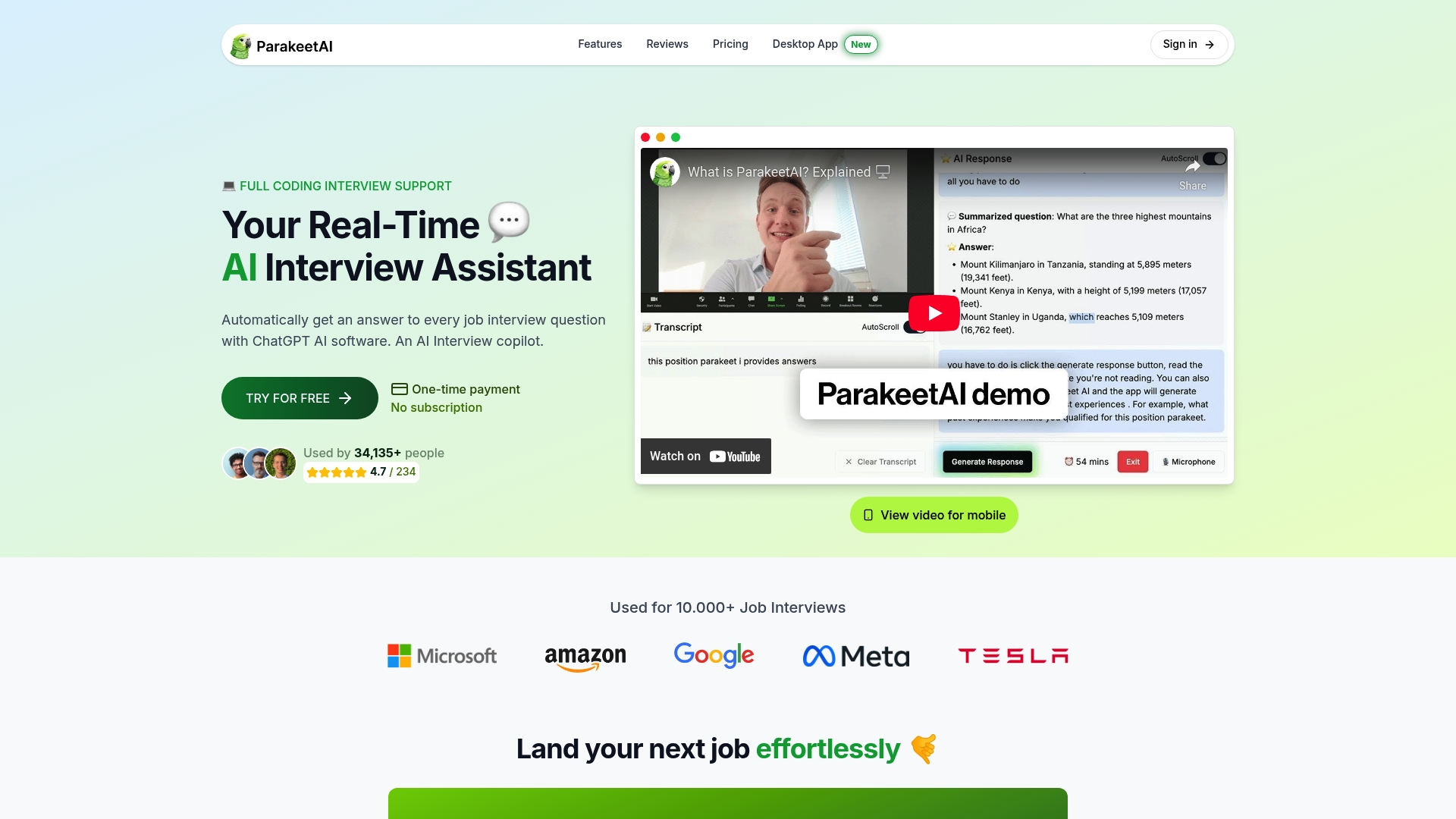
The best way to evaluate it is a short trial focused on three things: answer latency on behavioral questions, how natural the suggested language sounds for your role, and whether you can delete your session recording immediately after. Start your free Parakeet-ai trial and run those three checks before your next interview.
Useful sources and further reading
- Interview preparation coaching: a 2026 guide to winning interviews | Proficiently
- How to Prepare for a Job Interview in Less Time (2026 Guide) - jobstrack.io
- Interview prep guidance | UC Davis Career Center
- Interview tips | U.S. Department of Labor
- How To Prepare For An Interview: Complete Guide (2026) | AccelaCoach
- How to Prepare for an Interview (Without Wasting Time on the Wrong Things) - Resumatic Blog
- How to Prepare for a Job Interview: The Complete 2026 Guide | Jobiety