
What Is Live Candidate Assistance for Job Seekers?

TL;DR:Live candidate assistance is an AI tool that transcribes interview questions in real time and displays your preloaded responses on screen. It helps reduce memory failures during stressful questions, supports language translation, and clarifies noisy audio, without joining the meeting as a participant. Proper preparation, privacy checks, and testing are essential for effective use, but it amplifies your readiness rather than replacing it.
Live candidate assistance is a real-time, candidate-facing AI that listens to your interview, transcribes each question as it’s asked, and surfaces your prepared examples and phrasing on screen so you can answer confidently without blanking under pressure.
- Transcription and prompts. The assistant captures audio, converts speech to text, and retrieves relevant context from documents you uploaded before the call, including your resume, job description, and STAR-formatted anecdotes.
- On-screen overlays, not a visible bot. Suggestions appear only on your screen. No extra participant joins the meeting.
- Support, not replacement. The assistant surfaces what you already prepared. It does not manufacture answers from thin air.
Parakeet-ai is used as the concrete product example throughout this guide.
Table of Contents
- What is live candidate assistance and how does it work?
- How real-time help actually benefits you during interviews
- Ethics, employer policies, and U.S. legal considerations
- How to prepare and use live assistance effectively
- Device setup, bandwidth, and accessibility tips
- How Parakeet-ai implements live candidate assistance
- Key Takeaways
- Live assistance is not a shortcut — it’s a preparation multiplier
- Ready to try Parakeet-ai in your next interview?
- Useful sources
What is live candidate assistance and how does it work?
The assistant runs alongside your video call in a browser tab. It captures audio either through your microphone or via tab audio sharing, processes that audio in real time, and matches the transcribed question against the context you preloaded. The result appears as a short on-screen prompt, visible only to you.
The data flow has three steps: you upload structured context before the interview (resume, job description, STAR anecdotes), the assistant listens and transcribes the question as the interviewer speaks, then it retrieves the most relevant snippet and displays it as a cue. For behavioral questions, it can surface STAR prompts drawn directly from your uploaded documents. For technical questions, it can pull a definition or a project example you stored in advance.
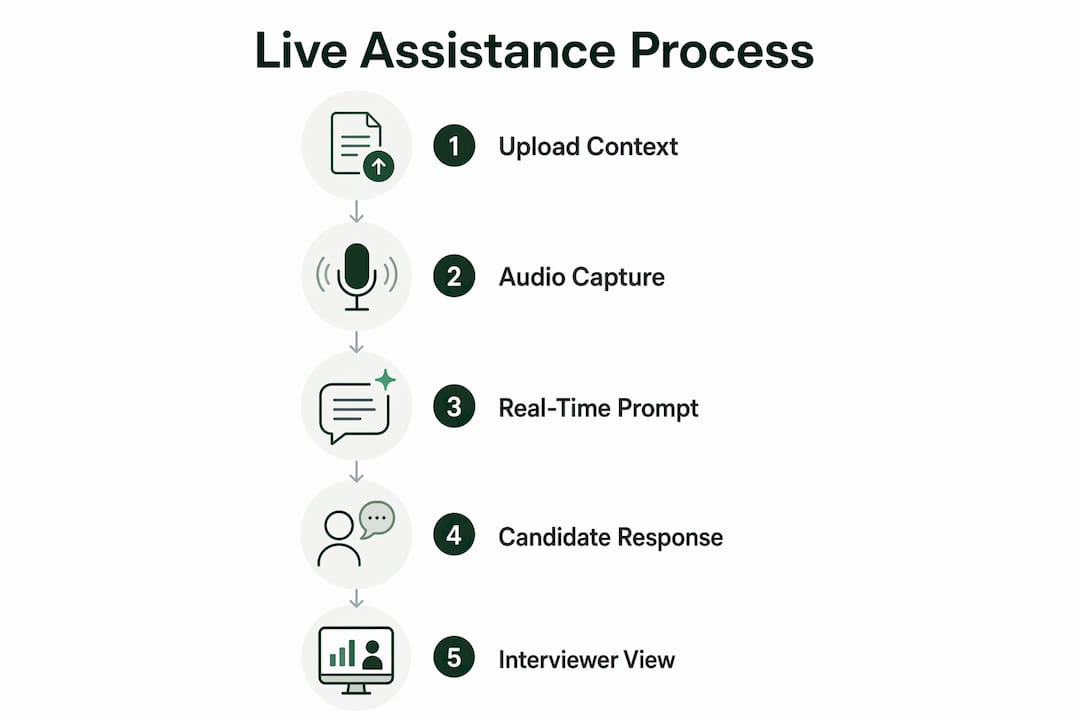
The assistant does not join the participant list. From the interviewer’s perspective, nothing looks different from a standard video call.
Pro Tip: Upload specific, story-rich context before the call. A vague resume produces vague prompts. A file with named projects, concrete metrics, and one-paragraph STAR anecdotes produces prompts you can actually use mid-sentence.
How real-time help actually benefits you during interviews
The primary benefit is straightforward: it reduces working-memory failures under pressure. When an interviewer asks a behavioral question and your mind goes blank, the assistant shows you the STAR bullet you wrote last week. That is the whole value proposition in one sentence.

| Benefit | When it matters most | Typical UX cue |
|---|---|---|
| Working memory aid | Behavioral questions, stress-heavy rounds | STAR bullet from your uploaded anecdotes |
| Language support | Non-native speakers, jargon-heavy roles | Real-time term translation or definition |
| Clarity under noise | Fast-talking interviewers, poor audio | Transcribed question displayed on screen |
Two scenarios where this plays out in practice:
Behavioral question rescue. An interviewer asks, “Tell me about a time you managed a difficult stakeholder.” You uploaded a STAR anecdote about a product launch conflict. The assistant surfaces the key points: situation, what you did, and the outcome. You glance, orient, and speak from memory rather than reading.
Fast-talking interviewer. The interviewer speaks quickly and you catch only part of the question. The transcription shows the full text on screen. You answer the actual question instead of guessing.
For non-native English speakers, the assistant can translate and explain unfamiliar terms in real time, which meaningfully reduces cognitive load during high-pressure exchanges.
Ethics, employer policies, and U.S. legal considerations
Responsible use frames the assistant as a support tool, similar to notes you keep visible during a phone screen, not as a deception device. One implementation pattern worth noting: some tools compare the assistant to visible notes and emphasize that the candidate is responsible for every answer they give.
Disclosure expectations vary. Some employers prohibit outside assistance explicitly in their interview policy; others say nothing. Before any interview, read the employer’s stated policy. If you decide to mention the tool, a brief, neutral script works well: “I use a note-referencing tool to help me stay organized during remote interviews.”
On privacy, many assistants process audio locally and discard it after the session. Audio processed live and discarded with no server-side storage is the privacy-preserving pattern to look for. Always verify a vendor’s actual privacy policy rather than relying on marketing language.
Under the Americans with Disabilities Act, live assistance can function as a reasonable accommodation for candidates with cognitive, language processing, or anxiety-related disabilities. If you have a documented need, you can request an accommodation through the employer’s HR process before the interview.
This is practical guidance, not legal advice. For your specific situation, consult HR or a qualified employment attorney.
Pro Tip: Before the interview, pull up the employer’s careers page or interview prep email and search for the word “assistance” or “tools.” If nothing is prohibited, you are operating in a gray area where brief disclosure is the safest move.
How to prepare and use live assistance effectively
Follow a repeatable prep routine: upload structured context, write your STAR anecdotes in advance, and run a test meeting to confirm audio capture works before the real call.
- Upload structured files. Add your resume, the job description, and a separate document with 4–6 STAR anecdotes. Each anecdote: one sentence for Situation, two sentences for Task and Action, one sentence for Result.
- Test audio capture. Open a practice meeting, confirm the assistant is picking up audio, and check that prompts appear correctly. Tab audio sharing typically produces cleaner transcription than microphone capture.
- Run a mock interview. Ask a friend to read common behavioral questions while you practice glancing at prompts without losing eye contact with the camera.
- During the interview. Glance at the prompt, then look back at the camera before you speak. Pause naturally. Never read a prompt aloud word for word.
- Post-interview review. Check the transcript for questions you struggled with and update your STAR files before the next round.
Do:
- Practice with the tool in low-stakes mock sessions before a real interview
- Use prompts as memory triggers, not scripts
- Pause the assistant if you feel it pulling your attention away from the conversation
Don’t:
- Rely on it to generate answers you have not thought through
- Read full sentences from the overlay
- Skip the test meeting and assume audio will work on the day
If a follow-up question goes deeper than the prompt covered, pause, say “Let me think through that,” and answer from your own knowledge. The assistant gives you the outline; you fill in the substance.
Device setup, bandwidth, and accessibility tips
The simplest reliable setup: a modern browser (Chrome or Edge), a stable broadband connection, and one tested audio-capture method confirmed before the call. That is the whole baseline.
Two capture modes exist. Microphone capture picks up room audio and works without screen sharing, but background noise degrades transcription quality. Tab audio sharing captures the digital stream directly, which produces cleaner results, especially on Zoom, Google Meet, or Microsoft Teams running in a browser tab. If you run the assistant in a separate tab, integrating it with video call platforms via tab audio is the more reliable path.
For non-native speakers, the real-time term explanation feature reduces the cognitive cost of processing unfamiliar vocabulary while simultaneously formulating an answer. That dual-task load is where most comprehension errors happen, and having a definition appear on screen breaks the bottleneck.
Pro Tip: If prompts lag or audio drops mid-interview, fall back to your printed STAR notes and slow your pacing slightly. Tell the interviewer you want to give a thoughtful answer. That buys 10–15 seconds and sounds professional, not evasive.
Fallback plan: keep a one-page printed cheat sheet of your top six STAR anecdotes within eyeline. If the assistant fails entirely, you have a physical backup and the interview continues.
How Parakeet-ai implements live candidate assistance
Parakeet-ai follows the privacy and UX patterns described above: a candidate-facing assistant that listens, transcribes, and surfaces prompts without joining the meeting as a visible participant.
A typical session looks like this:
- A candidate uploads their resume and a tailored STAR document before the call.
- Parakeet-ai listens via tab audio or microphone and transcribes each question as it arrives.
- Relevant prompts appear as an on-screen overlay, drawn from the uploaded context.
- The candidate glances at the cue, speaks from their own knowledge, and the transcript updates in real time.
The AI interview assistant approach Parakeet-ai uses is built around candidate responsibility: the tool surfaces what you prepared, and you deliver the answer. For a closer look at outcomes, the benefits data on the Parakeet-ai blog covers candidate results in more detail.
Key Takeaways
Live candidate assistance works best when you treat it as an extension of preparation, not a substitute for it.
| Point | Details |
|---|---|
| Core definition | A real-time AI that transcribes interview questions and surfaces your preloaded examples on screen. |
| Primary benefit | Reduces working-memory failures under pressure so prepared answers are available when you need them. |
| Ethics and disclosure | Treat it like visible notes; check employer policy and disclose briefly if in doubt. |
| Setup checklist | Upload structured STAR files, test tab audio capture, and run a mock interview before the real call. |
| Parakeet-ai | Offers a candidate-facing assistant that follows privacy-preserving patterns and surfaces prompts without joining the meeting. |
Live assistance is not a shortcut — it’s a preparation multiplier
The conventional framing around AI interview tools tends to split into two camps: either it’s cheating, or it’s the future of hiring. Both miss the point. What live assistance actually does is collapse the gap between what you prepared and what you can recall under stress. That gap is real, and it has nothing to do with competence.
Where it matters most: early-career candidates who have the skills but not the interview reps, non-native speakers managing dual cognitive loads, and anyone in a high-stakes technical round where one forgotten acronym can derail an otherwise strong answer. For those groups, this is closer to an accessibility tool than a cheat code.
The caution worth taking seriously is over-reliance. Candidates who use the tool as a crutch, uploading a generic resume and expecting the assistant to carry them, get weak prompts and weaker answers. The tool amplifies preparation. It does not replace it. Practice with it in mock sessions, build your STAR library deliberately, and treat every prompt as a trigger, not a script.
Ready to try Parakeet-ai in your next interview?
Real preparation deserves real support in the room. Parakeet-ai gives you a live AI assistant that listens to your interview and surfaces your prepared answers the moment you need them, without joining the call as a visible participant and without storing your audio after the session ends.
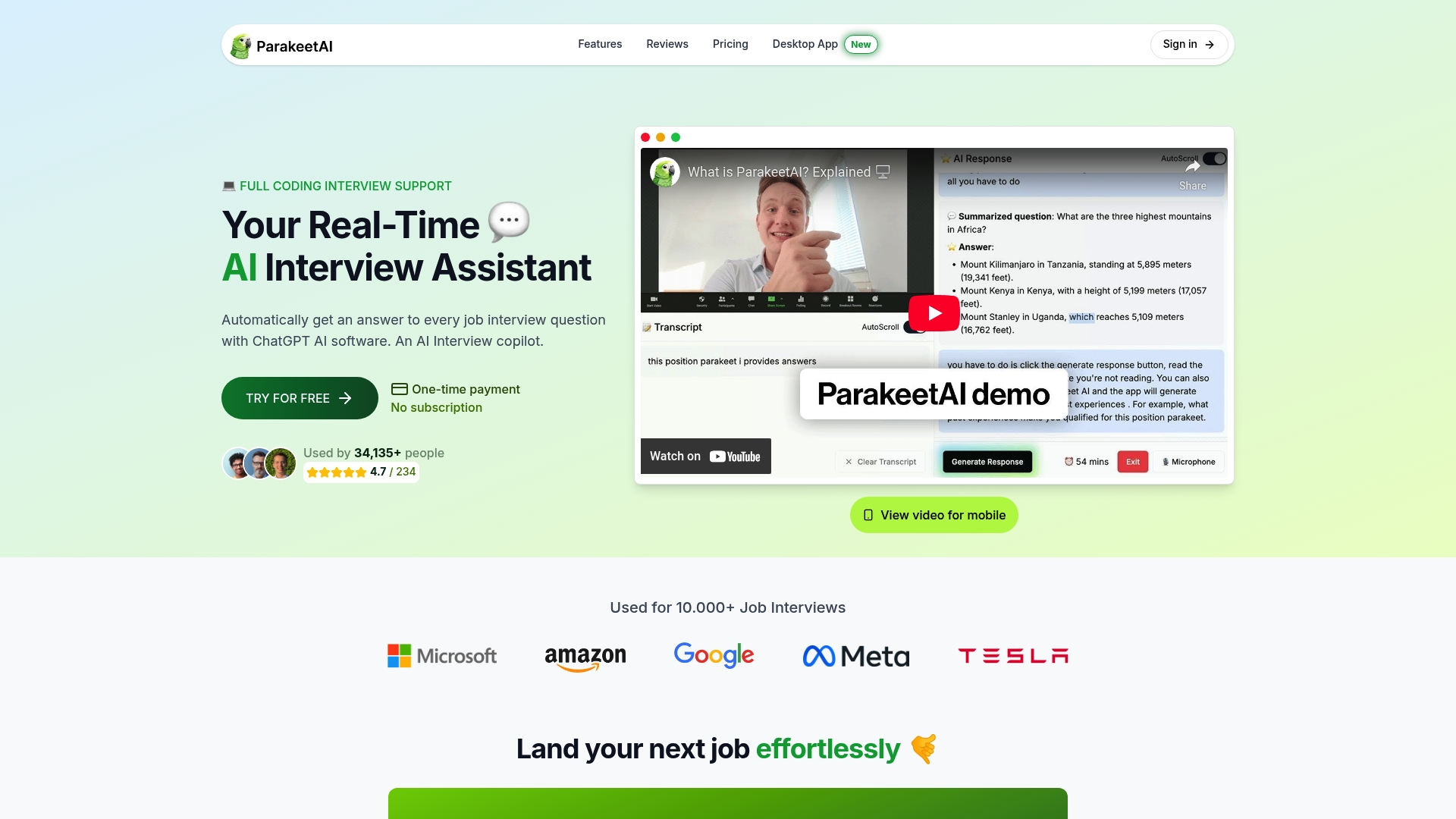
Start in three steps: upload your resume and STAR anecdote file, run a test meeting to confirm audio capture, then try a mock behavioral question with live prompts running. You will know within ten minutes whether it fits your workflow. Try Parakeet-ai and see how your prepared answers hold up under real interview pressure. For candidates who want to go deeper on responsible AI use in interviews, additional training resources are available to help you build the habits that make live assistance work.
Useful sources
- Parakeet-ai: Real-Time AI Interview Assistant
- AI Interview Assistant: Real-Time Support When It Matters
- LiveSuggest Interview Assistant
- Real-time AI interview assistants: benefits and outcomes
- Role of AI assistants in interviews