
Real-Time Candidate Insights: What Every Job Seeker Should Know

TL;DR:Real-time candidate insights are AI-generated signals that analyze interview behavior during live sessions. They provide structured feedback on timing, language, and engagement to enhance fairness and accelerate hiring decisions. Candidates should confirm platform use, prepare accordingly, and interpret signals as coaching cues, not scripts.
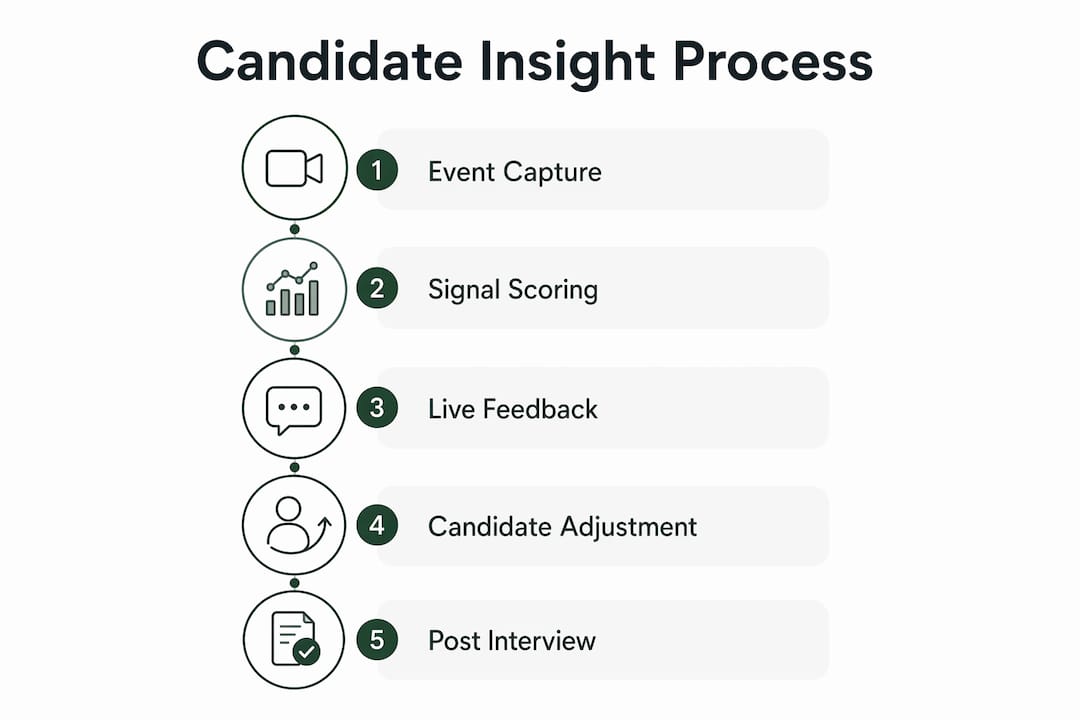
Real-time candidate insights are live, AI-generated signals that analyze your interview performance as it happens, capturing timing, language, and behavioral patterns and returning scored feedback within seconds. Think of it as a coaching layer running in parallel with your interview. Parakeet-ai, for example, listens to each question and surfaces suggested answers and phrasing cues before you finish speaking. The EEOC’s guidance on consistent, objective evaluation criteria makes this kind of structured, data-driven assessment increasingly relevant to fair hiring in the U.S.
The core components break down into three layers:
- Signal capture: mic audio, answer text, response timestamps, and interaction behavior
- Instant analytics: AI scoring of hesitation, keyword match, confidence, and consistency
- Live dashboard or alerts: feedback delivered to the candidate, recruiter, or both in real time
Table of Contents
- How real-time candidate insights work during live interviews
- What signals and metrics these systems actually track
- Benefits for candidates and the practical limits you should expect
- Privacy, consent, and U.S. legal considerations candidates should know
- How to prepare for and use real-time insights as a candidate
- Accuracy limits, common misconceptions, and bias concerns
- How platforms apply real-time insights in practice
- How Parakeet-ai demonstrates real-time candidate insights
- Key Takeaways
- The candidate’s edge most people miss
- Useful sources and further reading
How real-time candidate insights work during live interviews
These systems capture events as they occur and stream them into analysis pipelines that return scored signals before the next question loads. There is no batch processing waiting for the interview to end.
The typical flow runs like this: a candidate speaks or types an answer, the platform captures the audio or text event, a feature-extraction layer pulls signals like hesitation frequency and keyword presence, a scoring model assigns risk flags or competency ratings, and the result is pushed to a dashboard or ATS record. Event-driven architectures avoid the refresh latency that makes batch reports useless during a live session.
Common capture sources include:
- Microphone audio (prosody, pace, filler words)
- Answer text (keyword match, length, structure)
- Response timestamps (time-per-question, hesitation gaps)
- Assessment interactions (coding test keystrokes, click patterns)
- Application metadata (drop-off point, session duration)
Integration is what separates tools candidates actually encounter from ones that sit unused. ATS plugins and browser extensions that push signals directly into recruiter workflows drive adoption far more than standalone dashboards do.
Pro Tip: Before your interview, confirm which platform the employer uses and whether it has a candidate-facing view. Knowing where your feedback appears, and when, lets you act on it rather than wonder about it afterward.
What signals and metrics these systems actually track
Systems track timing, content, engagement, and consistency signals simultaneously. The combination is what produces a meaningful picture rather than a single score.
Specific metrics you may be evaluated on:
- Time-per-question: how long you take before answering and how long your answer runs
- Hesitation frequency: pause count and duration within a response
- Answer length: too short flags low depth; too long can flag poor structure
- Keyword and competency match: whether your answer surfaces role-relevant terms
- Response confidence: audio prosody analysis for pace, pitch variation, and filler words
- Drop-off signals: whether you abandoned a question or the session
- Engagement indicators: chat activity, camera presence, test interaction rate
- Assessment scores: coding accuracy, problem-solving speed, psychometric results
- Attendance and no-show signals: scheduling behavior and session start time
AI-derived candidate scores go beyond a raw rank. They include reasoning, which is why derived signals matter: a skill-fit score maps your demonstrated competencies against the job description, a flight-risk indicator flags patterns associated with early attrition, and an engagement score reflects how actively you participated throughout the process. Creya AI’s platform, for instance, streams all of these back to a recruiter dashboard with no refresh delay, flagging inconsistent answers and rushed responses as alerts in real time.
Benefits for candidates and the practical limits you should expect
Real-time insights can improve fairness, accelerate feedback, and give you coaching signals mid-interview. That is the genuine upside. Structured reports and objective scoring reduce the weight of a single recruiter’s impression and replace scattered notes with consistent evaluation criteria.
Candidate-facing benefits include:
- Instant feedback on response structure and keyword coverage
- Consistent question sets that remove interviewer variability
- Faster hiring decisions because recruiters have scored data immediately
- Post-interview reports that highlight specific strengths and gaps
The limits are real, though. Hesitation scoring can flag a thoughtful pause as low confidence. Prosody models trained on standard American English sometimes misread accents or speech patterns. Generic competency models may not map well to highly specialized technical roles. And if your candidate profile is not updated after each interaction, early-stage scores can persist and mislead later-stage reviewers.
“The rise of AI in recruiting isn’t about replacing humans — it’s about enhancing the process with better data, more structure, and deeper insights.” — CodeSignal
Pro Tip: If a live coaching cue appears during your interview, use it to adjust your phrasing or add a missing keyword in your next sentence. Never read AI-generated text word-for-word. Interviewers notice, and it undermines the authenticity that no score can replace.
Privacy, consent, and U.S. legal considerations candidates should know
Consent and transparency are the baseline. Before accepting a live AI-assisted interview, you have every right to ask whether recording, automated analysis, or third-party processing is happening and where your data will be stored.
Practical checks to run before the session:
- Is the interview recorded? (audio, video, or both)
- Does a third-party AI vendor process your responses?
- How long does the employer retain recordings and derived scores?
- Can you request access to or deletion of your data?
Two questions candidates ask most often:
Can employers use AI scores in hiring decisions? Yes, in most U.S. states, provided they disclose it. Illinois’s AI Video Interview Act requires employers to notify candidates and obtain consent before using AI to analyze video interviews. Other states are moving in similar directions.
Do you have to consent? Declining may mean you cannot proceed with that employer’s process. Ask whether an alternative format is available.
Candidates should check consent notices and retention policies before live AI-assisted interviews; employers vary in how long they keep recordings and derived signals.
This article is general information, not legal advice. Recording laws vary by state — check your state’s one- or two-party consent rules if audio or video is captured, and consult a qualified professional for your specific situation.
How to prepare for and use real-time insights as a candidate
Preparation is what converts live signals from noise into an advantage.
Pre-interview checklist:
- Confirm the platform and whether it has a candidate-facing feedback view
- Test your microphone and camera in the same browser the interview will use
- Read the employer’s consent notice before the session starts
- Run a short mock session using the same tool if a practice mode is available
During the interview — do and don’t:
- Do pause briefly before answering to collect a structured response
- Do surface core keywords from the job description naturally in your answers
- Do use live coaching cues to refine phrasing in your next sentence
- Don’t read AI-generated text verbatim
- Don’t hide or skip technical verification steps if the platform includes them
Using live signals step by step:
- Recognize the signal (a cue, a flag, or a suggested phrase)
- Adapt your phrasing in the next sentence rather than restarting
- Confirm your understanding by briefly summarizing your answer
- Note flagged questions for your post-interview follow-up
Pro Tip: After the interview, email the recruiter a one-sentence clarification on any answer you felt was incomplete. Something like: “I wanted to add context to my answer on [topic] — here is the fuller picture.” It resets any hesitation flag and shows self-awareness.
Accuracy limits, common misconceptions, and bias concerns
These systems produce signals, not verdicts. Human review and context still determine the outcome.
Common accuracy pitfalls:
- Latency-based false flags: a slow network connection can inflate hesitation scores
- Prosody misreads: nervousness and thoughtfulness produce nearly identical audio patterns
- Generic competency models: a senior engineer pausing to think through a nuanced architecture question may score lower than a junior candidate who answers quickly but shallowly
- Stale profiles: without continuous updates, an early-stage score can follow you through the pipeline and distort a later-stage decision
Consider a concrete case: a candidate pauses for four seconds before answering a system-design question. The model flags it as hesitation. The recruiter sees a red alert. But that pause was deliberate — the candidate was structuring a multi-part answer. The signal was real; the interpretation was wrong.
“For candidates, the highest-value outcome is actionable feedback and consistent evaluation rather than a single numerical score — use signals to refine the next response.” — Parakeet-ai research
Pro Tip: In your follow-up note, briefly name the question where you paused and explain your reasoning process. One sentence is enough: “I took a moment on the architecture question to map the tradeoffs before answering.” That context can correct a misread flag before it affects the decision.
How platforms apply real-time insights in practice
Platforms differ by capture scope and integration depth. Some focus on live bot-driven interviews; others on ATS dashboards and pipeline scoring.
- Parakeet-ai operates as a candidate-facing live assistant. It listens to each interview question and surfaces suggested answers and phrasing cues in real time, giving candidates a coaching layer during the session. Post-interview, candidates can review a structured report of their responses. Learn more about live interview performance from Parakeet-ai’s own research.
- CodeSignal focuses on recruiter-side structured feedback. Its AI platform evaluates clarity, depth, and relevance using natural language processing, then delivers a scored report to the hiring team. Tigran Sloyan, CodeSignal’s founder, has described the goal as turning “subjective impressions into objective, actionable data” — reducing bias by removing emotion from initial assessments.
- Creya AI streams live candidate activity, skill-level scoring, red-flag alerts, and time analysis to a recruiter dashboard with no refresh delay, tracking everything from hesitation gaps to drop-off points as the interview unfolds.
These are illustrative examples. Specific feature sets vary by vendor and employer implementation — always confirm which tools and data practices apply to your interview before the session begins.
Pro Tip: Ask the recruiter or HR contact which platform will be used and whether a candidate guide or demo mode is available. Ten minutes of practice in the actual environment is worth more than an hour of generic prep.
How Parakeet-ai demonstrates real-time candidate insights
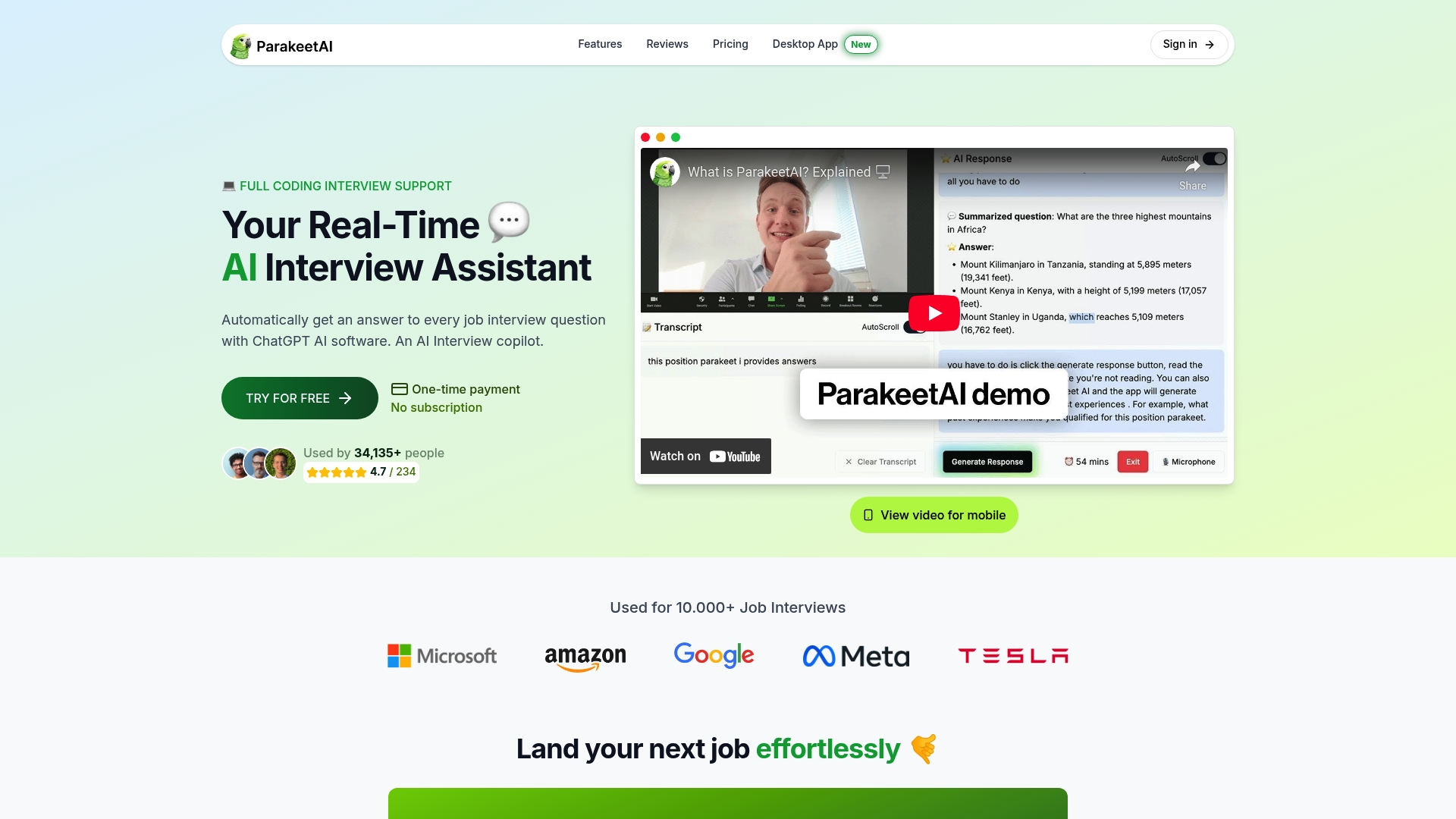
Parakeet-ai provides live candidate-facing assistance that listens to interview questions and returns suggested answers and signals in real time. That is the core product fact.

A typical usage scenario: a candidate joins a video interview, Parakeet-ai runs in the background, and as each question is asked, suggested phrasings and keyword cues appear on screen. The candidate uses them to sharpen structure without reading verbatim. After the session, a post-interview report shows which answers were strong and which could be expanded in a follow-up.
Key capabilities:
- Live answer suggestions keyed to the specific question asked
- Real-time phrasing and keyword cues during the session
- Post-interview structured report for self-review
- ATS sync capability so recruiter-side profiles reflect candidate interaction data
Real-time AI assistance works best when candidates treat it as a coaching tool rather than an autopilot. The improvement in response structure and follow-up preparedness comes from using cues as guidance, not scripts.
Try Parakeet-ai’s live interview assistant at parakeet-ai.com to experience real-time candidate insights firsthand.
Key Takeaways
Real-time candidate insights are live AI signals that analyze interview behavior as it happens, and candidates who understand and prepare for them perform measurably better than those who encounter them cold.
| Point | Details |
|---|---|
| What they are | Live AI signals scoring timing, language, and behavior during your interview in real time. |
| Why they matter | They replace gut-feel evaluation with consistent, structured data — which can work in your favor. |
| Three prep steps | Confirm the platform, run a mock session, and read the consent notice before the interview starts. |
| Limits to expect | Hesitation flags can misread thoughtful pauses; always clarify ambiguous answers in your follow-up. |
| Legal reminder | Ask about recording, third-party processing, and data retention before consenting to an AI-assisted interview. |
The candidate’s edge most people miss
Real-time candidate insights get framed as an employer tool. That framing misses the most useful part for you as a candidate.
When a platform surfaces a hesitation flag or a keyword gap, that is information you can act on in the same conversation. Most candidates never get feedback until a rejection email arrives days later. These systems, used well, compress that feedback loop to seconds. The candidates who treat live cues as a mirror rather than a threat tend to leave interviews with sharper answers and clearer follow-up material.
The caution I would add: do not outsource your thinking to the tool. A suggested answer is a starting point, not a script. The moment you read AI output verbatim, you lose the one thing no scoring model can replicate — the sense that a real person is in the room. Use the signal, then speak in your own voice.
Privacy is the other side of this. Employers vary widely in how they disclose AI use, and U.S. law is still catching up. Ask the questions before the session starts. A recruiter who cannot answer “how long do you retain my interview recording?” is telling you something worth knowing.
Useful sources and further reading
- Real-Time Job Interview Insights: Elevate Your Performance — Parakeet-ai’s candidate-focused guide to using live insights to improve response structure and follow-up readiness.
- Real-Time AI Answers: Transforming Job Interviews — Breaks down how live-answer assistants operate and what candidates should avoid when using them.
- AI Interviewer Feedback: Real-Time Candidate Insights — CodeSignal’s explanation of how AI turns interview responses into objective, structured recruiter data.
- Real-Time Interview Analytics — Creya AI — Shows what a live recruiter dashboard looks like and which signals get flagged during an active session.
- AI Candidate Insights: Why Recruiters Need Them in 2026 — Covers derived signals like skill-fit and flight-risk scores and explains why profile sync matters for accuracy.
- What technologies do workforces need? — Broader look at how recruitment analytics fit into HR systems and why integration drives adoption.
- Parakeet-ai — Primary product resource for candidates who want to experience real-time interview assistance directly.