
Win your next interview with AI response generation

TL;DR:Many job seekers rely on outdated rehearsals instead of AI tools that can structure and refine interview responses. AI-powered generators support preparation by offering templates and feedback, giving candidates a competitive edge and reducing anxiety. However, overusing these tools during live interviews carries ethical and practical risks, emphasizing the importance of internalizing strong answers through practice.
Most job seekers spend hours rehearsing answers alone, recycling the same generic responses they found on a career blog three years ago. What they don’t realize is that a growing number of top candidates now use AI tools to structure, refine, and dramatically improve their interview responses before they ever sit down with a hiring manager. Interview response generation is no longer a futuristic concept. It’s a practical, accessible strategy that can help you walk into any interview with sharper answers, more confidence, and a real competitive edge.
Table of Contents
- What is interview response generation?
- How AI-driven interview response generation works
- Strengths and pitfalls: What job seekers need to know
- Ethical and practical considerations in real interviews
- How to get the most out of interview response generators
- Our take: Why strategy beats automation in interviews
- Ready to upgrade your interview prep?
- Frequently asked questions
Key Takeaways
| Point | Details |
|---|---|
| AI tools boost prep | AI-powered generators structure interview answers and accelerate practice. |
| Tools have limits | Generic outputs and lagging responses pose challenges, especially in live scenarios. |
| Best for practicing | Ethical use means leveraging AI for preparation, not cheating in real-time interviews. |
| Personalization matters | Edit, rehearse, and tailor all AI-generated answers for authenticity. |
| Strategy over shortcuts | Real success comes from combining smart tools with self-awareness and practice. |
What is interview response generation?
Interview response generation refers to AI-powered tools that analyze an interview question and produce suggested answers, structured outlines, or feedback to help you respond more effectively. Think of it as having a well-informed coach available at any hour, ready to help you frame your experience in a compelling way.
These tools generally fall into two categories. The first supports preparation: you enter a question, and the AI generates a sample response you can study, edit, and practice. The second supports live interview assistance: the tool listens to the conversation in real time and surfaces suggested answers as the questions arrive. Both categories rely on large language models (LLMs) to process the input and produce contextually relevant output.
Here’s what a typical interview answer generator tool can produce for you:
- Full sample responses to common behavioral and technical questions
- Bullet-pointed answer frameworks like STAR (Situation, Task, Action, Result)
- Feedback on response clarity, length, and relevance
- Suggestions for stronger word choices or transitions
- Customized follow-up prompts based on your role or industry
One important caveat: even the best LLMs struggle in complex, multi-turn conversations. Multi-turn benchmarks show that adaptive, back-and-forth dialogue remains a genuine challenge for AI systems, which means no tool is perfect when interviews go off-script. Pairing interview question generator tools with your response practice helps you simulate that unpredictability.
How AI-driven interview response generation works
Understanding the mechanics behind these tools helps you use them more effectively and spot their weaknesses before they catch you off guard.
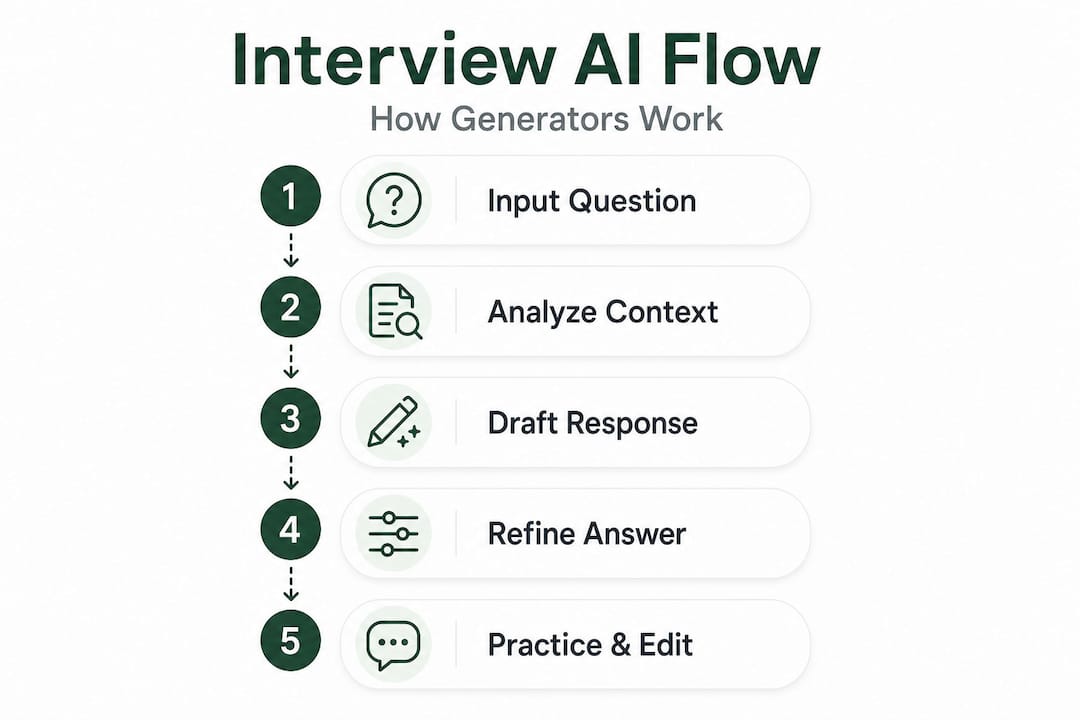
Here’s a step-by-step breakdown of what happens when you submit a question to an AI response generator:
- Input capture: You type or speak an interview question into the tool. Some live assistants automatically capture audio from your interview in real time.
- Question analysis: The AI parses the question to identify its type (behavioral, situational, technical, motivational) and the underlying competency being tested.
- Answer structuring: The model pulls from its training data to generate a response that aligns with best practices, often using a recognized framework like STAR or the Problem-Action-Result format.
- Personalization layer: More advanced tools allow you to input your resume, job description, or industry, enabling them to tailor responses to your specific background.
- Revision options: Most platforms let you regenerate, shorten, expand, or adjust the tone of the response until it fits your voice.
The quality and speed of this process varies significantly across platforms. Structured response methods make a measurable difference in how polished an answer sounds, which is why the best tools are built around proven frameworks.
| Feature | Entry-level tools | Mid-tier tools | Advanced AI assistants |
|---|---|---|---|
| Response speed | 5-10 seconds | 2-5 seconds | Under 2 seconds |
| Personalization | Low | Medium | High |
| Live interview support | No | Limited | Yes |
| Answer quality | Generic | Moderate | Role-specific |
| User ratings | 3.5-4.0/5 | 4.0-4.5/5 | Up to 4.8/5 |
Real-world user data tells an interesting story. While platform usability scores can reach 4.8 out of 5 for top tools, users consistently flag response lag exceeding three seconds and outputs that feel generic when the question is highly technical. Understanding these limits before you go live prevents unpleasant surprises.
Strengths and pitfalls: What job seekers need to know
No tool is a silver bullet. AI response generators have genuine strengths, but they also carry real risks that every job seeker should understand before integrating them into their prep routine.
Key strengths:
- Instant structure: A well-crafted AI response shows you how a strong answer should be organized, even if you need to rewrite it entirely in your own voice.
- Anxiety reduction: Having a starting point reduces blank-page paralysis. Many candidates report feeling significantly less anxious after seeing a sample response to a question they dreaded.
- Practice efficiency: You can simulate dozens of question scenarios in the time it used to take to prepare for five.
- Feedback loops: Some tools score your responses for conciseness, clarity, and relevance, which is objective feedback that a friend or family member usually can’t provide.
Key pitfalls:
The documented edge cases are worth taking seriously. Response delays can disrupt your natural conversational flow. Generic answers often miss the mark for senior or highly specialized roles. Transcription errors can produce wildly off-target suggestions. During screen-share interviews or virtual assessments with monitoring software, AI tools carry real detection risks. And perhaps most dangerously, candidates who rely too heavily on live AI assistance sometimes freeze completely when the tool stumbles.
| Use case | AI assistance | Risk level |
|---|---|---|
| Pre-interview practice | Excellent fit | Low |
| Behavioral question prep | Excellent fit | Low |
| Technical mock interviews | Good fit with edits | Low to medium |
| Live interview support | Use with caution | Medium to high |
| Screen-share assessments | Not recommended | High |
“The best use of AI response tools is to internalize the structure of strong answers, not to read from them verbatim. Treat every generated response as a rough draft that needs your personal story layered in.”
For video interviews specifically, video interview best practices matter more than ever, because your eye contact, tone, and pacing are all visible to the interviewer, and any distraction from a live tool is immediately obvious.
Pro Tip: Before any interview, take three AI-generated responses you’ve practiced and record yourself delivering them. Watch the playback. If you sound like you’re reading, you need more rehearsal before you’re ready.

Ethical and practical considerations in real interviews
This is where things get genuinely complex. The rapid growth of AI interview tools has sparked a serious debate about what’s fair, what’s detectable, and where the line sits between smart preparation and academic dishonesty.
Employers are catching up fast. Many companies now use proctoring tools, behavioral analytics, or simply pay close attention to response patterns during video interviews. An answer that sounds polished but lacks personal anecdotes, or where the candidate pauses at regular intervals and avoids direct eye contact, raises flags immediately.
Here’s a clear breakdown of what’s generally considered acceptable versus risky:
Acceptable uses:
- Using AI to generate practice questions for mock interviews
- Reviewing AI-suggested answers as templates to rewrite in your own words
- Getting feedback on your phrasing, tone, or answer length before the interview
- Studying framework structures like STAR to apply independently
- Using AI to research likely questions for your target role or company
Risky or questionable uses:
- Reading AI responses word for word during a live interview
- Running a live AI tool during a screen-share assessment
- Submitting AI-written answers to asynchronous video interview platforms without editing
- Relying on real-time earpiece-based assistance during in-person interviews
The consensus among career professionals is clear: AI is most valuable when it helps you internalize strong answer structures during preparation. Real-time use crosses ethical lines and introduces significant practical risks. The goal is to become better, not to simulate competence you don’t actually have.
AI interview ethics is an evolving area, and the norms are shifting quickly as tools become more sophisticated and employers become more savvy. Staying on the right side of this debate protects your reputation and your integrity.
Pro Tip: Build confidence with AI-assisted practice, but always ask yourself: “Could I answer this question just as well if the tool suddenly stopped working?” If the answer is no, you need more practice before you rely on it.
How to get the most out of interview response generators
Using these tools strategically is what separates candidates who genuinely improve from those who just feel like they’re preparing. Here’s a proven approach:
- Start with the job description. Before generating any responses, feed the tool your target role, key responsibilities, and the skills the employer emphasizes. This context dramatically improves the relevance of the output. Without it, you’ll get generic answers that could apply to anyone.
- Use generated responses as templates, not scripts. Read the AI output once, identify the structure and the key points it makes, then close the window and write your own version from scratch. Your version should include a specific personal story or result from your own career.
- Practice out loud, not in your head. Silently reading an answer feels nothing like delivering it in front of a camera or a hiring panel. Say it out loud at least five times before you consider it ready. Time yourself. Aim for 90 to 120 seconds for behavioral questions.
- Evaluate for role fit. A strong general answer isn’t automatically a strong answer for your target role. Ask yourself whether the response demonstrates the specific skills and values that company prioritizes. Senior roles especially require nuanced, specific examples that only you can provide.
- Iterate and compare. Generate two or three versions of a response to the same question and compare them. Notice what makes one version stronger, more specific, or more natural. This analytical habit accelerates your improvement far faster than passive review.
- Run a final mock session without the tool. A week before your interview, go through your top 15 to 20 practice questions completely unaided. This tests genuine retention and builds the kind of fluid, natural delivery that impresses interviewers.
The most effective candidates use answer generator tools as a launching pad. They get value from the AI’s structural intelligence, then inject their own stories, personality, and professional depth to make every answer uniquely theirs.
Our take: Why strategy beats automation in interviews
There’s a seductive appeal to the idea that AI can do the hard work of interview preparation for you. Plug in the question, get the answer, land the job. But after watching thousands of candidates go through this process, the pattern is clear: the people who get offers aren’t the ones with the most polished AI outputs. They’re the ones who used AI to build genuine competence.
Here’s an insight that most articles on this topic miss: the real value of AI response generators isn’t the text they produce. It’s the mental model they install. When you review well-structured AI responses repeatedly, you start to internalize what a strong answer looks like. You stop rambling. You get to the point faster. You naturally lead with context, then action, then results. That internalized structure is yours forever, regardless of whether a tool is running in the background.
Formulaic answers will always fall short in senior or highly specialized interviews. A VP of Engineering or a Chief Marketing Officer interviewer isn’t impressed by a textbook STAR response. They want to hear how you think, how you’ve navigated genuine ambiguity, and what you learned from your failures. No AI can fabricate that. Only you can.
The deeper issue is that over-reliance on tools creates fragility. Candidates who can only perform well with AI assistance in their ear are, in effect, building a skill they’ll never fully own. Genuine confidence comes from knowing your own stories cold and trusting yourself to adapt in real time, not from having an invisible safety net. The ethical dimensions of AI use cut to the heart of this: tools that make you better are valuable; tools that do the work for you are a liability.
The most powerful interview strategy is one where AI accelerates your preparation, your editing instincts sharpen with each session, and by interview day, you sound completely, authentically human because you’ve done the deep work.
Ready to upgrade your interview prep?
Putting these strategies into practice is a lot easier when you have the right tool in your corner. Parakeet AI is a real-time interview assistant that listens to your interview and automatically surfaces tailored answers to every question, giving you a structured, confident foundation without the guesswork.
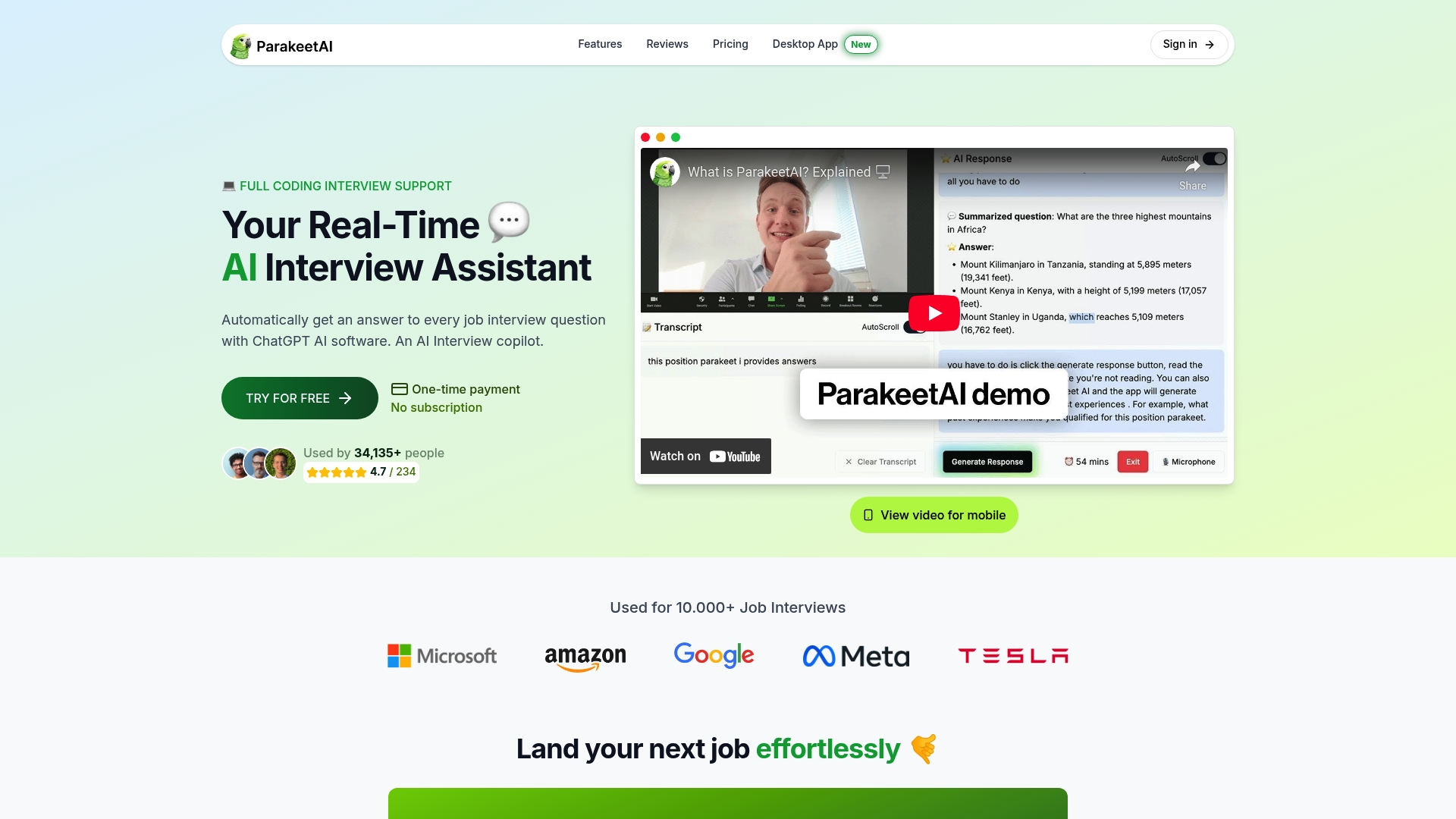
Whether you’re preparing for behavioral rounds, technical screens, or executive-level conversations, Parakeet AI helps you practice smarter, get sharper feedback, and show up to every interview as the most prepared version of yourself. It’s not about replacing your voice. It’s about giving you the structure and confidence to let it shine. Start your first session today and experience the difference that real-time AI support makes in your preparation.
Frequently asked questions
Can interview response generators guarantee a job offer?
No, they provide structured practice and support but cannot ensure a specific hiring decision. Offers depend on fit, competition, and the full range of your interview performance.
Are AI-generated interview answers detectable by employers?
Yes, especially during live interviews or screen shares. Detection risks include noticeable delays, overly polished language without personal anecdotes, and behavioral cues like inconsistent eye contact.
Is it ethical to use AI tools for interview preparation?
Most experts agree using AI for practice is ethical and beneficial, but real-time reliance during live interviews can cross ethical lines and undermine your long-term development as a candidate.
Do AI generators work for all roles and industries?
They are most effective for common behavioral and technical questions. For senior or highly specialized roles, generic outputs often lack the nuance and specificity those interviewers expect.