How to Prepare for a Virtual Interview in 2026
TL;DR:Preparing thoroughly for virtual interviews by testing technology, creating a professional environment, and practicing clear communication increases chances of success. Staying calm during technical disruptions and following up promptly demonstrate professionalism and adaptability. Consistent preparation and genuine engagement are essential to excel in remote hiring processes.
Virtual interviewing is the standard hiring format for remote and hybrid roles, and job seekers who treat it casually lose offers to candidates who prepare with the same rigor as an in-person meeting. Knowing how to prepare for a virtual interview means mastering three things: your technology, your environment, and your communication. Each one can make or break your first impression before you say a single word. This guide covers every step, from testing your camera 24 hours out to sending a follow-up that keeps you top of mind.
What essential tools and technology do you need before a virtual interview?
Your hardware and software setup is the foundation of every online interview. A failed connection or a frozen screen signals disorganization, regardless of how strong your answers are.
Hardware checklist:
- A webcam with at least 720p resolution, positioned at eye level
- A dedicated microphone or quality headset to eliminate echo
- A stable wired internet connection, or a strong Wi-Fi signal as a backup
- A second device (phone or tablet) charged and ready if your primary device fails
Software checklist:
- The interview platform installed and updated (Zoom, Microsoft Teams, Google Meet, or the employer’s specified tool)
- Your browser updated to the latest version
- All unnecessary applications closed before the call begins
Test your technology at least 24 hours before the interview. That window gives you time to fix driver issues, update software, or order replacement equipment if something breaks. On the day of the interview, log in 5–20 minutes early to run a final check on audio, video, and your internet connection.
Silence all notifications before you join. Phone alerts, desktop pop-ups, and calendar reminders are audible to the interviewer and signal poor preparation. Close every browser tab you do not need.
Pro Tip: Take a screenshot of your video feed before the interview starts. View it as the interviewer would. You will spot framing problems, background clutter, and lighting issues that the live preview hides.
| Setup element | Recommended standard |
|---|---|
| Camera height | Eye level, not angled up or down |
| Internet speed | Minimum 10 Mbps upload for stable video |
| Login time | 5–20 minutes before the scheduled start |
| Tech test window | At least 24 hours before the interview |
| Backup device | Charged phone or tablet ready to switch |
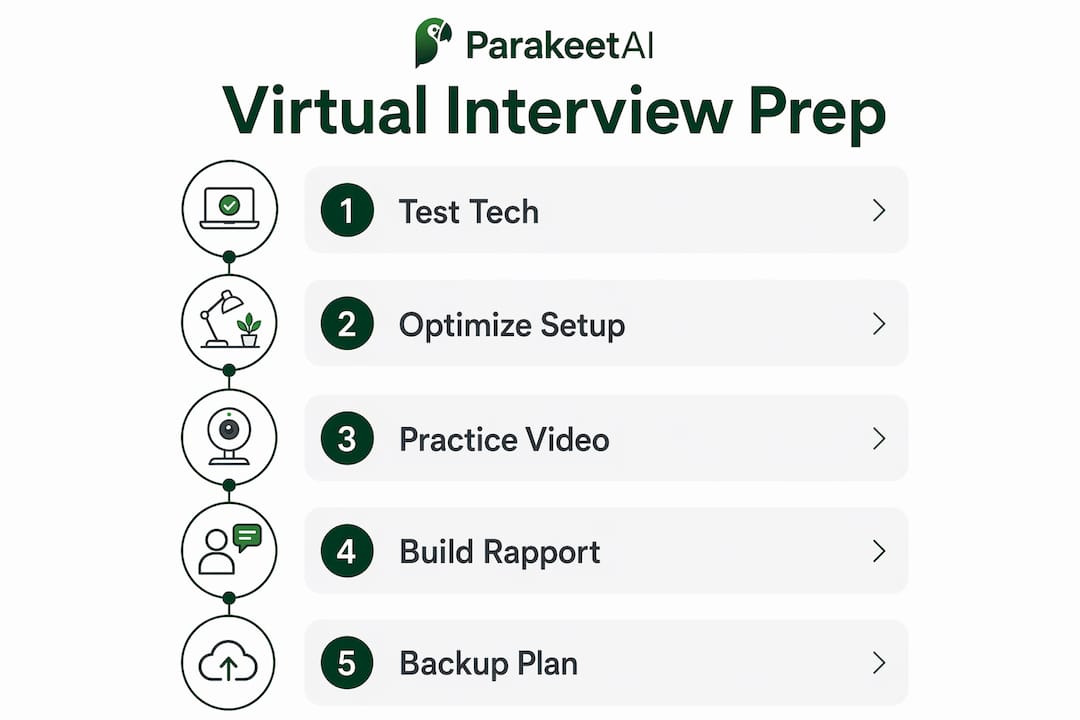
How to create a professional environment for your virtual interview
Your background tells the interviewer something about you before you speak. A cluttered room, a distracting poster, or a window behind you that blows out your face all undermine your credibility.
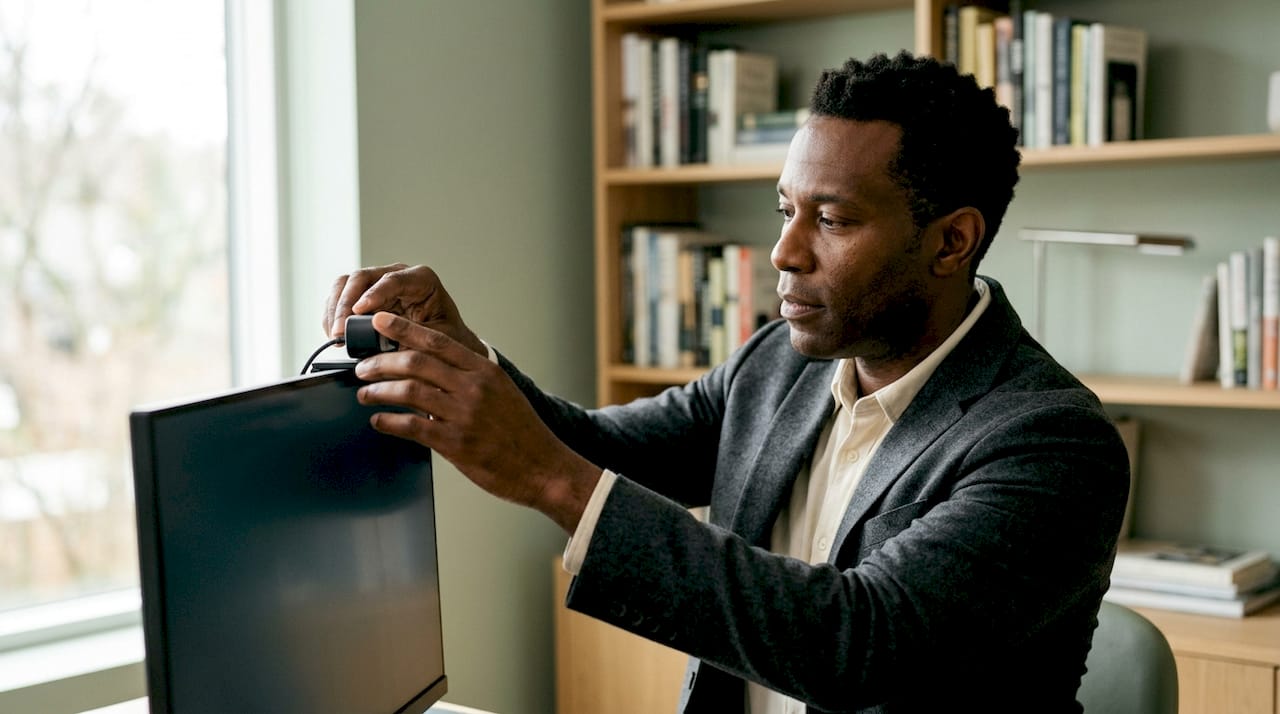
Choose a quiet room with a neutral wall or a tidy bookshelf as your background. Avoid virtual backgrounds unless the platform renders them cleanly on your hardware. Blurry edge artifacts around your head look unprofessional and distract the interviewer.
Lighting is the single most overlooked element in virtual interview setup. Position your primary light source in front of you, not behind you. A ring light or a desk lamp aimed at your face from slightly above eye level produces a clean, even look. Natural light from a window works well if the window faces you directly.
Environment checklist:
- Notify everyone in your home about the interview time and ask for silence
- Secure pets in another room
- Place a “Do Not Disturb” sign on your door if you share a space
- Remove anything from the background that could prompt questions or signal disorder
Dress in full business attire exactly as you would for an in-person interview. Wearing professional clothing from head to toe, not just the top half, puts you in the right mindset and protects you if you need to stand up unexpectedly.
Camera framing matters as much as background. Position the camera so your face and upper chest fill the frame. Too much headroom above you looks awkward. Too close feels uncomfortable for the interviewer. Looking directly into the camera lens rather than at the interviewer’s face on screen simulates natural eye contact and projects confidence.
Pro Tip: Record a 60-second test video of yourself in your interview setup. Play it back on a different screen. You will catch audio problems, background distractions, and posture issues that you miss when you are focused on what to say.
What communication techniques build rapport during a virtual interview?
Rapport is harder to build through a screen than across a table. The absence of physical presence means you have to work deliberately with the tools you do have: your voice, your face, and your body language.
Speak at a moderate pace. Video compression and slight audio delays make fast speech harder to follow. Pause briefly after finishing a thought to give the interviewer space to respond and to avoid talking over each other.
Use positive nonverbal cues throughout the conversation. Nodding when the interviewer speaks shows active listening. Smiling naturally at appropriate moments signals warmth. Natural hand gestures within the camera frame add energy to your delivery without becoming distracting.
Four communication practices that improve virtual interview performance:
- Record yourself answering common questions. Play the recording back and count filler words like “um,” “uh,” and “like.” Reducing these sharpens your delivery significantly.
- Practice the role-reversal technique. Act as the interviewer and ask yourself questions, then switch back and answer them. This builds self-awareness about how your answers land.
- Keep a small notepad nearby. Jot down two or three key points you want to make. Glancing at notes briefly is acceptable; reading from a script is not.
- Prepare for silence. If the interviewer pauses after your answer, resist the urge to fill the gap. Silence often means they are taking notes, not that your answer was wrong.
Neutral or unreadable interviewer reactions are common in virtual settings. A blank expression does not mean you are performing poorly. Focus on delivering your message clearly rather than reading the interviewer’s face for signals.
For job seekers in tech roles, the remote interview preparation strategies that work in general interviews apply directly, with the added layer of demonstrating technical fluency.
Pro Tip: After your practice session, flip the camera and watch the recording with the sound off. Your body language alone should communicate engagement and confidence. If it does not, adjust your posture and gestures before the real interview.
How to manage technical issues and stay professional under pressure
Technical problems happen in virtual interviews. Your response to them matters more than the problem itself.
Recruiters often view how a candidate handles a dropped connection or audio glitch as an indirect test of composure and problem-solving. Panicking, apologizing excessively, or going silent all signal poor stress management. Staying calm and communicating clearly signals exactly the opposite.
“Technical disruptions during a virtual interview are not just inconveniences. They are moments where recruiters observe how you handle unexpected pressure. Candidates who acknowledge the issue briefly, propose a solution, and move forward without losing their composure consistently leave a stronger impression than those who perform flawlessly on a glitch-free call.”
What to do when something goes wrong:
- Connection drops: Rejoin immediately and say, “Apologies for the interruption. I had a brief connection issue. I am ready to continue.”
- Audio problems: Ask the interviewer to repeat the question calmly. Do not guess at what was said.
- Video freezes: Switch to audio only and let the interviewer know you are doing so.
- Full platform failure: Call the interviewer directly if you have their number, or send a quick email explaining the situation and asking to reconnect.
Prepare your backup plan before the interview starts. Save the interviewer’s phone number and email address somewhere accessible. Know which mobile data network you can switch to if your Wi-Fi fails.
Light physical activity before the interview, such as a 10-minute walk, reduces cortisol and sharpens focus. Avoid caffeine in excess if it makes you jittery. A calm body produces a calm voice.
HR technology tools that support professional video interview experiences have expanded significantly, giving both candidates and hiring teams more options for managing the technical side of remote hiring.
What are the best final preparation steps and follow-up practices?
The 24 hours before your interview are as important as the interview itself. Use them deliberately.
- Run a full dress rehearsal. Sit in your interview chair, in your interview clothes, with your camera running. Answer three to five practice questions out loud. This removes the novelty of the setup so you feel settled when it counts.
- Confirm all logistics. Verify the meeting link, the platform, the scheduled time zone, and the interviewer’s name and title. Joining the wrong meeting or logging in an hour late because of a time zone error is avoidable.
- Prepare two or three thoughtful questions. Research the company and ask about team dynamics, current challenges, or how success is measured in the role. Avoid questions that a 30-second search would answer.
- Send a thank-you message within 24 hours. Address it to each interviewer individually. Reference one specific topic from the conversation to show you were engaged. Restate your interest in the role and summarize one qualification that makes you the right fit.
- Stay patient after the interview. Hiring timelines slip. Following up once after the stated decision date is appropriate. Following up repeatedly signals anxiety, not enthusiasm.
A virtual interview checklist reviewed the night before catches the small things that slip through when you are focused on your answers.
Key Takeaways
Preparing for a virtual interview requires equal attention to technology, environment, communication, and follow-up, and candidates who address all four consistently outperform those who focus only on their answers.
| Point | Details |
|---|---|
| Test technology early | Run a full hardware and software check at least 24 hours before the interview. |
| Control your environment | Use a neutral background, front-facing light, and full business attire every time. |
| Build rapport deliberately | Use eye contact through the lens, nodding, and a moderate speaking pace to connect. |
| Prepare for technical issues | Have a backup device, the interviewer’s contact info, and a calm response plan ready. |
| Follow up within 24 hours | Send a personalized thank-you that references a specific moment from the conversation. |
What I have learned from watching candidates succeed and fail virtually
The biggest mistake I see job seekers make is treating the virtual format as easier than in-person. They skip the dress rehearsal. They test the camera once and assume it will hold. They do not think about what is behind them until the interviewer’s eyes drift to the wall.
The candidates who perform best in virtual interviews are the ones who practice the format itself, not just their answers. They know exactly how they look on camera. They have heard how their voice sounds through a microphone. They have already experienced a mock technical glitch and know how they will respond.
AI tools like Parakeet-ai have changed what practice looks like. Getting real-time feedback on your answers during a mock session, rather than reviewing a recording alone afterward, accelerates improvement in a way that traditional prep does not. The technology removes the guesswork from answer quality so you can focus on delivery.
The psychological shift that matters most is simple: stop thinking of the screen as a barrier and start treating it as a different kind of room. The same professionalism, the same preparation, and the same genuine engagement that work in person work on camera. The format is different. The standards are not.
— Jure
Parakeet-ai: real-time support for your next virtual interview
Virtual interviews reward preparation, and Parakeet-ai gives you an edge that goes beyond rehearsal. Parakeet-ai listens to your interview in real time and automatically generates answers to every question as it happens, so you always have a confident, well-structured response ready.
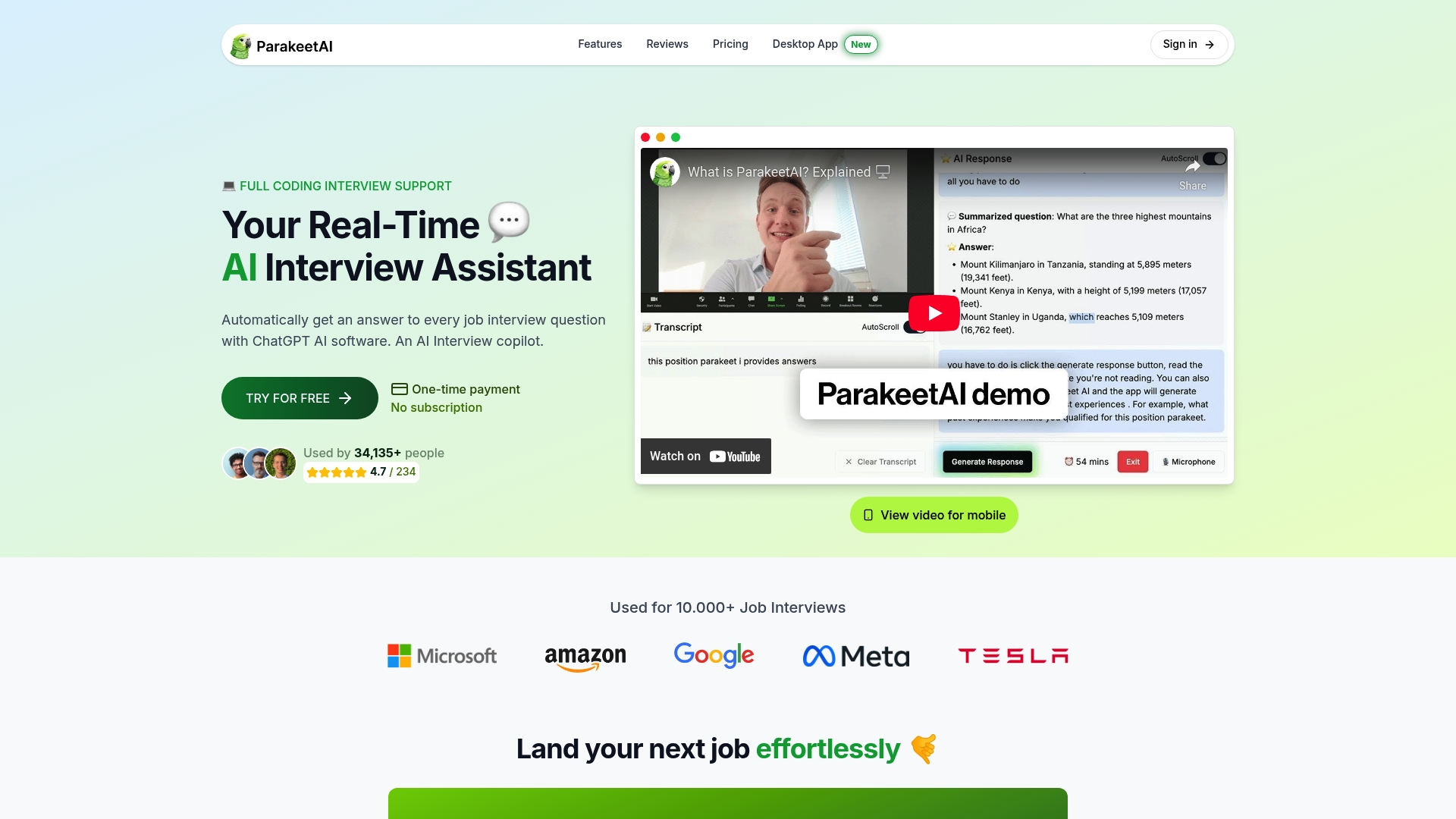
Job seekers who use Parakeet-ai’s interview assistant walk into virtual interviews with a safety net that works silently in the background. Whether you are facing a behavioral question you did not anticipate or a technical prompt that catches you off guard, Parakeet-ai keeps you composed and on point. Visit Parakeet-ai to see how real-time AI support fits into your preparation.
FAQ
How early should I log in for a virtual interview?
Log in 5–20 minutes before the scheduled start time to test audio, video, and your internet connection and fix any last-minute issues.
What background is best for a virtual interview?
A neutral wall or a tidy, uncluttered bookshelf works best. Avoid busy patterns, personal items, and virtual backgrounds that render poorly on your hardware.
How do I make eye contact during a video interview?
Look directly into the camera lens rather than at the interviewer’s face on screen. This simulates natural eye contact from the interviewer’s perspective.
What should I do if my connection drops mid-interview?
Rejoin the call immediately, acknowledge the interruption briefly, and continue without excessive apology. Have the interviewer’s phone number saved in advance as a backup contact method.
Should I send a thank-you after a virtual interview?
Send a personalized thank-you email to each interviewer within 24 hours. Reference a specific topic from the conversation and restate your interest in the role to reinforce your candidacy.