
Interview Template for Tech Candidates: Use with AI

Your interview template is ready to copy. Each section below maps directly to a competency, includes a 1–5 scoring anchor, and works with real-time AI assistance from Parakeet-ai during live rehearsal.
Start here:
- Map competencies first. Pull 4–6 skills from the job description using AIHR or Asana’s guidance on role-specific competency mapping.
- Add a scorecard. Attach Yale-style 1–5 anchors to each competency before your first mock interview.
- Run a 2-week prep plan. Practice answers days 1–8, run timed mocks days 9–11, and calibrate with AI-assisted review days 12–14.
The single biggest mistake candidates make is treating an interview as a conversation rather than a structured evaluation. Greenhouse confirms that every question in a well-built template ties to a specific competency and scorecard attribute — which means your answers need to demonstrate evidence, not just enthusiasm.
Table of Contents
- What is an interview template and why does it help you?
- What every effective interview template must include
- Three copy-paste templates for common tech roles
- How to map competencies to interview questions
- A practical 1–5 scorecard and how to calibrate it
- How to use a real-time AI interview assistant safely
- How to prepare using templates: a 2-week plan
- Copy-paste templates and checklist
- Legal and ethical considerations in interview templates
- Key Takeaways
- Why templates matter more than most candidates realize
- Parakeet-ai gives you real-time answers during your interview
- Authoritative sources and further reading
What is an interview template and why does it help you?
An interview template is a roadmap that links each question to a competency and a scoring rubric. It is not a script. The difference matters: a script tells you what to say; a template tells you what to demonstrate and how an interviewer will measure it.
Structured templates convert ad hoc conversations into repeatable, evidence-based assessments. Every candidate gets the same core questions tied to the same criteria, which reduces bias and makes your answers directly comparable to other candidates on measurable dimensions.
For you as a candidate, that predictability is an advantage. When you know the competencies being evaluated, you can engineer your answers to hit the exact signals the scorecard rewards.
72% of candidates share negative interview experiences online. Structured guides protect both sides: interviewers avoid inconsistency, and candidates avoid the frustration of vague, unpredictable questions.
- Fairness: same questions, same criteria, no improvised curveballs
- Clarity: you know what evidence to prepare (metrics, code examples, trade-offs)
- AI compatibility: predictable question formats make real-time AI cueing far more accurate
Asana notes that effective templates require roughly 80% planning effort upfront — meaning the hiring team has already done the hard work of defining what “good” looks like. Your job is to match that definition.
What every effective interview template must include
A template missing any of these components produces inconsistent signals. According to Indeed, a complete template covers introductions, question sections, a closing, time designations, and note fields.
- Role summary: two to three sentences on scope, team size, and key deliverables
- Competency list: 4–6 skills, each flagged as must-have or nice-to-have
- Question bank: behavioral, situational, and technical questions, one per competency minimum
- Scoring anchors: explicit 1–5 descriptions for each competency (not just a number scale)
- Logistics: interview stage, interviewer owner, time per section, note fields
| Section | Time allocation | Owner |
|---|---|---|
| Intro and rapport | 5 min | Recruiter |
| Behavioral questions | 20 min | Hiring manager |
| Technical assessment | — | Technical lead |
| Situational / case | 15 min | Panel |
| Candidate questions | 10 min | All |
| Debrief and notes | 5 min | All |
Yale’s hiring manager template recommends including explicit probe slots of 10–15 minutes so interviewers can follow a strong answer deeper without breaking structure.
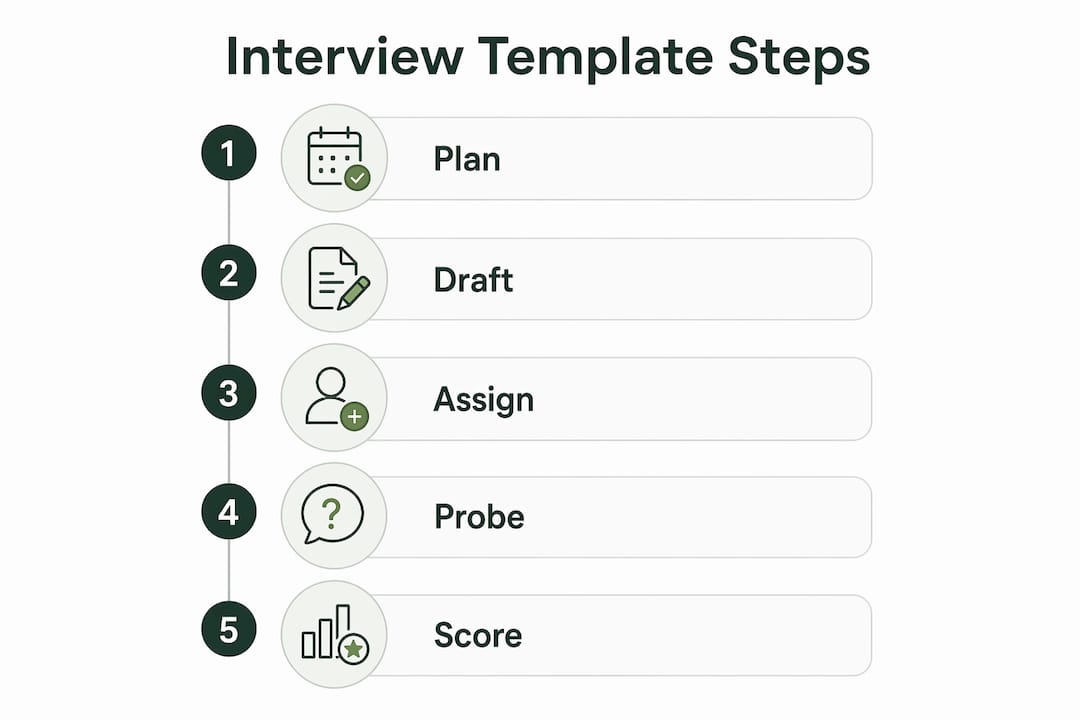
Pro Tip: Mark two or three questions in your template as “probe” slots. This signals to any practice partner or AI assistant that these are the moments to push for more detail — the difference between a 3 and a 5 on the scorecard.
Three copy-paste templates for common tech roles
A. Junior backend engineer
Role: Entry-level API and database work, 0–2 years experience, reports to a senior engineer.
| Question | Competency | Time | Score anchor (5) |
|---|---|---|---|
| Walk me through a recent project you built end-to-end. | Technical execution | 8 min | Describes architecture, trade-offs, and outcome with metrics |
| Tell me about a bug you couldn’t fix immediately. | Problem-solving | 6 min | Explains debugging process and what they learned |
| How do you handle code review feedback you disagree with? | Coachability | 5 min | Gives specific example, shows changed behavior |
| Describe a time you had to learn a new tool quickly. | Adaptability | 5 min | Names tool, timeline, and measurable result |
Practice with Parakeet-ai: Load this table into a rehearsal session and prompt: “Score my answer to question 1 against the competency ‘technical execution’ using a 1–5 scale.”
B. Product manager
Role: 2–4 years experience, owns a product area, works cross-functionally with engineering and design.
| Question | Competency | Time | Score anchor (5) |
|---|---|---|---|
| How did you prioritize your last roadmap? | Strategic thinking | 8 min | Cites framework (RICE, MoSCoW), data sources, and stakeholder alignment |
| Tell me about a product decision that failed. | Judgment | 6 min | Owns the failure, explains what changed afterward |
| How do you align engineering on a tight deadline? | Communication | 6 min | Specific example with named constraints and outcome |
| Walk me through a metric you moved. | Impact | 5 min | Quantified result, baseline vs. outcome |
C. Data analyst
Role: SQL-heavy, reporting and dashboards, stakeholder-facing insights.
| Question | Competency | Time | Score anchor (5) |
|---|---|---|---|
| Describe an analysis that changed a business decision. | Impact | 8 min | Names decision, data source, and measurable outcome |
| How do you handle a dataset with significant missing values? | Technical rigor | 7 min | Explains imputation or exclusion logic with reasoning |
| Tell me about a time a stakeholder misread your data. | Communication | 5 min | Describes how they reframed the insight |
| How do you validate a dashboard before it goes live? | Quality | 5 min | Lists specific checks and sign-off process |
For technical interview prep, load the relevant table into Parakeet-ai and ask it to generate follow-up probe questions for each competency.
How to map competencies to interview questions
Step 1. Extract 4–6 competencies from the job description. Cross-reference with what top performers in similar roles actually do day-to-day. Skills matching frameworks can help you identify which competencies predict performance versus which ones just sound important.

Step 2. Assign one question type per competency.
| Competency | Question type | Sample prompt |
|---|---|---|
| Technical execution | Technical | “Walk me through how you’d design X system.” |
| Problem-solving | Situational | “You have 48 hours to fix a production bug. What do you do?” |
| Communication | Behavioral | “Tell me about a time you explained a complex idea to a non-technical stakeholder.” |
| Coachability | Behavioral | “Describe feedback that changed how you work.” |
Step 3. Weight competencies by role priority. A backend engineer role might weight technical execution at 40%, problem-solving at 30%, and communication at 30%. Document this before the interview so scoring stays consistent.
Pro Tip: Flag must-have competencies explicitly in your template. Asana recommends separating must-haves from nice-to-haves so a candidate who scores a 5 on charisma but a 2 on technical execution doesn’t accidentally pass the bar.
A practical 1–5 scorecard and how to calibrate it
Use these anchors for the competency “problem-solving”:
| Score | Anchor description |
|---|---|
| 1 | No structured approach; answer is vague or off-topic |
| 3 | Identifies the problem and proposes a solution, but skips trade-offs |
| 5 | Defines the problem clearly, evaluates multiple options, explains the chosen path with evidence |
Aggregate scores across competencies using your assigned weights. A candidate scoring 4 on a 40%-weighted competency contributes 1.6 to the total; a 2 on a 30%-weighted competency contributes 0.6.
Calibration prevents score drift. Before your first hiring round, run a 15–20 minute session where all interviewers score the same sample answer independently, then compare. Yale’s template guidance recommends independent pre-debrief scoring to avoid groupthink — the first person to speak in a debrief disproportionately anchors everyone else’s scores.
Pro Tip: Pair a new interviewer with a veteran for the first two rounds. Have them score independently, then debrief the gap. Three rounds of this closes most calibration variance.
How to use a real-time AI interview assistant safely
Parakeet-ai listens to your interview and surfaces structured answer cues in real time. Use it for rehearsal, live cueing, and post-session scoring — but understand the limits before going live.
Before using any AI tool in a live interview, confirm the platform’s recording policy and whether the interviewer has consented to AI assistance. Using an undisclosed AI tool during a recorded or mediated session can violate platform terms or create ethical issues that outweigh any benefit.
Safe use checklist:
- Rehearsal: run full mock sessions with Parakeet-ai before the real interview; no consent issues apply
- Live cueing: use only in unrecorded, one-on-one settings where you’ve confirmed it’s permitted
- Scoring: after each mock, ask Parakeet-ai to score your answer against the competency anchor
- Decline AI help for any question involving confidential company data or legally sensitive topics
Pro Tip: Train Parakeet-ai on your three strongest answers and the role’s competency list before your first live session. Its real-time cues will align with your actual scorecard rather than generic interview advice. See AI strategies for final-round interviews for a full setup walkthrough.
How to prepare using templates: a 2-week plan
- Days 1–3: Pull the job description, extract 4–6 competencies, and customize the relevant template from Section 4.
- Days 4–6: Write out full answers for each question. Record yourself. Check each answer against the 1–5 anchor for that competency.
- Days 7–8: Share your answers with a peer or practice partner. Ask them to score using your rubric.
- Days 9–11: Run three timed mock interviews with Parakeet-ai. Treat each as a real session: no pausing, no re-dos.
- Days 12–13: Review AI scoring feedback. Identify which competencies are consistently below a 4 and rewrite those answers.
- Day 14: One final live AI-assisted mock. Focus on pacing and the probe-question slots.
Pro Tip: Schedule at least one mock with someone outside your field. If they can follow your technical answer, your communication score is probably a 4 or above.
Copy-paste templates and checklist
To use immediately:
- Copy any template table from Section 4 into a Google Doc or Markdown file
- Replace bracketed fields with role-specific competencies and question text
- Load the completed template into Parakeet-ai as a rehearsal prompt
Interview logistics checklist:
- Confirm interview format (video, phone, in-person) and platform
- Verify recording policy and AI tool consent rules
- Prepare your competency-weighted scorecard before the session
- Set a timer for each question section during mock runs
- After each session, log scores per competency and note which anchors you hit
Customization reminder: adjust competency weights and anchor language for seniority. A senior role typically raises the bar on the 5-anchor — “describes architecture trade-offs” becomes “drove architectural decisions across multiple teams with documented outcomes.” Use the interview checklist for hiring managers as a parallel reference when adapting templates for different levels.
Legal and ethical considerations in interview templates
Interview questions carry legal risk when they touch protected characteristics. Under Title VII of the Civil Rights Act, the Americans with Disabilities Act, and the Age Discrimination in Employment Act, questions that directly or indirectly screen on race, sex, religion, national origin, disability, or age expose employers to discrimination claims.
Structured templates reduce this risk because every candidate answers the same competency-tied questions. But the template itself must be reviewed for embedded bias. Questions like “Where are you originally from?” or “Do you have kids?” are off-limits regardless of intent.
For candidates, knowing this matters practically: if an interviewer asks a question that feels discriminatory, you are not obligated to answer it. Redirect to the competency: “I’d rather focus on how I’d approach the role’s core challenges.”
AI tools add a separate layer. If Parakeet-ai or any AI assistant records or transcribes a session, that data must be handled in compliance with applicable privacy law, including state-level rules like the California Consumer Privacy Act. Always confirm data retention policies before a live session.
This article is general information, not legal advice. Confirm current requirements with an employment attorney or the Equal Employment Opportunity Commission for your specific situation.
Key Takeaways
A structured interview template paired with a competency-weighted scorecard and AI-assisted rehearsal gives tech candidates the clearest path to a consistent, evidence-based performance.
| Point | Details |
|---|---|
| Structure beats improvisation | Templates tie every question to a competency and anchor, making your answers directly comparable and scorable. |
| Map competencies before you practice | Extract 4–6 must-have skills from the job description and weight them before writing a single answer. |
| Calibrate your scorecard | Use explicit 1–5 anchors and score mock answers independently to avoid inflating your self-assessment. |
| Rehearse with AI ethically | Confirm consent and platform rules before using Parakeet-ai live; use it freely for all pre-interview rehearsal. |
| Parakeet-ai for real-time help | Load your competency list into Parakeet-ai to get live, role-specific answer cues aligned to your scorecard. |
Why templates matter more than most candidates realize
The conventional wisdom says “just be yourself” in an interview. That advice isn’t wrong, but it’s incomplete in a way that costs candidates real opportunities. Structured hiring exists precisely because unstructured interviews are unreliable predictors of job performance — interviewers default to likeability, shared background, and confident delivery rather than actual competency evidence.
What that means for you: the candidate who understands the template wins, not because they game the system, but because they show up with the right evidence for the right criteria. A 5-anchor answer on “problem-solving” isn’t a rehearsed speech — it’s a real story told with enough specificity that the interviewer can score it without guessing.
AI assistance accelerates this. Parakeet-ai doesn’t write your answers; it helps you recognize when an answer is hitting the competency signal and when it is drifting into vague territory. That feedback loop, run consistently over two weeks of prep, is what separates a 3.2 aggregate score from a 4.1.
Parakeet-ai gives you real-time answers during your interview
Most candidates walk into a tech interview having practiced answers in their head. Parakeet-ai changes the preparation entirely: it listens to the live interview and surfaces structured, competency-aligned answer cues in real time, so you’re never caught flat-footed on a question you didn’t anticipate.
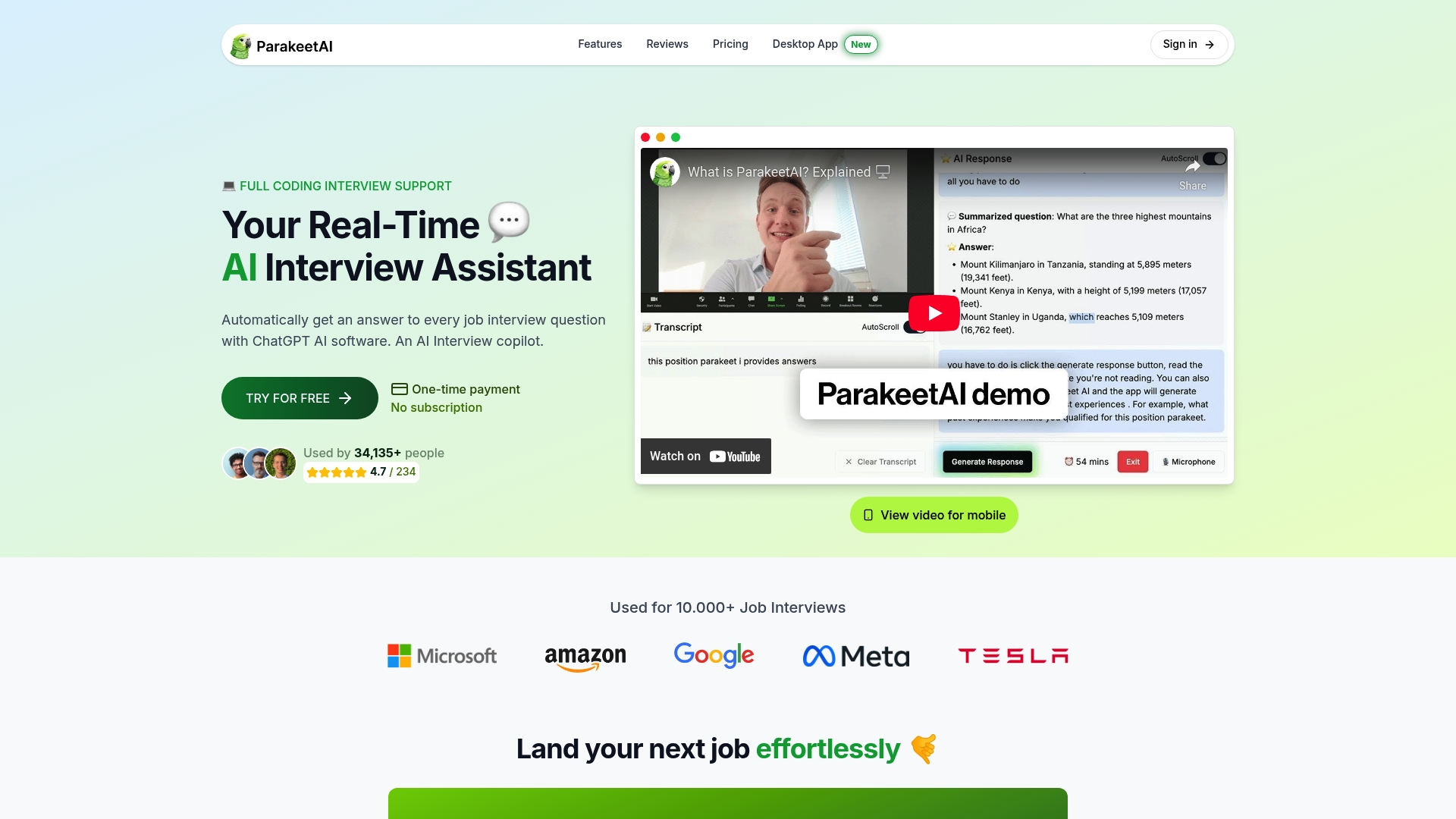
Load your customized template into Parakeet-ai before your next session. It will align its cues to your specific competency list and scorecard anchors, not generic interview advice. Whether you’re prepping for a junior backend role or a senior PM round, the real-time interview assistant gives you the structured support that most candidates only wish they had in the room.
Authoritative sources and further reading
- Greenhouse: Interview questions template — Covers how structured templates convert conversations into evidence-based assessments. Supports Sections 2, 3, and 5.
- AIHR: Interview guide — Source for the 72% candidate experience statistic and structured guide design. Supports Sections 2 and 8.
- Asana: Interview guide template — Competency mapping, planning effort, and scorecard design. Supports Sections 2, 5, and 6.
- Asana: Interview questions template — Scoring anchor guidance and must-have vs. nice-to-have framing. Supports Sections 5 and 6.
- Yale: Hiring manager interview template — Explicit rating scale, probe slot guidance, and calibration steps. Supports Sections 3 and 6.
- Indeed: Interview template and questions — Component enumeration including time designations and note fields. Supports Sections 3 and 9.