
What is live interview transcription? Boost your job prep
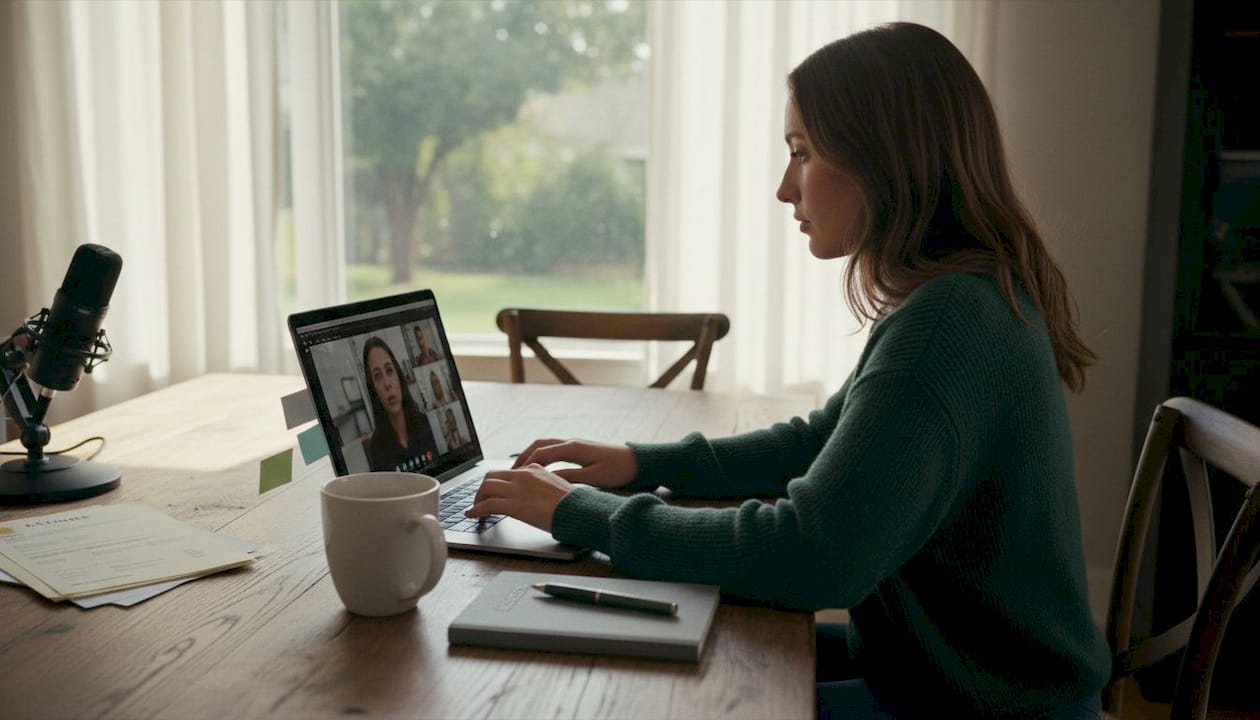
TL;DR:Live transcription converts spoken words into a real-time, searchable text record, providing immediate feedback during interviews. Unlike closed captioning, it offers a persistent document with speaker labels, timestamps, and analysis capabilities that enhance post-interview review. Although accuracy can be affected by noise, accents, and overlapping speech, strategic environment setup and careful review maximize its usefulness for job seekers.
Most people assume live transcription is just fancy notetaking. It isn’t. When real-time speech-to-text transcribes audio as it streams and outputs text within milliseconds, you get something far more powerful than a written summary after the fact. You get a living, searchable record that grows in real time as you speak. For job seekers, that difference is enormous. This guide breaks down what live interview transcription actually is, how the technology works under the hood, and exactly how you can use it to sharpen your interview performance before your next big opportunity.
Table of Contents
- What is live interview transcription?
- Live vs. closed captioning: What’s the difference?
- How does real-time transcription help job seekers?
- Real-world challenges: Accuracy, noise, and latency
- Getting started: Making live interview transcription work for you
- Our perspective: What most people miss about live interview transcription
- Level up your interview prep with AI-powered tools
- Frequently asked questions
Key Takeaways
| Point | Details |
|---|---|
| Real-time transcription defined | It streams your interview audio into searchable text instantly for immediate review and analysis. |
| AI-powered feedback loop | Live transcripts make it easy to spot missed points or improve answers with quick post-interview analysis. |
| Know its limits | Background noise and crosstalk can affect accuracy, so reliable setup and post-editing lead to best results. |
| Empowers job seekers | Using live transcription helps you prepare, practice, and get ahead in competitive interviews. |
What is live interview transcription?
Live interview transcription is the process of converting everything said during an interview into written text while the conversation is still happening. Unlike traditional recording, where you capture audio and transcribe it hours or days later, live transcription gives you an incrementally growing text record with very low delay, often within a fraction of a second.
The underlying technology is called automatic speech recognition, or ASR. Here is how it works in plain terms. Your microphone captures audio continuously and sends it to an ASR system in small chunks. The system runs each chunk through a language model, converts the audio features into text tokens, and then applies post-processing steps like punctuation, sentence boundaries, and optional speaker labels. The result reaches your screen almost as fast as you speak. Streaming ASR processes continuous audio in small chunks, runs an ASR model on the audio features to produce text tokens, applies punctuation and formatting, and optionally adds speaker labeling and timestamps before delivering the text to the application.
Two technical terms you will see often are worth knowing:
- Latency: The delay between when someone speaks and when the text appears on screen. Lower latency means faster feedback, but it can sometimes mean slightly less accurate initial results.
- Diarization: The process of labeling who is speaking at any given moment. In a panel interview with three interviewers, diarization tells you which question came from which person. That context is invaluable when you review the transcript later.
“The true value of live transcription is not just capturing words. It is creating a structured, searchable record that reveals patterns in how you communicate under pressure.”
Understanding interview recording technology at this level helps you set realistic expectations and choose the right tool for your needs.
| Feature | Traditional recording | Live transcription |
|---|---|---|
| Text availability | After recording ends | During the conversation |
| Searchability | Audio only | Full text search |
| Speaker labels | Manual | Automated (diarization) |
| Review speed | Slow (listen through) | Fast (scan text) |
| Action on insights | Delayed | Near-immediate |
Live vs. closed captioning: What’s the difference?
Many job seekers confuse live transcription with closed captioning. Both show text in real time, so the confusion makes sense. But they serve very different purposes and produce very different outputs.
Closed captioning overlays text directly onto a video or visual display. Its primary purpose is accessibility, helping viewers who are deaf or hard of hearing follow along. Captions appear on screen and disappear as the video progresses. You cannot search them, export them as a document, or use them to analyze patterns in your speech. Closed captions are real-time text overlaid with video images, while live transcription creates a written record delivered as a separate, searchable text file after saving.
Live transcription, on the other hand, builds a persistent document. Every word gets stored, timestamped, and made searchable. After your mock interview or practice session, you can open that document, search for specific phrases, jump to a timestamp, or copy your answer to a question and analyze it line by line.
Here is a quick side-by-side breakdown:
| Dimension | Closed captioning | Live transcription |
|---|---|---|
| Primary purpose | Accessibility and visual display | Record and analysis |
| Output format | Overlaid video text | Separate text document |
| Searchable after session | No | Yes |
| Exportable | Rarely | Typically yes |
| Speaker identification | Usually not | Often supported |
| Best use case | Watching video content | Reviewing interviews |
For job seekers focused on real-time interview insights, the distinction is critical. Captioning helps you follow along in the moment. Transcription helps you grow after it.
How does real-time transcription help job seekers?
This is where live transcription moves from interesting technology to a genuine career advantage. The workflow is straightforward, but the results can be transformative.
Here is a practical, step-by-step flow for using live transcription in your interview preparation:
- Record a mock interview. Use a platform with live transcription enabled and run through common questions with a friend or a practice tool. The transcript builds as you speak.
- Review immediately after. Because the text is already generated, you do not need to rewind audio. You can scan the document within seconds of finishing.
- Look for missed points. Did you forget to mention a key achievement? Did you skip a part of your STAR answer? The written record makes gaps obvious in a way that audio simply does not.
- Analyze your language patterns. Are you overusing filler words like “um” or “you know”? Do your answers start strong but trail off? Text makes these habits visible instantly.
- Rephrase and rehearse. Take weak answers, rewrite them in the transcript, and practice the improved version out loud.
Capturing every word with speaker labels and timestamps during live interviews means you can review, share, and improve without manual notetaking. Some tools also support downstream summarization and natural language processing after transcription completes, giving you even richer analysis.
The AI interview tool benefits extend well beyond simple convenience. Job seekers who actively review transcripts tend to identify and fix specific weaknesses much faster than those relying solely on memory or audio replay.
Pro Tip: After each practice session, highlight every answer where you used vague language like “I kind of did this” or “we sort of handled that.” Replace every soft qualifier with a specific, confident statement. Watching that pattern disappear across sessions is one of the clearest signs of real progress.
Exploring the interview preparation advantages of structured review shows that candidates who use structured self-analysis tools are better equipped to identify blind spots before a real interview. And real-time performance insights from live transcription give you that structure automatically, without needing a human coach present for every session.
Real-world challenges: Accuracy, noise, and latency
Live transcription is powerful, but it is not infallible. Understanding where it struggles helps you prepare smarter instead of being surprised by errors.

Background noise is the biggest culprit. If you are practicing in a coffee shop, near an open window, or in a room with an echo, the ASR model receives a noisier audio signal. That noise increases what engineers call the Word Error Rate, or WER. Benchmark WERs under controlled conditions can be much lower than real deployments. With overlapping dialogue, diverse accents, or casual speech, WER often increases substantially.
The practical takeaway: do not trust a noisy transcript completely. Plan to skim for errors, especially on technical terms or proper nouns where ASR models are most likely to make mistakes.
Accents add another layer of complexity. Most ASR models are trained on large datasets that over-represent certain dialects. If your accent differs significantly from the dominant training data, the model may struggle with specific phonemes or word boundaries. This is improving rapidly across the industry, but it remains a real limitation in 2026.
Crosstalk is the hardest problem. When two people speak at the same time, which happens constantly in panel interviews or group discussions, ASR systems often merge the audio in ways that produce garbled text. Live transcription in group interview situations requires extra attention to transcript quality.
There is also a genuine trade-off between speed and accuracy. Streaming systems expose tunable trade-offs between latency and accuracy, for example in how quickly the model finalizes results. If a system delivers text instantly, it may correct itself as more audio context arrives. If it waits slightly longer to finalize, it tends to be more accurate.
“Speed and accuracy in live transcription are not opposites. They are a slider you learn to tune for the situation you are in.”
Key challenges to watch for:
- Homophones: Words that sound the same but mean different things, like “their” vs. “there,” can trip up any ASR system.
- Technical jargon: Industry-specific terms, company names, and role-specific vocabulary often get transcribed incorrectly.
- Low-energy speech: Speaking quietly, trailing off, or mumbling near the end of sentences reduces clarity significantly.
Following solid interview best practices around voice projection and pacing will naturally improve your transcript quality, because the habits that make you a better communicator also produce cleaner audio.
Getting started: Making live interview transcription work for you
Knowing the technology and its limitations is only half the battle. Here is how to actually set yourself up for success with live interview transcription.
Step 1: Set up your environment. Choose a quiet room with minimal echo. Close windows, turn off fans, and silence your phone. Acoustic treatment does not need to be fancy. A room with soft furnishings like bookshelves, rugs, and curtains absorbs sound and improves recording quality significantly.
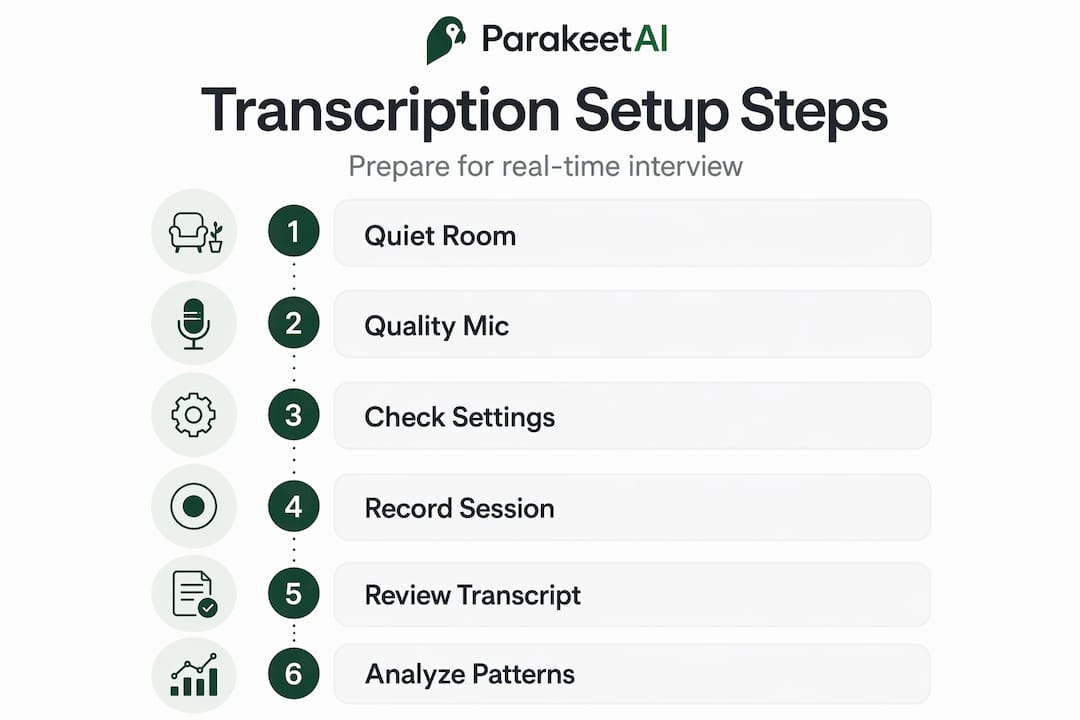
Step 2: Invest in a decent microphone. Your built-in laptop microphone is often the weakest link. Even a budget USB microphone can dramatically improve ASR accuracy by reducing ambient noise pickup. If you are practicing for virtual interview tips, a good mic is the single highest-return investment you can make.
Step 3: Check your settings before you start. Enable live transcription or automatic captions in your chosen tool. Confirm that speaker labels and timestamps are active. Run a short test recording and review the transcript to verify audio quality before your session.
Step 4: Record and let it run. Do not stop mid-sentence to check the transcript. Focus on the conversation. Let the transcription run in the background while you practice.
Step 5: Review and edit strategically. After the session, skim the transcript quickly for obvious errors. Focus your careful reading on moments that felt important, like a complex behavioral question or a technical explanation. For interview time management, a quick skim followed by targeted deep review is far more efficient than reading every word slowly.
Step 6: Identify and act on patterns. Mark sections where your answers were vague, too long, too short, or missed the question. This structured review is the core of what mock interview benefits research consistently shows: deliberate, structured practice beats repetition alone every time.
When your interview audio is messy, because of an open office, varying microphone quality, or multiple interviewers overlapping, plan for post-editing and targeted re-listening of low-confidence segments rather than assuming the transcript will be perfect.
Pro Tip: If you are preparing for a position that requires strong English communication and you want to sharpen your spoken language skills, resources focused on improving conversational English for interviews can complement your transcription review workflow by giving you language frameworks to practice.
- Use headphones to prevent audio bleed during virtual sessions
- Speak at a moderate pace, slightly slower than you think you need to
- Pause briefly between answers so the ASR system can finalize each segment cleanly
- Always name your transcript files with the date and question type for easy retrieval
Our perspective: What most people miss about live interview transcription
Here is the honest take after working closely with job seekers who use live transcription tools. The biggest misconception is that the transcript has to be perfect to be useful. It does not.
Most job seekers open a transcript, spot a few errors, and feel let down. They expected a flawless record and got something that needs a little editing. But they are measuring the wrong thing. The real value is not a perfect document. It is the speed of feedback and the ability to see your own communication patterns in writing for the first time.
Reading your answers in text form reveals things audio never could. You see where sentences dissolve into vagueness. You see the same filler phrase appearing four times in a single answer. You see that you actually answered a question about teamwork with a story about individual achievement. None of that is obvious when you just listen back. Checking your deep-dive on real-time interview insight shows how much self-awareness improves when candidates shift from audio review to text review.
The speed and accuracy trade-off is also misunderstood. Systems that finalize earlier can reduce perceived lag but may increase errors or produce incomplete text. That is not a flaw in the technology. It is a design choice you can control. If you want faster feedback during a live session, accept that you will edit more afterward. If you want cleaner text, let the system wait slightly longer to finalize.
The job seekers who get the most out of live transcription are not the ones chasing perfect transcripts. They are the ones who treat the imperfect transcript as a rough draft of their interview performance, and then do the work to revise it.
Level up your interview prep with AI-powered tools
Live interview transcription gives you the raw material for real self-improvement. But the most effective preparation combines transcription with intelligent, real-time guidance that goes beyond just recording what you said.
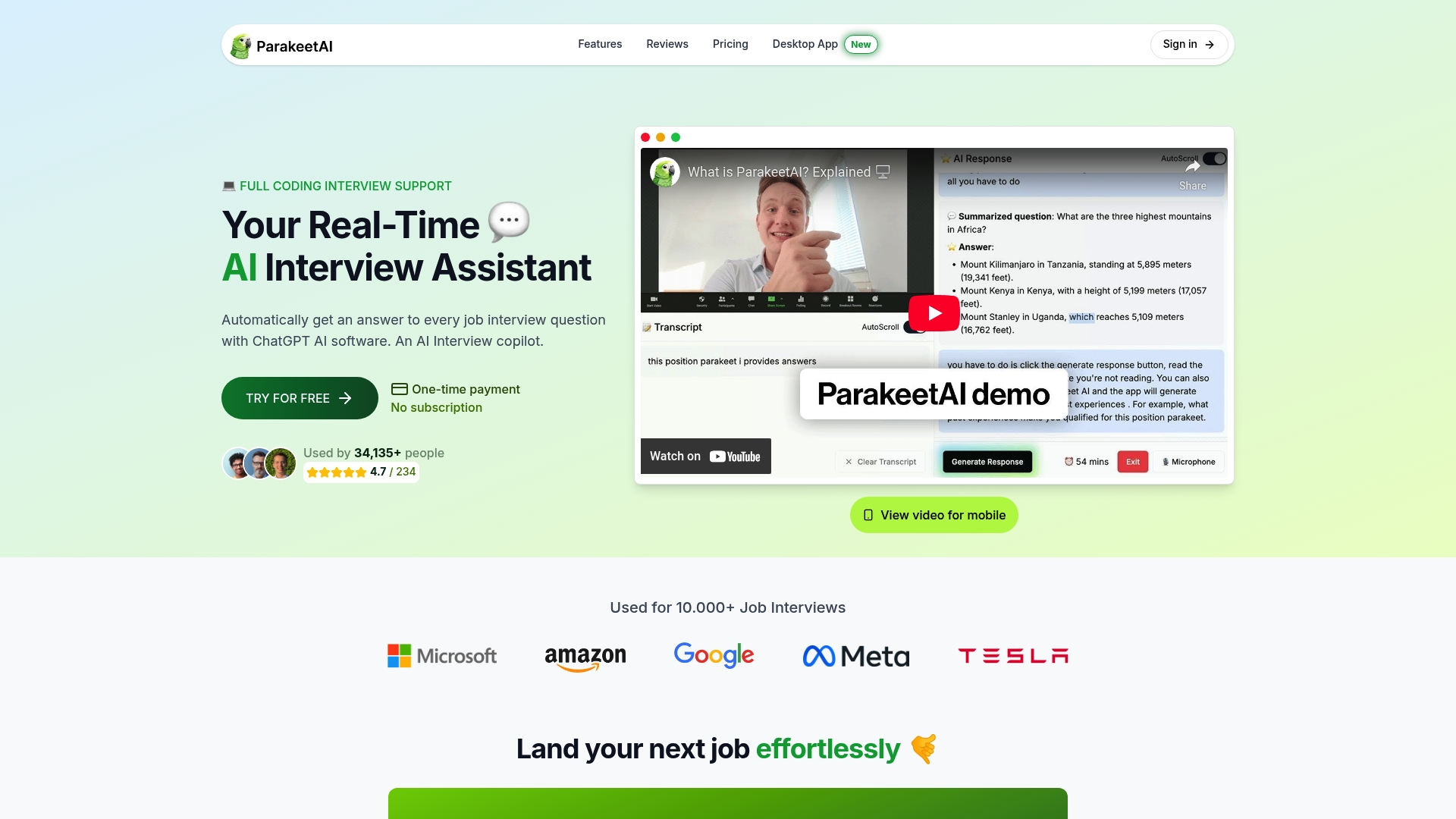
Parakeet AI is built specifically for this. It listens to your interview as it happens and automatically surfaces answers to every question using AI, in real time. You get the live transcript advantage plus an intelligent layer that helps you respond more confidently and completely in the moment. Whether you are practicing for a panel interview, a technical screen, or a behavioral round, Parakeet AI turns every session into a structured learning experience. Visit parakeet-ai.com and see how real-time AI support can change the way you prepare.
Frequently asked questions
How accurate is live interview transcription?
Accuracy varies considerably based on your audio environment. Clean audio and clear speech deliver the best results, but noise, accents, and multiple speakers can lower accuracy significantly compared to controlled benchmark conditions.
Can live transcription be used for group or panel interviews?
Yes, especially when the tool supports speaker labeling and timestamps. Streaming ASR applies post-processing such as speaker labeling to distinguish voices, though overlapping speech from multiple panelists can reduce accuracy and requires closer post-session review.
Is live transcript data accessible and searchable after my interview?
Yes. Most tools provide a searchable text record after your session, capturing every word with speaker labels and timestamps so you can review, share, or analyze your answers without manually scrubbing through audio.
What’s the main difference between live transcription and closed captioning?
Closed captions are real-time text overlaid on video primarily for accessibility, while live transcription creates a separate, searchable, exportable text document that you can analyze in depth after the session.
How can I improve my live transcript quality during interviews?
Use a quiet space and a dedicated microphone, speak at a clear and moderate pace, and always plan for post-editing of low-confidence segments in noisy or multi-speaker environments rather than assuming the transcript will be error-free.